
How to Edit Any WebPage Online Live in Your Browser
How easy is it to edit any web page online on any website in your browser and create fake screenshots? Very simple and easy. Paste a simple code into the location bar and you can actually edit any page on any site in real time. Though this sounds like fun, it can have serious implications.
Let me start by surprising you with my million dollar Adsense earnings for today!

Ok so its a fake screenshot and I did not use Adobe Photoshop or any image editing software, so how did I do it?
Edit Web Pages to Create Fake Screenshots
Option 1: Type code in Browser
Here is the magic edit website javascript code spreading across the web which can edit any web page
javascript:document.body.contentEditable='true'; document.designMode='on'; void 0
Simply copy and paste it into the location bar of your web browser when you are on any page and you can now edit it. Though this is a cool tool to have some fun, it is dangerous tool used by scammers to create fake screenshots and websites resembling the original to misinterpret facts and for phishing attempts. So you need to be alert on the web and not believe everything you see…
Option 2: Use Bookmarklets
The best way – You don’t actually need to remember that code – To make this process faster, use the Edit Page bookmarklet (drag the link to your browser bookmarks toolbar, and click when needed).
Try it on this page now by simply placing the cursor on any text, deleting it or editing it. These edits are not permanent and limited to your browser window only. Refresh the page and its gone. There are more lists of many such bookmarklets to modify web pages.
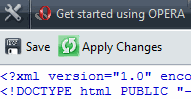
Compatibility – I checked that this code works on Internet Explorer, Firefox, Opera, and Safari. Although it is easy to edit any page by altering its html code, this real time editing is amazing. Opera web browser also has a built in special feature to do this View > Source, edit in Source Editor and ‘Apply Changes’.
Option 3: Other browser scripts
Firefox users can also try the Firebug firefox extension, a powerful tool that lets you edit, debug, and monitor CSS, HTML, and JavaScript live in any web page, and is popular among webmasters and web designers. Greasemonkey is another popular Firefox extension that modifies the web and allows you to customize the way a web page displays and functions using small bits of JavaScript.
You now know how easy it is to edit web page online and even a kid could do it. Beware of what you see online… it could not be true!