
Indian Rupee Font Symbol: Download Rs Font Free for Word
The new Indian Rupee symbol is officially released and now download India Rupee Rs font in word use for your documents. Typing the Re or Rs text is no longer a good idea as India now has its own Rupee symbol and fonts have been developed for universal usage.
Install Rupee Font
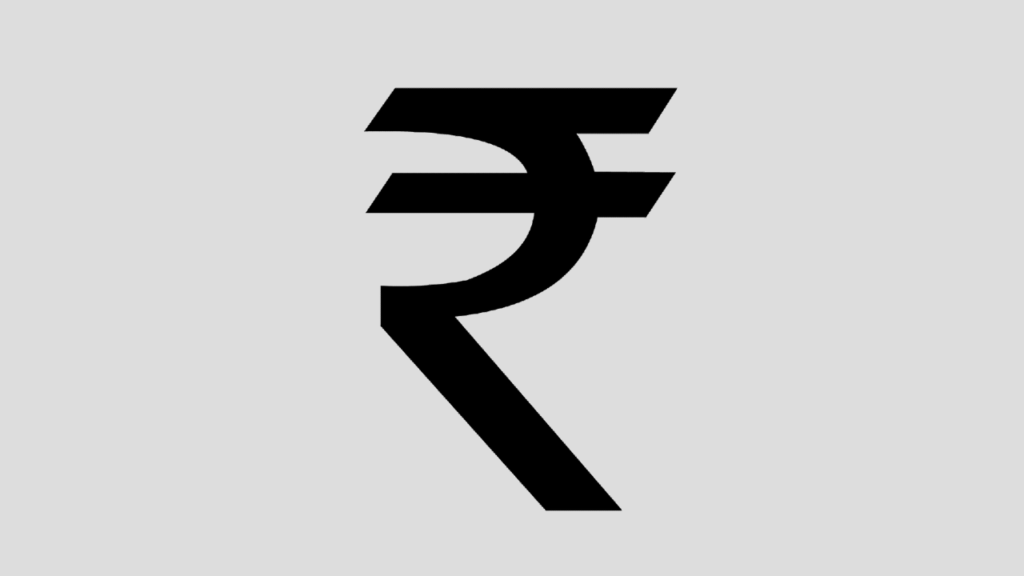 Fordian Technologies has created this new Indian custom font for free download. You need to start by downloading the .ttf Rupee font file. Download font (.ttf)
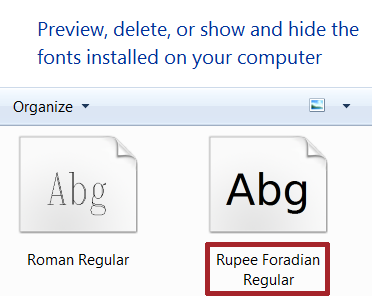
This will download a .ttf file which you will need to install in your computer ‘Fonts’ folder. This is typically located in C: /Windows/Fonts. If your version of Windows differs, simply search ‘Fonts’ from the Windows key, click on the Fonts folder and drag the .ttf file to the folder (In Windows Vista – Control Panel\All Control Panel Items\Fonts).
Use Rs Font in Word or Excel
Wherever you want to use Rupee symbol in Word, simply click the Font selection > select “Rupee” Foradian font from the drop-down list of your fonts, and use Rupee symbol in your text in Microsoft Word.

How type Rupee symbol?
It’s easy to type the Rs font. Most keyboards have the grave accent symbol on the top left, also known as back tics. It is ` key (the key just above “tab” button in your keyboard) is used to type the new Rupee symbol.
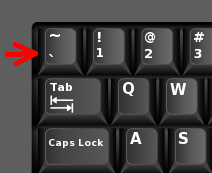
But remember, that for this to work, the font must be installed in the correct fonts folder, else it will not appear in the dropdown. Also note that if you share the document, the symbol might not appear if the font has not been installed in the user’s computer. You can download Rupee font installer free. Learn how to add Rupee Symbol in blog posts instead of Rs and astound your readers. You can now get a dedicated Indian rupee keyboard key to use Rupee symbol on the keyboard.
Best keyboards with rupee key
Here are some of the best keyboards with rupee key
- Zebronics Zeb-DLK01 USB Multimedia Keyboard
- Zebronics Zeb-Companion 109 Wireless Keyboard Mouse Combo
- Zebronics Zeb-Glide USB Wired Multimedia Keyboard (White)
- Quantum Rapid Strike RGB Mechanical Wired Gaming Keyboard
- Quantum QHM-7406 Full-Sized Keyboard with (₹) Rupee Symbol
Still using Rs? Download Rs symbol font and use the new symbol for Indian currency in your publications and daily use.