
Use Google Audio Player to Embed MP3 Audio Files
How can you embed mp3 files into web pages? Google audio player is a cool way to embed and play any music mp3 file on your website. This will allow your readers to play audio files directly from web pages.
Google Audio Player Embeds Mp3 Files
So what code do you embed in your webpage
<embed type="application/x-shockwave-flash" src="http://www.google.com/reader/ui/3523697345-audio-player.swf" quality="best" flashvars="audioUrl=MP3link" width="500" height="27"></embed>You can change the width of the Google audio player to fit your content width. If you increase the height, a black empty zone starts to appear, so best keep it at 27px. Remember to change MP3link with the link to your mp3 file url. This means the mp3 is hosted on your site or on some mp3 hosting services.
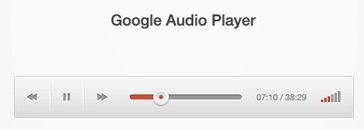
Play any embedded mp3 now. You can also change the volume!
But where is the Google branding? Actually this code is used to play audio files in Google reader (see the audio player flash file url), but this is the easiest way to embed mp3 audio files. Simply add the mp3 url link and embed any mp3 file using this simply Google audio player!