
Windows XP Starter Edition: India’s Budget Windows of 2005 Explained
Windows XP Starter Edition was a cut-down, low-cost version of Windows XP that Microsoft sold with new PCs in a few developing countries, and India was the fifth country to get it. This article covers what the Starter Edition was, its limits, what happened to it, and what to use on a low-cost or old PC today.
Quick answer: Windows XP Starter Edition was a budget, Hindi-language edition of Windows XP sold only with new PCs in India from 2005. It allowed only three programs at once and capped the screen at 800×600. Like all of Windows XP, it lost Microsoft support in April 2014 and should not be used online today.
Table of Contents
What was Windows XP Starter Edition?
Price was the big barrier for Windows in developing countries, so Microsoft built a stripped-down edition for first-time PC buyers. After Thailand, Malaysia, Indonesia and Russia, India became the fifth country to get it. It came only preinstalled on new PCs in local languages and was not sold separately in stores.
The full version of Windows XP supported nine Indian languages, but the Starter Edition for India came only in Hindi. Besides costing less, it added local touches such as wallpapers and screensavers of famous Indian landmarks like the Taj Mahal.
Windows XP Starter Edition limitations
To keep it cheap and push buyers towards the full edition, Microsoft removed some very basic features:
- Three programs at once: you could only run three programs at the same time.
- Low screen resolution: display resolution was capped at 800×600.
- No home networking: you couldn’t share files or a connection between PCs.
- One user account: you couldn’t create multiple user accounts on one PC.
When I wrote about it in 2005, the three-program limit looked extreme. My view then was that it would push people towards tabbed browsers such as Firefox and Opera, since one browser window with many tabs counts as a single program. Tabs have since become standard in every browser, so that part of the story aged well.
What happened to Windows XP Starter Edition
Microsoft carried the idea forward with Starter editions of Windows Vista and Windows 7, which were mostly sold on low-cost PCs and netbooks. Later versions of Windows dropped the Starter name.
Windows XP itself, including the Starter Edition, reached end of support on 8 April 2014. Since then it gets no security updates, and modern browsers and apps no longer support it. A PC still running Windows XP should stay offline.
What to use on a low-cost or old PC today
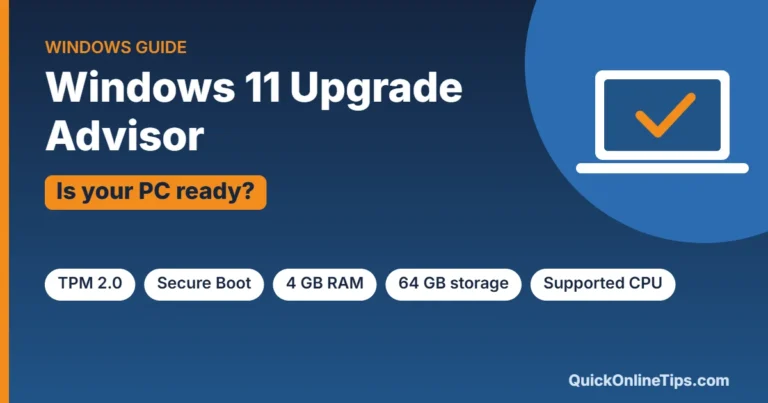
- Windows 11: if your PC meets the requirements, use a supported version of Windows. Check first with our Windows 11 upgrade advisor guide.
- Linux Mint: a free, beginner-friendly Linux that runs well on older hardware and has a familiar desktop.
- ChromeOS Flex: Google’s free system that turns many older PCs into Chromebook-style machines for web use.
- Upgrade the hardware: more RAM and an SSD can give an old desktop years more life. See my old desktop PC upgrade guide.
Unlike the 2005 Starter Edition, none of these options limit how many programs you can run, and all of them can still get security updates.
FAQ
Can I still download Windows XP Starter Edition?
No. It was only sold preinstalled on new PCs and was never available as a separate download or retail product.
Was Windows XP Starter Edition free?
No. It was a cheaper edition bundled with low-cost PCs, not a free version of Windows.
Which languages did the India edition support?
The Indian Starter Edition was available only in Hindi, while the full Windows XP supported nine Indian languages.
Is it safe to use Windows XP in 2026?
Not online. Windows XP has had no security updates since April 2014, so use a supported system such as Windows 11, Linux Mint or ChromeOS Flex instead.
Get our free weekly email: new tech guides and tools, no spam.
New and updated tech guides, a free tool worth bookmarking and one useful pick, once a week. No spam, unsubscribe anytime.
One email a week. Unsubscribe anytime. See our privacy policy.



Personally, I think people should use GNU/Linux. I don’t know what Microsoft is playing at when Linux distros e.g. Ubuntu, Debian, offer full functionality for _free_. “Free” referring primarily to Freedom (http://www.gnu.org/philosophy/free-sw.html) but often, the distros are free of charge too.
By full functionality, I mean, there’s no restriction on running binaries, there is support for USB disks, ethernet cards (therefore networking), and a large body of software: file managers, web browsers, office suite, picture editors, MIDI sequencer, and so on.
It is also an ideal way for students to learn about computing — the code of GNU/Linux is available for people to look at (“open-source”), a far cry from secretive Microsoft’s Windows.