
Bing Webmaster Tools: How to Add and Verify Your Site (Fix Errors)
Bing Webmaster Tools started life in 2007 as the Microsoft Live Search Webmaster Center, and my first attempt to add QuickOnlineTips to it ended in authentication errors. This post covers that story and how to add and verify your site in Bing Webmaster Tools today without errors.
Quick answer: Live Search Webmaster Center became Bing Webmaster Tools after Microsoft launched Bing in 2009. Today the easiest way to add a site is to sign in and import it from Google Search Console, which verifies it automatically. Otherwise verify with an XML file, a meta tag or a DNS CNAME record, and check that the file or tag is still live if verification fails.
Table of Contents
My 2007 authentication errors
When the Live Search Webmaster Center went live in November 2007, it let website owners troubleshoot crawling and indexing, submit sitemaps and view statistics for their sites in Microsoft’s search engine. You needed a Windows Live ID to start; I did not have a Hotmail, Messenger or Passport account, so I created one using my Gmail address.
I tried to add my site several times, but kept getting authentication errors for two days. The issue seemed to be with site validation.

On 22 November 2007 I was finally able to add my site, and it showed a Domain Rank of 5. At the time Google Webmaster Central and Yahoo! Site Explorer offered similar tools, so webmasters could finally work with all of the top three search engines.

How to add your site to Bing Webmaster Tools
The service is now called Bing Webmaster Tools (external site), and you can sign in with a Microsoft, Google or Facebook account. There are two ways to add a site:
- Import from Google Search Console: the fastest option. Connect your Google account and choose which verified sites to import. They are verified automatically and sitemaps come across too.
- Add the site manually: enter your URL and then verify ownership with one of the methods below.
Verification methods
- XML file: download the BingSiteAuth.xml file and upload it to your site’s root folder.
- Meta tag: paste the msvalidate.01 meta tag into your home page’s head section. SEO plugins such as Rank Math have a field for it.
- DNS CNAME record: add the record Bing gives you at your domain registrar or DNS host.
Fix Bing Webmaster Tools verification errors
- Check the file or tag is public. Open your BingSiteAuth.xml or view the page source in a private window to confirm it loads.
- Clear your cache. Caching plugins and CDNs can serve an old home page without the new meta tag.
- Use the exact site URL. Match https and www (or no www) to the version your site redirects to.
- Allow Bingbot. Make sure robots.txt or a firewall is not blocking Bing’s crawler.
- Wait for DNS. New CNAME records can take a while to spread before verification succeeds.
- Keep the verification in place after it succeeds, or you may lose access later.
Once verified, submit your sitemap and use the reports to find crawl errors. For more free tools, see our list of free Google SEO tools, and compare the two engines in Bing vs Google.
FAQ
Is Live Search Webmaster Center still available?
No. It became Bing Webmaster Tools when Microsoft replaced Live Search with Bing in 2009.
Is Bing Webmaster Tools free?
Yes, it is free for any site owner.
Do I need a Microsoft account?
No. You can also sign in with a Google or Facebook account.
Why should I use Bing Webmaster Tools if I already use Google Search Console?
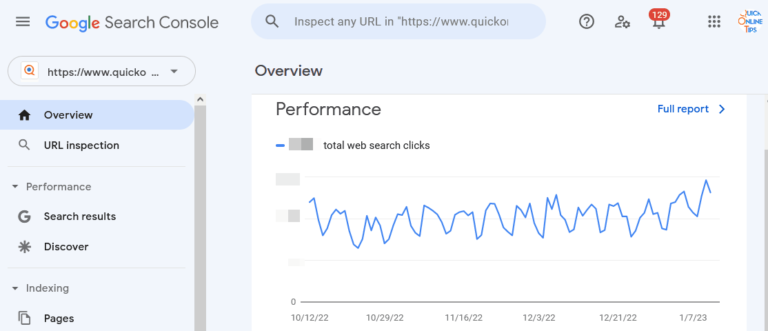
Bing powers its own search results and feeds other services, so its reports help you spot crawl and indexing problems Google’s tools will not show.
Stuck on a gift? Try our free Gift Idea GeneratorIdeas for anyone by age, job, interests and budget, with Amazon.com and Amazon.in linksFind gifts →Get our free weekly email: new tech guides and tools, no spam.
New and updated tech guides, a free tool worth bookmarking and one useful pick, once a week. No spam, unsubscribe anytime.
One email a week. Unsubscribe anytime. See our privacy policy.
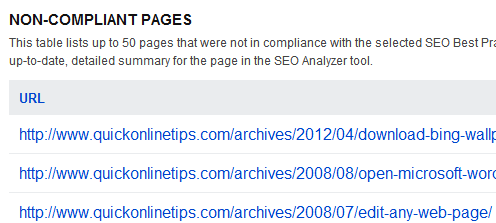


It finally worked. Domain rank is 5. Hey its green and resembles pagerank!
Lots of other people report in forums that they too are getting these errors in adding their site. Maybe they will fix it soon.
Hey,
I’am getting Authentication Errors too. I sent a mail about my problem to Windows Live Webmaster Portal Team and they sent me invites again. But that’s not solve my problem. And i informed them about that and I’m still waiting about their solutions. If i get something, i’ll let you know.