How to Block Adult Content on Netflix in 2026 (Parental Controls + Profile Locks Guide)
Quick answer: To block adult content on Netflix, set a maturity rating on each profile, give your children a Kids profile, and lock your own profile with a PIN. You can also block individual titles. The settings are tied to the profile and your Netflix account, so they apply on every device where that profile is used. Updated October 2026.
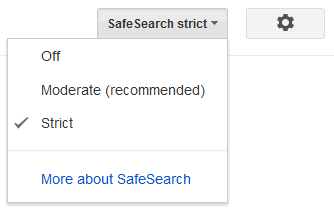
If you share your Netflix account with family, especially children, you have probably worried about what they might open by accident. Netflix has a huge library, and without restrictions everything is a click away. Just like you can block adult content on Bing and change Google’s safe search settings, you can start on Netflix by changing the maturity rating, so that only titles up to the rating you choose are shown on that profile.
Table of Contents
Quick steps to block adult content on Netflix
- Create a separate profile for each child. Choose a Kids profile for children aged 12 and under, which shows only age-appropriate titles.
- Set the maturity rating for each profile you want to restrict.
- Block specific titles that you do not want on a profile.
- Lock your own profile with a PIN so children cannot switch to it.
- Require a PIN to add new profiles so a child cannot create an unrestricted one.
Why You Should Block Adult Content on Netflix
Netflix includes content across all age groups, including mature and explicit titles. Without controls, anyone using your account can open them. Parental controls help you restrict content based on maturity ratings, block specific shows or movies, and prevent unauthorized access using profile locks. This is especially important on shared devices like TVs and tablets. If your child watches on an iPhone, also turn on iPhone content restrictions in Screen Time.
Netflix Parental Controls to block Netflix Adult Videos
You manage parental controls from your account, and Netflix will ask you to verify that it is you before you change them. Only the account holder should have the password. If you have multiple Netflix profiles, you choose which profile to edit viewing restrictions for. Netflix describes the steps like this:
- In a web browser: go to Account, then Profiles, and choose Adjust parental controls for the profile.
- In the mobile app: open My Netflix, tap your profile, choose Manage Profiles, pick the profile, then Viewing Restrictions and Maturity Rating.
Netflix changes its menus from time to time, so if a label looks different, follow the closest option in your account settings.

As you can see, the profile above has “All Maturity Ratings” activated, which means it will stream adult movies on Netflix without any viewing restrictions. If you want to change viewing restrictions, click the ‘Change‘ icon and proceed to block Netflix explicit web series and adult Netflix movies.
Change Netflix Profile Maturity Rating
The Netflix account is password protected and will ask you to verify yourself before you edit the profile maturity rating or the title restrictions.

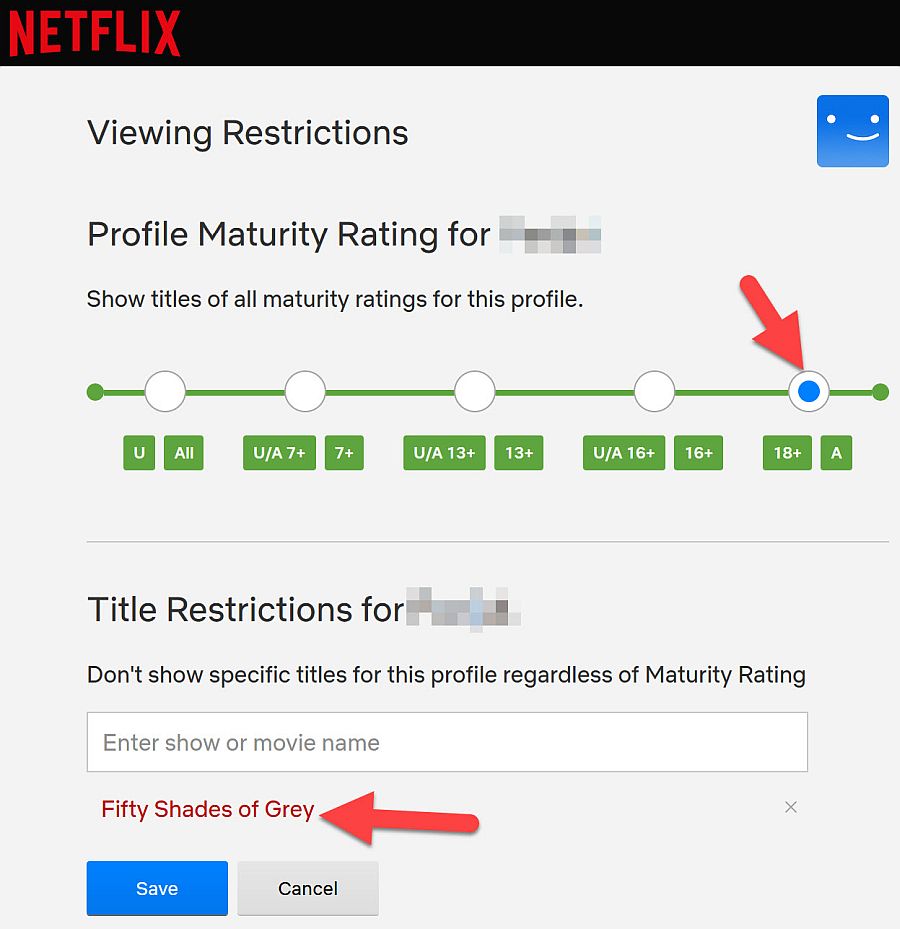
Edit Netflix Maturity Rating: Block Adult Netflix Movies
After you verify, it shows you a range of content ratings. In India these are:
- U – Suitable for all viewers
- U/A 7+ for viewing by kids over 7 years
- U/A 13+ suitable for viewing by children over 13 years
- U/A 16+ for children over 16 years
- A – for adult viewing only. This is the default setting
Pick the highest rating you are comfortable with. A profile with a maturity level set will show only titles that match that level. Netflix assigns the ratings based on things like how often and how strongly a title shows violence, sex, adult language, nudity or substance use.
Block Netflix Adult Series and Movie Titles
This option also lets you block specific adult movie titles and series. It is useful if there is a specific title you want to block without changing the maturity rating, which means the profile can still view other titles at that level but the blocked title stays hidden. In a browser, add the titles under “Title Restrictions” in the profile’s parental controls. In the mobile app, look for Block Titles under Viewing Restrictions. Title blocks apply to one profile only, so repeat it for each child’s profile.
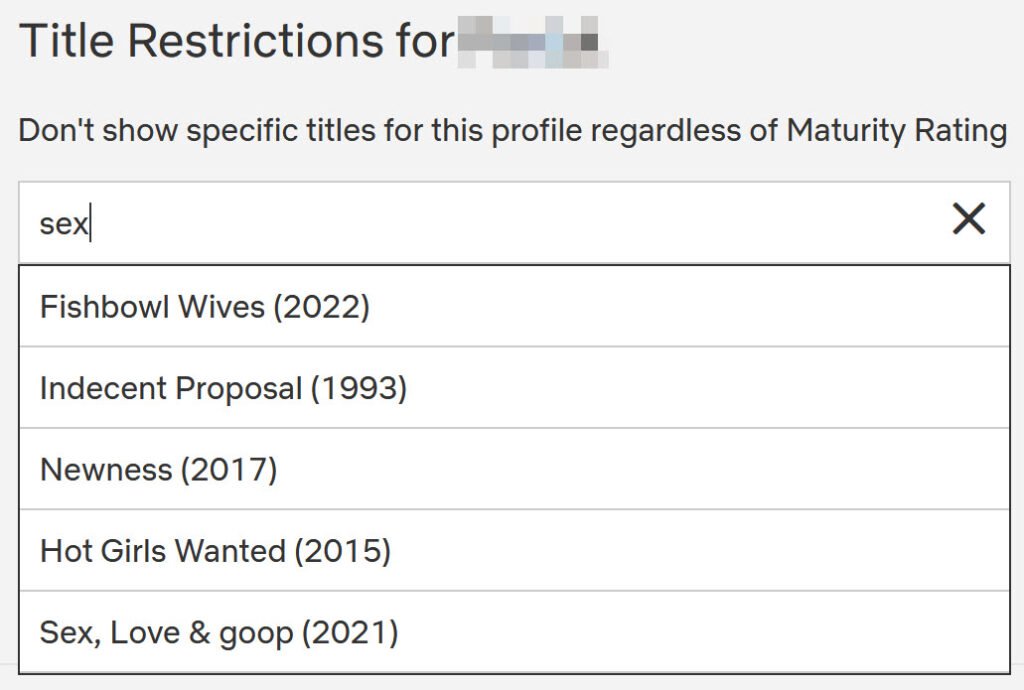
So go ahead and block adult content on Netflix today and protect the viewing preferences of your children. When a new Netflix movie or series is released, Netflix checks your maturity rating setting and shows titles accordingly. Remember, all the best movies on Netflix might not be so good for your kids.
Create a Kids profile
For children aged 12 and under, add a Kids profile from Manage Profiles by choosing Add Profile and selecting Kids. A Kids profile shows only age-appropriate titles and keeps children out of account settings, so it is the simplest option for younger children.
Lock your profile and block new profiles with a PIN
Netflix controls are account-based, not device-based, which means the settings apply across all devices, and anyone with account access can switch profiles unless they are locked. That is why profile locking matters.
- Profile Lock: in a web browser, open Account, find the profile under Profiles, choose Profile Lock, verify yourself and set a four-digit PIN. Do this for your own profile and any adult profile.
- PIN for new profiles: you can also require a PIN before a new profile can be added, so a child cannot make an unrestricted profile.
Additional Safety Tips
- Regularly review viewing activity.
- Update maturity settings as your children grow.
- Keep your account password secure.
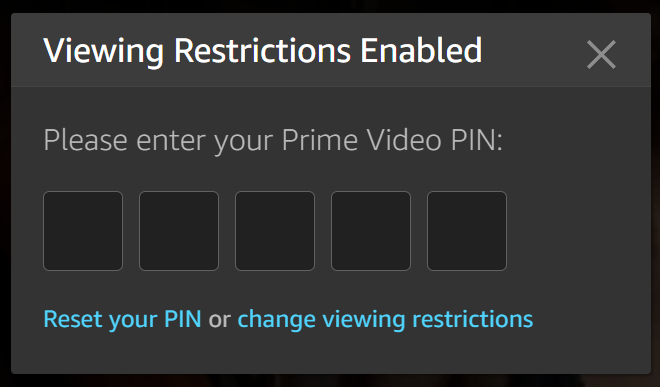
For broader online safety practices, see how to lock Google Safe Search to protect kids online, and similarly do remember to block Amazon Prime Videos and block Youtube Adult videos as well.
Frequently asked questions
Can I block adult content on Netflix on my TV?
Yes. The maturity rating, title blocks and PIN belong to the profile, so they apply wherever that profile is used, including TVs. You set them from a browser or the mobile app.
Can a child remove the maturity setting?
Not without your account verification. Changing parental controls needs a password or other verification, so keep your password private and lock your own profile with a PIN.
What is the difference between a Kids profile and a maturity rating?
A Kids profile is a separate child-friendly experience for ages 12 and under. A maturity rating limits what a normal profile can show, so it suits teenagers.
Get our free weekly email: new tech guides and tools, no spam.
New and updated tech guides, a free tool worth bookmarking and one useful pick, once a week. No spam, unsubscribe anytime.
One email a week. Unsubscribe anytime. See our privacy policy.