
How to Change WordPress Login Screen Logo
Do you want to change the WordPress Login screen logo to your own site logo for better branding? Its easy to change the WordPress logo to your logo and will give better branding, especially if you have multiple authors, or require commenters to sign in repeatedly from that page.
Change WordPress Login Logo
1. Modify your logo size to create a new image with following parameters
- .GIF image
- Transparent background
- Size – 310px wide, 70px height
- Name – logo-login.gif
2. Check your WordPress login screen which would be located on the URL http://yoursite.com/wp-admin/
OR if you host your WordPress in a folder, then it is at http://yoursite.com/folder/wp-admin/

3. Now login via FTP on your server and browse to the wp-admin/images folder
4. Find logo-login.gif image and back it up (rename to logo-login-back.gif or download it)
5. Upload your own logo image logo-login.gif to replace it
6. Check your WordPress login screen and your logo is live
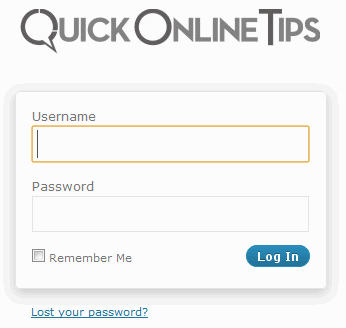
if you require people to login to your site, you must change your WordPress login screen logo to bet better brand value.
If you want to do this without FTP and editing your WordPress files, you can edit functions.php from your WordPress theme to change WP logo and customize CSS of login page as well.
Get our free weekly email: new tech guides and tools, no spam.
New and updated tech guides, a free tool worth bookmarking and one useful pick, once a week. No spam, unsubscribe anytime.
We will email you a link to confirm your subscription. See our privacy policy.




This method does not work now.
I have created a plugin which does the login page customization and also a little more like changing the default url etc without making much php calls unlike other plugins. This the plugin which I use for my client wordpress sites.
Plugin Name: My WordPress Login Logo
https://wordpress.org/plugins/my-wp-login-logo/
Sweeeeeeet, I have been trying to figure this out. Cheers.
You guys at QOT always provide nice tips for your blog readers, thanks for this tip, been looking for a way to brand my blog login screen.
Really cool tip, I just used it and I love having my brand’s logo at my login! Feels less generic now =)
it only change wordpress logo but still link this logo to wordpress.org site. So this is not a great hack at all. If you are customizing wordpress for someone then you want to link back to your site not on wordpress.
That’s a bad tip IMHO. You’ll lose everything when you update WordPress. A much better alternative would be to use Mark Jaquith’s plugin (wordpress.org/extend/plugins/login-logo/) which is as seamless and invisible as possible (no UI, nothing, so client isn’t bothered with menus and stuff)
Thanks for mentioning the plugin. There seem to be many plugins to do the job.
Looks interesting..Gonna implement this trick into my blog… thanks for the share :-)
ANother plugin is BM login screen.. This method is good but problem is when you upgrade your blog, you have to do it again…!!
BM login screen looks interesting.
https://www.binarymoon.co.uk/projects/bm-custom-login/
That is true, when you upgrade, you need to do it again.
This is really cool idea. I’ve been looking for something like this
Amazing! Its helps me to be more closer with my reader! I’m implementing this trick. Thank you so much for sharing.
Much better to use the Theme My Login plugin, which uses your current template in it’s entirety.
Theme My Login looks interesting, since it uses a page template from your theme. https://wordpress.org/plugins/theme-my-login/
Few months back i heard about changing FB login page and now WordPress. Cool Tricks!