How to Make a Small Business Booking Website in One Prompt (Bluehost AI Builder Review)
We built a small business booking website from one prompt with Bluehost AI Builder: bookings, time slots, approvals, repair tracking and an admin panel.

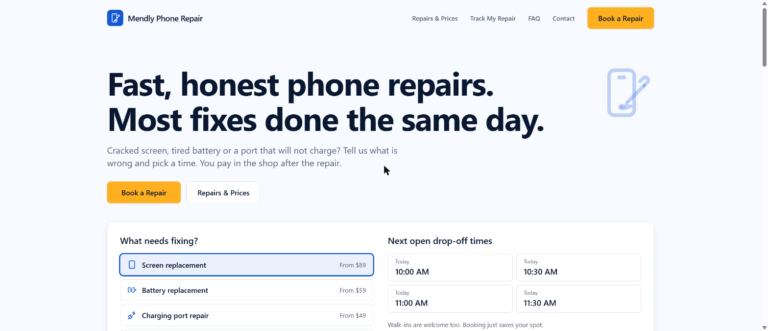
We built a small business booking website from one prompt with Bluehost AI Builder: bookings, time slots, approvals, repair tracking and an admin panel.

The best tech gifts for 2026, grouped by person: trackers, earbuds, power banks, Kindle, photo frames, smartwatches, Switch 2, creator cameras and kids’ computers.

How to find your Wi-Fi password on iPhone, Android, Windows 11, Mac and Chromebook, plus how to get it from your router label or admin page when no device has it saved.

How to mirror your iPhone to a TV with AirPlay on Apple TV, Roku, Samsung and LG, what works on Fire TV and Chromecast, and the HDMI cable method that needs no Wi-Fi.

How to use the Claude Chrome extension safely: set up a separate Chrome profile, what you see while Claude works, where it stops for you, and how it differs from the desktop app’s browser.

The best free AI PDF summarizer for each job: your everyday chatbot, Gemini Notebook, ChatPDF, Humata and Smallpdf, with free limits, prompts and privacy tips.

The best parental control apps for iPhone and Android, free and paid: Apple Screen Time, Google Family Link, Qustodio, Bark, Norton Family, Net Nanny, Aura and Microsoft Family Safety compared.

Is it down or just me? Check official status pages and outage checkers in a minute, read what the error means, know what to do during an outage, and fix a site or app that fails only for you.

How to back up WhatsApp on Android (Google Account) and iPhone (iCloud), turn on end-to-end encrypted backup, restore chats on a new phone, transfer without a backup, and fix a stuck backup or failed restore.
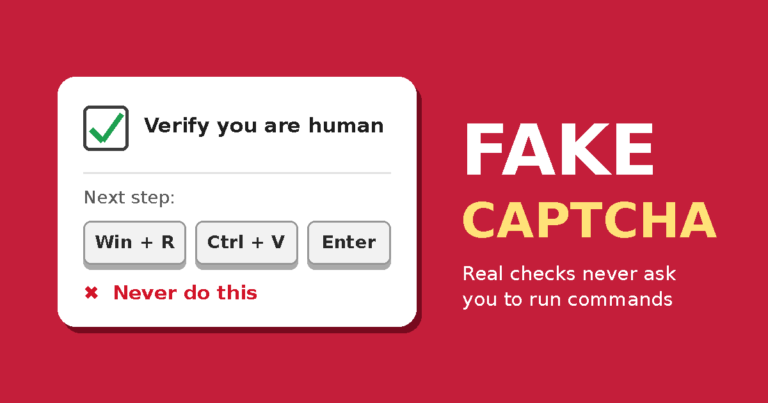
A fake CAPTCHA asks you to open the Run box or Terminal and paste a command. How to spot the ClickFix scam on Windows and Mac, and what to do right away if you ran it.

Windows 11 update stuck at 0%, 100% or “Working on updates”? 10 safe fixes, from a restart and freeing space to clearing the update cache, DISM/SFC, manual installs and reinstalling Windows without losing files.

How to update GTA 6 on PS5 and Xbox Series X|S, turn on automatic updates, find Rockstar’s patch notes and fix a GTA 6 update that is stuck or won’t install.
Free online tools and games
No sign-up, runs in your browser
Buy GTA on Amazon
Need a console?
As an Amazon Associate, QuickOnlineTips earns from qualifying purchases.
Search 2,500+ practical tech guides.