
Google Birthday Doodle: How to See It on Your Birthday (2026)
If it’s your birthday and you’re signed in to Google, the search homepage may greet you with a special Google birthday doodle full of cakes, candles and sparklers. We first spotted it on our own birthday back in 2014, and Google still shows it today. Here’s how it works, why you might not see it and how to turn it on or off.
Quick answer: Google shows a birthday doodle (a birthday theme on the Search page) when you’re signed in to a Google Account that has your birthday saved. Check or change it in your Google Account under Personal info > Birthday. Hover over the doodle to see “Happy Birthday” with your name.
Table of Contents
Our 2014 surprise
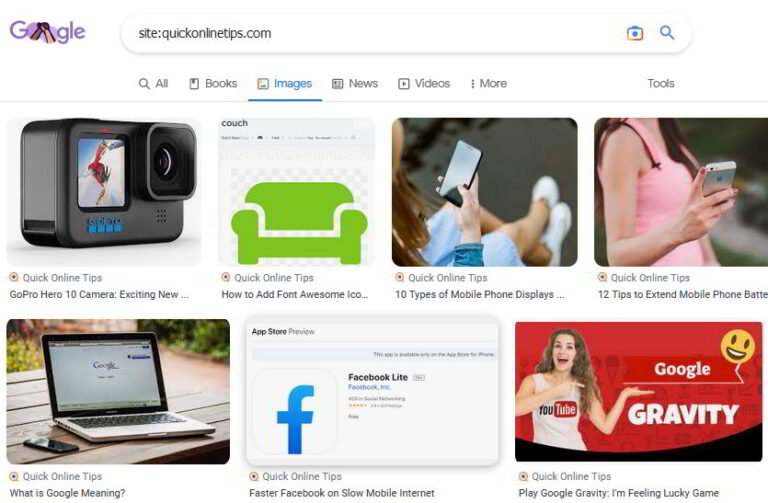
It was my birthday, and instead of the FIFA World Cup doodles showing that week, Google displayed a new logo. At first I didn’t notice what was special, until I hovered over it and the title said Happy Birthday! Back then, clicking it opened my Google+ profile page. Here’s what the Google homepage looked like on my Chromebook:

Google+ shut down in 2019, but the birthday doodle survived. It now uses the birthday in your Google Account instead.
How to see the Google birthday doodle
- Sign in to your Google Account in your browser or the Google app.
- Make sure your birthday is saved: Google Account > Personal info > Birthday.
- On your birthday, open google.com. The birthday theme replaces the normal logo.
- Hover over or tap the doodle to see your birthday greeting.
Why you don’t see the birthday doodle
- You’re not signed in, or you’re signed in to a different account (for example a work account).
- Your birthday isn’t saved, or the date is wrong.
- You’re browsing in incognito or private mode.
- Another special doodle or an extension that changes the Google homepage is showing instead.
Birthday privacy
According to Google Account Help, Google uses your birthday to verify your age, show a birthday theme on Google Search and set your age group for recommendations and ads. You can choose who sees your birthday (Only you or Anyone). Setting it to Only you hides visible birthday highlights from others. You can edit your birthday but not delete it, and changing it can affect access to age-restricted content.
FAQ
Is the Google birthday doodle real?
Yes. It’s a personal doodle only you see when signed in on your birthday; other people see the normal Google logo.
Can I turn off the Google birthday doodle?
There’s no separate switch. You’ll only see it when signed in, so signing out or using a private window avoids it.
Why did the birthday doodle show on the wrong day?
Check the date saved in Personal info > Birthday in your Google Account and correct it if needed.
Stuck on a gift? Try our free Gift Idea GeneratorIdeas for anyone by age, job, interests and budget, with Amazon.com and Amazon.in linksFind gifts →Get our free weekly email: new tech guides and tools, no spam.
New and updated tech guides, a free tool worth bookmarking and one useful pick, once a week. No spam, unsubscribe anytime.
One email a week. Unsubscribe anytime. See our privacy policy.


This is so cute!, I had no idea google did this
Woow :D Really i follow my birthday :)
This is really cool . I was not aware about this. thanks for sharing info i will definitely going to check this on my birthday
nice one
i dont know about that
and google make our bday special
thanks for sharing this review
So cool! I didnt know Google did that! Thanks!
I would like to thanks for sharing nice article on Google Displays Special Doodle on Your Birthday. This is great news to all people who people wants to make birthday special on Google.
Yes Bro, even i saw a special birthday doodle on my birthday, google is awesome. It always comes up with something new.