
How to Change WordPress Login Screen Logo
Do you want to change the WordPress Login screen logo to your own site logo for better branding? Its easy to change the WordPress logo to your logo and will give better branding, especially if you have multiple authors, or require commenters to sign in repeatedly from that page.
Change WordPress Login Logo
1. Modify your logo size to create a new image with following parameters
- .GIF image
- Transparent background
- Size – 310px wide, 70px height
- Name – logo-login.gif
2. Check your WordPress login screen which would be located on the URL http://yoursite.com/wp-admin/
OR if you host your WordPress in a folder, then it is at http://yoursite.com/folder/wp-admin/

3. Now login via FTP on your server and browse to the wp-admin/images folder
4. Find logo-login.gif image and back it up (rename to logo-login-back.gif or download it)
5. Upload your own logo image logo-login.gif to replace it
6. Check your WordPress login screen and your logo is live
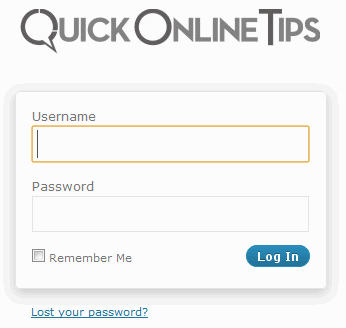
if you require people to login to your site, you must change your WordPress login screen logo to bet better brand value.
If you want to do this without FTP and editing your WordPress files, you can edit functions.php from your WordPress theme to change WP logo and customize CSS of login page as well.