
AdSense Allowed Sites: How Site Authorization Works in 2026
What happens when a banned site copies your content, along with your AdSense code, and shows your ads? Back in 2007 Google added AdSense allowed sites, a whitelist of the sites that may show ads for your account. This guide explains how that feature worked and how site authorization works in AdSense in 2026.
Quick answer: The old Allowed Sites setting let you list the domains allowed to earn with your publisher ID. In today’s AdSense, you add each site on the Sites page, and ads show once the site is Ready and its ads.txt file is Authorized. An ads.txt file with your publisher ID also helps stop others from selling ads in your name.
Table of Contents
How AdSense allowed sites worked in 2007
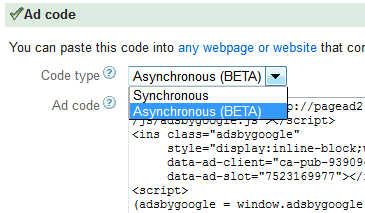
In the 2007 AdSense interface, you went to AdSense Setup, then Allowed Sites, and chose to either allow all sites or list specific sites. Once you listed your sites, ads could still appear on other sites using your code, but impressions and clicks there weren’t recorded, and you didn’t earn from them.
Google explained that it added the feature because some publishers were worried about others stealing their ad code and placing it on inappropriate sites. Allowed Sites gave publishers more control over which sites could use their AdSense code.
Changes took a few hours to apply. If you didn’t change anything, any site could show ads for your account by default, so the advice was to list every domain where you run AdSense and keep the list up to date.
The case against a whitelist
Not everyone turned it on. Amit Agarwal of Labnol explained at the time that part of his traffic arrived through Google and Yahoo caches, online translation services and proxy servers, and some sites showed content inside frames. With a whitelist, that indirect traffic couldn’t earn. Of course, if someone was misusing your publisher ID, enabling the feature made sense.
AdSense allowed sites today: the Sites page
Current Google AdSense (external site) manages this through the Sites page:
- Add each site you own on the Sites page.
- Wait for the site status to show Ready. If it says Needs attention, fix the listed issues and request a review.
- Check the ads.txt status. According to Google’s help pages, ads start to show when the ads.txt status is Authorized, the site status is Ready, and ads are set up on the site.
Use ads.txt to protect your publisher ID
Ads.txt is an IAB Tech Lab standard that lists who is allowed to sell ads on your site. It’s not mandatory, but Google highly recommends it. To set it up:
- Copy your ads.txt snippet from AdSense (Sites, then the ads.txt snippet). It looks like
google.com, pub-0000000000000000, DIRECT, f08c47fec0942fa0with your own publisher ID. - Save it in a file named ads.txt in your site’s root, so it opens at yoursite.com/ads.txt.
- Add lines for any other ad networks you use.
- Use “Check for updates” in AdSense. Google says changes can take days, or up to a month for low-traffic sites.
If ads.txt is missing your publisher ID, ad requests from that site can be rejected. Our guide to AdSense ads not showing covers this and other causes.
Other ways to guard your account
- Check AdSense reports for unfamiliar domains earning with your ads.
- Stop scrapers that copy your pages with ad code using these steps to stop RSS feed scraping.
- Avoid the policy slip-ups in our list of common AdSense mistakes.
FAQ
Does AdSense still have an Allowed Sites setting?
The old Allowed Sites screen is from the 2007 interface. Today you manage your sites on the Sites page and use ads.txt.
Can someone else use my AdSense code?
They can copy it, but ads.txt and the Sites page give you control, and you should report misuse to AdSense.
Is ads.txt required for AdSense?
It’s not mandatory, but Google highly recommends it, and a missing publisher ID can cause ad requests to be rejected.
How long does a new site take to get Ready?
It varies. AdSense shows a Getting ready status and notifies you when the site can show ads.
Stuck on a gift? Try our free Gift Idea GeneratorIdeas for anyone by age, job, interests and budget, with Amazon.com and Amazon.in linksFind gifts →Get our free weekly email: new tech guides and tools, no spam.
New and updated tech guides, a free tool worth bookmarking and one useful pick, once a week. No spam, unsubscribe anytime.
One email a week. Unsubscribe anytime. See our privacy policy.




Getting a msg …Orkut is banned while opening orkut
Why doesn’t Adsense make a fraud click detection. This will solve half of publishers problem and save a lot of manual tracking google does. They have enough resources to come with their technology.
This is one of the way Google wants to protect publishers from fraud clicks and impressions. But still publishers are worried if any competitor is clicking the ads to ban the adsense account in this case Google doesn’t have any solution!
I agree with Amit :) he has made good points
Using Adsense Whitelist is like potentially killing your adsense revenue especially when your site is visited through proxies or other indirect sources
But the problem is that if our Pub ID gets abuse now Google has a very nice excuse to kill our account.