
VaultPress Is Now Jetpack VaultPress Backup: Our Review (2026)
Is VaultPress backup still worth it for WordPress sites? We moved QuickOnlineTips to VaultPress in 2011, back when it was an invite-only beta from Automattic costing $15 a month, because we wanted real-time backups from the people who make WordPress. VaultPress is now called Jetpack VaultPress Backup, and it’s more capable and cheaper than our early plan. Here’s what it does in 2026.
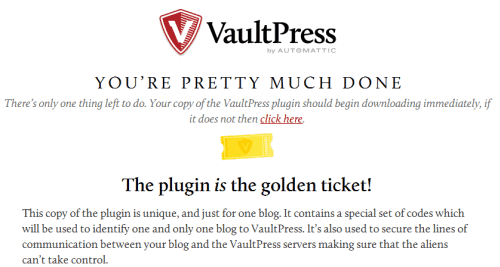
Quick answer: VaultPress is now Jetpack VaultPress Backup, a paid WordPress backup service from Automattic. It makes real-time cloud backups of your database and files, keeps a 30-day archive and activity log, starts with 10 GB of storage and offers unlimited one-click restores, even if your site is down. It’s also included in the Jetpack Security bundle with malware scanning and Akismet.
Table of Contents
What Jetpack VaultPress Backup does
- Real-time backups: every post, comment, order or settings change is saved as it happens.
- Off-site storage: backups are stored on Jetpack’s cloud servers, separate from your host.
- One-click restores: roll back to any point in your archive, unlimited times.
- Activity log: see who changed what and when, helpful after a hack or mistake.
- Downloadable backups: download a full copy of your site whenever you want.
- Works if your site is down: restore from the WordPress.com dashboard or app.

What changed since 2011
- No more invites: anyone can sign up through the Jetpack plugin.
- Full restores: in 2011 VaultPress backed up plugins, themes, uploads and the database but wouldn’t restore everything for you; now restores are one click.
- Cheaper plans: our $15 monthly plan was later joined by VaultPress Lite at $5 a month in 2013, with daily instead of real-time backups and a 30-day archive. We considered switching, because our site didn’t need real-time backups or a backup archive going back to 2011; 30 days is enough to recover from a hack. Today Jetpack sells Backup on its own or in bundles. Check current prices on Jetpack’s backup page.
- WooCommerce support: real-time backups protect orders and product changes.
How to set up Jetpack VaultPress Backup
- Install the Jetpack or Jetpack VaultPress Backup plugin from Plugins > Add New.
- Connect it to a WordPress.com account.
- Buy a Backup or Security plan.
- Add your server credentials (SSH or SFTP) so Jetpack can restore your site even if WordPress breaks.
- Wait for the first full backup, then check the activity log.

Real-time or daily backups?
Real-time backups matter if your site changes constantly: shops taking orders, membership sites, busy forums or blogs with lots of comments. For a blog that publishes a few posts a week, a daily backup with a 30-day history usually covers you. Pick the plan that matches how much you could afford to lose between backups.
Is it worth it?
For sites that earn money, sell products or get daily comments, real-time off-site backups are cheap insurance. Hackers are real, servers crash and host backups can fail. For small hobby blogs, free plugins that send scheduled backups to Google Drive or Dropbox may be enough. Compare options in our roundup of WordPress backup services.
FAQ
Is VaultPress still available?
Yes, as Jetpack VaultPress Backup, sold through Jetpack.
Does Jetpack Backup back up the whole site?
It backs up your database and WordPress files, including themes, plugins and uploads, and can restore them.
Do I need real-time backups?
Only if your site changes many times a day, like an online store. Most blogs are fine with daily backups kept for 30 days.
Is there a free version of Jetpack Backup?
Backups need a paid plan. Without one, Jetpack’s activity log shows only recent events.
Get our free weekly email: new tech guides and tools, no spam.
New and updated tech guides, a free tool worth bookmarking and one useful pick, once a week. No spam, unsubscribe anytime.
One email a week. Unsubscribe anytime. See our privacy policy.




( https://blogvault.net/ ) blogVault is a great WordPress backup plugin that make restoring your backups super easy. They have auto restore and also let you test your backups. Try it out, they have a free trial plan too.
Take a look at the myRepono WordPress Backup Plugin: https://wordpress.org/plugins/myrepono-wordpress-backup-plugin/
Absolutely true that backup/monitoring is essential, but it doesn’t have to be quite so expensive. CodeGuard (www.codeguard.com) extends the malware monitoring, can handle non-WordPress sites, and is cheaper. They’re still in closed beta, but you can get in with a free account (and likely a free trial Pro account) using “CGLongQT” as the coupon code.
I just received the Golden ticket. I thought it is a free service. Lol… :D
Why pay for VaultPress when you can get a free plugin from Backup-Technology:
Quite useful tool! But still I need to have $15 per month after then I will consider this service. In the meanwhile i would have a screen-shot of this page to my help guide folder. Thanks for suggesting.
It is looking good one, but the price is little bit high. Although they are offering discount but still the price is high.
I guess when Vaultpress goes public and gets the numbers, the price might come down. Also they might have limited caapcity as of now, so prices might be high. An affiliate program will help get more people interested.
Thanks for the review. It is really helpful especially about the Golden Ticket. :)
Vaultpress doesnt seem to be a very good idea. The 3 issues listed by you are pretty bad for anyone. No configurable timings is bad but not backing up any other files is even worse. Also, if there is no easy restore, then there is no point at all. You can get much better controlled auto backups yourself for free (I do it for my blogs through simple shell scripts and have a long history of snapshots on my gmail as well as dropbox). All for free and extremely robust and light on server resources.
They back up the most important areas to back up the blog. Perhaps an option to specify a custom path to upload would be helpful.
Maybe they are working on once click restore, but that would require more access and permissions to you blog admin.