
Bing Search Engine: Microsoft’s 2009 Decision Engine and Bing Today
The Bing search engine launched in June 2009 as Microsoft’s new challenger to Google, billed as a “decision engine”. I tried it in its first days and wrote this post. Here is what Bing was like at launch, how it has changed since, and the features worth using in Bing today.
Quick answer: Microsoft announced Bing on 28 May 2009 and released it on 3 June 2009, replacing Live Search. It promised help with decisions like shopping, travel, health and local search. Bing went on to power Yahoo Search and, in 2023, added an AI chat that later became Microsoft Copilot. It is still a solid Google alternative, with strong image and video search.
Table of Contents
Bing at launch in 2009: the decision engine
Microsoft launched Bing as a new search engine to challenge Google, and it quietly appeared in preview in several countries a few days before the official launch. Microsoft called it a “decision engine” because it promised tools to help people make purchase decisions, plan trips, research health conditions and find local businesses.
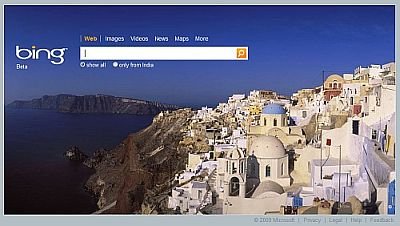
This is how the Bing front page looked in India. At the time, switching from the local country version to “United States – English” gave you all the new features.
My favourite feature: video previews
Bing’s results looked as neat and accurate as Google’s. The best feature for me was video search: when you hovered over a video thumbnail, the video started playing a preview instantly, with good picture and sound, and you could sort videos by length, size and resolution. A product tour from the launch is on YouTube: Microsoft Bing search product tour.
I also started getting a lot of traffic from Bing, and many people wondered if the Google killer had finally arrived. It never overtook Google, but it became a lasting second choice.
How the Bing search engine changed
- 2009: Bing replaced Live Search, which itself followed MSN Search. In July 2009 Microsoft and Yahoo announced a deal for Bing to power Yahoo Search.
- 2010: Bing Rewards launched as a loyalty program, later renamed Microsoft Rewards in 2016.
- February 2023: Bing Chat, an AI chatbot based on OpenAI’s GPT-4, arrived inside Bing.
- March 2023: Bing Image Creator added AI image generation.
- November 2023: Microsoft announced that Bing Chat would be renamed Microsoft Copilot.
Why use Bing today
- Bing search: a good second opinion when Google results aren’t helpful, with strong image and video search.
- Microsoft Copilot: Microsoft’s AI assistant that grew out of Bing Chat. See more free ChatGPT alternatives.
- Daily Bing wallpapers: Bing’s famous home page photos can be used as your desktop background. See how to download Bing wallpapers daily.
- Bing Webmaster Tools: site owners can submit their sites and see Bing search data.
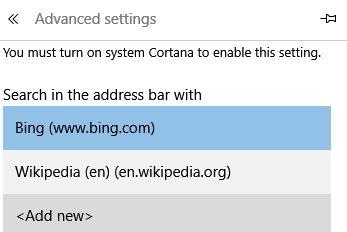
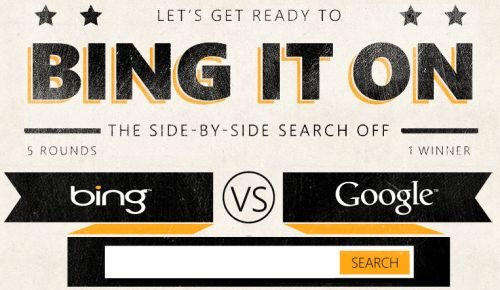
Prefer Google instead? Here’s how to make Google the default search engine in Microsoft Edge. You can also compare results yourself with the Bing vs Google challenge.
FAQ
When did the Bing search engine launch?
Microsoft announced Bing on 28 May 2009 and officially released it on 3 June 2009.
What did Bing replace?
Bing replaced Live Search, Microsoft’s earlier search engine, which followed MSN Search.
Why was Bing called a decision engine?
Microsoft said Bing would help people make decisions such as buying products, planning trips, researching health and finding local businesses, not just list web pages.
Is Bing Chat the same as Copilot?
Yes. Bing Chat launched in February 2023, and Microsoft renamed it Microsoft Copilot later that year.
Get our free weekly email: new tech guides and tools, no spam.
New and updated tech guides, a free tool worth bookmarking and one useful pick, once a week. No spam, unsubscribe anytime.
One email a week. Unsubscribe anytime. See our privacy policy.


This Strict Safe Search settings is a joke. With Fire Fox 30 It will not allow the settings to be changed! What ever happened to “User Friendly?”
i think that Bing is not as good as Google. Google would still index new websites faster than Bing. Microsoft would still need a lot of catching to do with GoogleBot.
Bing seems promising it can give tough fight to Google if indexed more websites.
Good news.i am really excited to explore this ‘decision engine.’ i just tested it a minute ago, and it works pretty good.
the thing i like is also its simple appearance, not covered with menus. excellent.