
4 Free Tools to Protect Your Email Online from Spam
 Some people unknowingly reveal their email addresses in forums, blogs and in Social Networking sites like Twitter which may not be good for them because spam bots gather these email ids and send spam emails to your inbox. Here are 4 tools to Protect Your Email Online from Spam –
1. E-mail Icon Generator
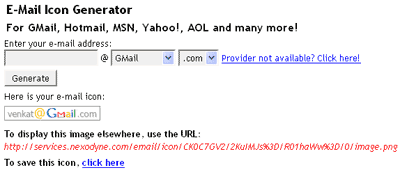
Email Icon Generator (services.nexodyne.com/email) converts email to icons which you can show in forums, blogs and on other major social sites publicly. Choose your email provider, enter your id, click generate to create an icon for it and it gives links for your email which you can use in websites and forums.
2. Emailcover
Emaillcover.com hides your email address and creates an image in a CAPTCHA for your email and also gives links separately for forums and websites which you can use in forums, blogs or social networks. Real people have to open the link to see your email address.

3. Scr.im:
Scr.im converts emails into short and safe links which you can use on twitter, web, blogs, forums, Craiglist or anywhere. To view the email, the other person had to pass a simple test that other automated scripts and bots cannot pass.

4. Hidetext
Hidetext.net converts any text to image which can hide in any blog, forum and social networking sites like Twitter. In this site we can hide text as well as email ids. Here it gives the link which can be used in blogs, forums and also on social networking sites.

Guest author Venkat is the writer of Techdows, a blog that provides articles on web, technology, windows tips, troubleshooting, solutions, software reviews, utilities, and downloads.