
Most Dangerous Search Terms Online and How to Search Safely (2026)
Some searches are far riskier than others. The most dangerous search terms are the ones scammers know people type every day: “free download”, “lyrics”, “screensavers”, “crack”, “watch free online” and anything promising quick money. In 2009 a McAfee study found that half of the sites returned for “lyrics” carried risks. Search engines are much safer now, but criminals have moved on to fake ads, cloned download pages and AI-written scam sites. Here are the riskiest kinds of searches in 2026 and simple habits that keep you safe.

Quick answer: The most dangerous search terms combine a popular topic with words like “free”, “download”, “crack”, “keygen”, “MP3”, “lyrics”, “watch online” or “work from home”. They lead to fake download pages, malicious ads and phishing sites. Download software only from official sites or app stores, be careful with sponsored results, use legal streaming services, and turn on your browser’s safe browsing protection.
Table of Contents
The riskiest types of search terms in 2026
- “Free download” and software names: searches like “free [app] download” often surface lookalike sites and paid ads that install malware or unwanted extensions.
- Cracks, keygens and “full version”: pirated software is one of the most common ways to get infected with password-stealing malware.
- Free movies, sports streams and MP3s: illegal streaming and download sites are full of pop-ups, fake “play” buttons and drive-by downloads.
- Lyrics, wallpapers and screensavers: low-quality fan sites can still carry aggressive ads and risky downloads.
- Celebrity names plus “leaked” or “video”: clickbait about famous people is a classic lure. See our list of the most dangerous celebrities to search.
- Work from home and easy money: searches for quick income lead to task scams and fake job offers.
- Customer support numbers: fake helpline numbers for banks, airlines and tech companies appear in ads and spam pages to trick callers.
- Crypto, loans and investment tips: scammers create fake platforms and use deepfake endorsements to draw victims. Our guide to AI scams lists the red flags for each trick.
Why sponsored results can be risky
Criminals sometimes buy search ads that copy the name of a popular app or bank, so the top result looks official but leads to a fake site (this is called malvertising). Before you click an ad, check the web address carefully, and when in doubt, type the official address yourself or use a bookmark.
How to search safely
- Download from official sources: use the developer’s website, the Microsoft Store, Mac App Store, Google Play or Apple App Store.
- Check the web address: look for misspellings, extra words or odd domains before downloading or logging in.
- Turn on safe browsing: enable Enhanced protection in Chrome’s Safe Browsing settings, or keep Microsoft Defender SmartScreen on in Edge and Windows.
- Use legal streaming: stick to licensed music and video services instead of free streaming sites.
- Keep everything updated: update your browser, operating system and security software so known holes are patched.
- Be suspicious of urgency: pages that say your PC is infected, a prize is waiting or an offer ends in minutes are almost always scams.
- Find support numbers on official sites: get helplines from the company’s own website or app, not from search ads.
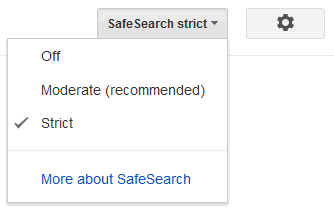
Want to protect children while they search? Read how to lock SafeSearch on their devices.
What changed since 2009
In May 2009, McAfee studied about 2,600 popular keywords and reported that “screensavers” was the riskiest keyword group, “lyrics” was the riskiest single term and searches containing “free” had a 21.3% chance of leading to a risky site. It also listed country favourites, such as “waptrick” in India and “lyrics” in Canada and New Zealand. Since then Google and Bing have built in strong malware warnings, browsers block many dangerous downloads, and the bigger threats are fake ads, pirated software and scams that steal accounts and money. The old McAfee PDF link no longer works and has been removed.
FAQ
What is the most dangerous word to search online?
Searches that include “free” combined with downloads, movies or software are consistently among the riskiest, along with “crack” and “keygen”.
Can you get a virus just by searching?
Searching itself is safe. The risk comes from clicking risky results, ads or downloads and running files from untrusted sites.
Are sponsored search results safe?
Most are legitimate, but scammers sometimes buy ads that imitate real brands. Always check the web address before clicking or downloading.
How do I know if a download site is safe?
Use the official developer site or an app store. Avoid sites with multiple “Download” buttons, pop-ups or installers that bundle extra software.
Subscribe to our weekly tech newsletter
Free: 100 Tech Terms ebook (worth $2.99)
Unsubscribe anytime. Privacy



Thanks for the exposure. My laptop had crushed because of this kind of things.
Heh, it’s something of a tradition for screensavers to be used as trojans. Back in the day, people used to email out all their virii as .scr files as they were executable and people were more willing to run them than they were .exe files.
screensavers are always come with / bundled with adware program or even spyware/malware!
It’s very valuable information. i just got the report. i like free stuff myself and hoping this will tell me maybe to have second thought. thank you
These screensavers are boon to malwares users download them unknowingly and get infected their computer.