Google Personalized Search: 6 SEO Tips for 2026
Type the same query on two phones and you may see different Google results. That is Google personalized search at work, and it has been around for more than 15 years. Some people once claimed it meant the end of SEO. It didn’t. But it does change how you should measure rankings and where you should focus. This guide explains how personalization works in 2026 and gives six practical SEO tips to stay visible.

Quick answer: Google results differ mainly by location and language, and, when personalization is on, by your Google Account activity such as search history. Personalization only reorders results when it is likely to help, so pages that rank well generally still rank well. To do well, publish clearly relevant and helpful content, keep it fresh, build brand familiarity, optimise for local search if you serve an area, and judge success by traffic in Search Console rather than one-off rank checks.

Table of Contents
How Google personalized search works today
According to Google’s help page on why your search results differ from others (external site, opens in new tab), three things change what people see:
- Location: “pizza near me” or “plumber” shows nearby results. This is the biggest source of differences.
- Language: Google favours results in the language you search in.
- Personalization: if Personalized Recommendations are on, Google may use your account information, such as search history, to tailor results. Google says it only changes rankings or the order of content blocks when that is likely to be more helpful.
Users can switch personalization off in their Search settings (signed in) or the Search customization setting (signed out), and many people never change it.
What it means for SEO
Rank trackers show one “average” position, but real visitors may see you a few places higher or lower. Studies over the years have found that the core set of top results stays fairly similar for most non-local queries, with personalization mostly shuffling the order. So getting onto page one, and ideally into the top few results, still matters most.
6 SEO tips for Google personalized search
1. Make every page clearly relevant
Match the words and intent searchers use. Put the main topic in the title, headings and opening paragraph, and answer the question fully. Relevance is the base that every personalized result is built on.
2. Write content people stay and engage with
Helpful, well-organised pages keep visitors from bouncing back to the results to look elsewhere. Use clear headings, a quick answer near the top, images and examples.
3. Keep content fresh
Update important pages when facts change, and note the update date. Fresh, accurate content earns repeat visits and is safer to recommend.
4. Build brand familiarity
People who have visited your site before, or recognise your brand, are more likely to click it again when it appears. Newsletters, social media and memorable content all help your site feel familiar.
5. Optimise for local search if you serve an area
Location is the biggest personalization factor. If you have a local business, set up and maintain your Google Business Profile (external site, opens in new tab), keep your name, address and phone consistent, and create pages for the areas you serve.
6. Show up beyond the blue links
Images, videos, news and other result features give you more chances to be seen. Add descriptive image alt text, publish video where it helps, and use structured data so Google understands your content.
Measure traffic, not just positions
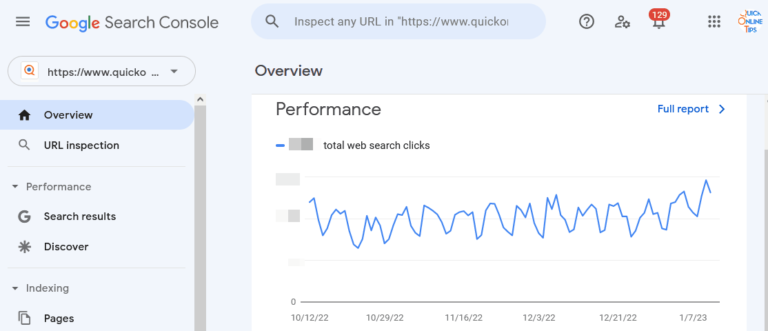
Because positions vary by person and place, judge your SEO by clicks and impressions in Google Search Console (external site, opens in new tab), where the average position is based on real searches. For a quick neutral check, search in a private window or with personalization turned off. See also our free Google SEO tools and SEO checklist.
What changed since 2010
The original 2010 guest post was written soon after Google began personalizing results for signed-out users too, and gave five tips: relevant content, engaging content, fresh updates, making pages easy to bookmark, and appearing in universal search (news, local, products, images and video). Those ideas mostly still hold. Bookmarking matters far less today, while local search, Search Console data and user controls over personalization have become much more important.
FAQ
Why are my Google results different from my friend’s?
Mostly because of location and language, and sometimes because of personalization based on each person’s Google Account activity.
How do I see non-personalized Google results?
Turn off Personalized Recommendations in your Search settings, or search in a private browser window while signed out. Location will still affect local results.
Does personalized search make rank tracking useless?
No, but treat tracked positions as estimates. Search Console’s average position and clicks give a more realistic picture.
Can I optimise for one user’s personal results?
Not directly. You can only make your site the most relevant and familiar choice for your audience.
Originally written by guest author Tony Goldstone, a senior SEO engineer at Fresh Egg. Updated for 2026 by QuickOnlineTips. You can also do guest blogging here and share your SEO tips.
Subscribe to our weekly tech newsletter
🎁 Free 100 Tech Terms ebook when you subscribe. Unsubscribe anytime. Privacy