
How to Download Wikipedia for Offline Reading (Free, with Kiwix)
Want to download Wikipedia offline and read it on a flight, in a remote area or anywhere without internet? You can. Wikipedia’s content is free to copy, and the free Kiwix app lets you download the whole of Wikipedia, or a smaller version, to your computer or phone. We first tried this in 2012. Here’s how to download Wikipedia for offline reading in 2026, and how much space you’ll need.

Quick answer: Install Kiwix on Windows, Mac, Linux, Android or iPhone, open its built-in library, search for “Wikipedia” and download the edition you want: mini (article introductions only), nopic (full text, no images) or maxi (everything, including images). Then open it in Kiwix and read Wikipedia offline, with full search.
Table of Contents
How to download Wikipedia offline with Kiwix
1. Install the Kiwix app
Kiwix is free, open-source software made for reading websites like Wikipedia offline. Download it from kiwix.org for Windows, macOS or Linux, or install it from the Google Play Store or Apple App Store. There’s also a web app version that runs in your browser.

2. Choose a Wikipedia ZIM file
Wikipedia for Kiwix comes as a single ZIM file, an open format that packs a whole website into one compressed, searchable file. Open the library in Kiwix (or browse library.kiwix.org) and search for Wikipedia in your language. You’ll see several editions:
- Maxi: every article with images. The full English version is the largest, at around 100 GB or more.
- Nopic: full articles without images, about 75% smaller than maxi.
- Mini: just the introduction and infobox of each article, about 95% smaller than maxi. Great for phones.
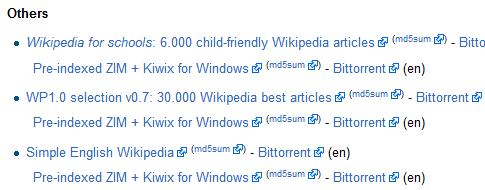
- Topic collections: smaller files such as medicine, computer science, history or Simple English Wikipedia, plus Wiktionary, Wikivoyage travel guides and more.

Large ZIM files are also available as torrents, which are more reliable for very big downloads. Check that you have enough free space first, and use a microSD card on Android if your phone storage is small.
3. Open Wikipedia offline
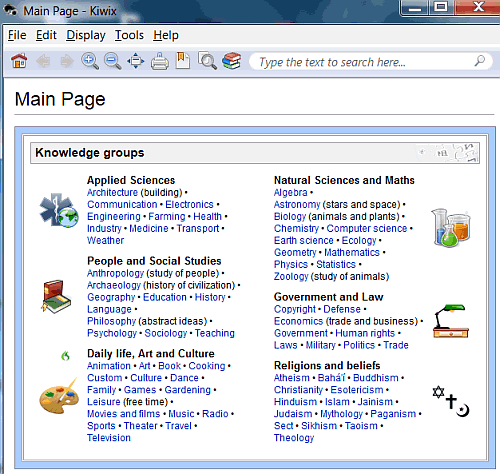
Once the download finishes, Kiwix adds it to your library. Click it to open Wikipedia’s home page, then browse or use the search box just like the online site. Everything works with no internet connection.
Other ways to read Wikipedia offline
- Wikipedia app reading lists: in the official Wikipedia app for Android and iPhone, save articles to a reading list and they’re available offline. Perfect for a handful of pages before a trip.
- Download as PDF: on the Wikipedia website, open the Tools menu on any article and choose Download as PDF.
- Official database dumps: developers and researchers can download the raw Wikipedia database dumps. These need special software to read, so Kiwix is much easier for everyday use.
Our 2012 experience downloading Wikipedia
When we first tried Kiwix in 2012, the full English Wikipedia without pictures was a 9.7 GB download, and a selection of 45,000 articles with images was 3.7 GB. We installed the Simple English Wikipedia (730 MB), which took under half an hour on an 8 Mbps broadband connection, and read it offline on a long flight. Wikipedia has grown hugely since then, but Kiwix’s smaller editions mean you can still carry the essentials on any phone.
Frequently asked questions
How big is Wikipedia to download?
The full English Wikipedia with images is around 100 GB or more in Kiwix’s maxi edition. Without images it’s about a quarter of that, and the mini edition is just a few gigabytes.
Is it legal to download Wikipedia?
Yes. Wikipedia’s text is freely licensed, and the Wikimedia Foundation provides downloads for offline use.
How do I update offline Wikipedia?
Kiwix releases new Wikipedia ZIM files regularly. Download the newer file from the library and delete the old one to free up space.
Get our free weekly email: new tech guides and tools, no spam.
New and updated tech guides, a free tool worth bookmarking and one useful pick, once a week. No spam, unsubscribe anytime.
One email a week. Unsubscribe anytime. See our privacy policy.
Before reading this article, I thought reading wikipedia offline need huge media storage. But, as long as below 10 GB. I’ll try to download it.
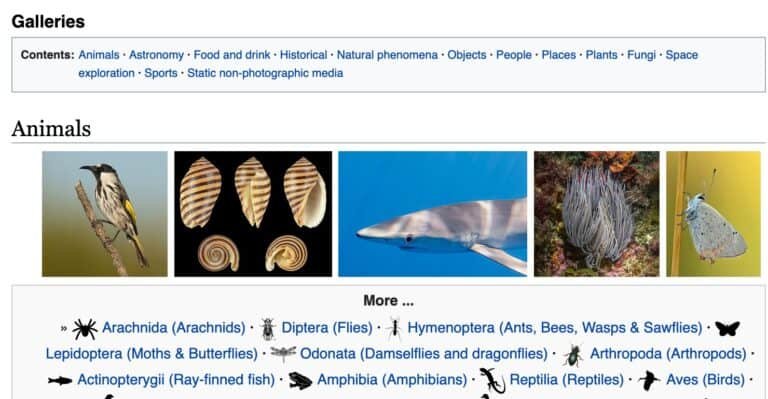
Too bad that there is no option to have the default small pictures and the “normal” pictures which are included normally on a Wikipedia page.
Just think about it for example Huffman coding article.
What would it worth without image. It is useless.
It could be also articles about sorting algorithms etc.
There are many examples where definitely necessary having at least a small image.
Hi!. I downloaded “pages-articles.xml.bz2” and I am using it through WikiTaxi. It’s working fine but I have a question. I downloaded the above mentioned dump which was created in Jan. 2013. Now there’s the new version of this dump available created in April 2013. My question is can I update my older dump to the current one without downloading all the data? I only need the updates.
Please help if you can.
Thanks
how to download wikipedia offline?
This software Not working in a NETWORK LAN Windows Based
Very useful application you have reviewed but if I want to carry the entire Wikipedia offline on my Android phone, can you recommend an app for that?
Try it. I am really making good use of my time with Wikipedia on my air flight schedules.
I am really making good use of my time with Wikipedia on my air flight schedules.