
How to Check for a Manual Action in Google Search Console (and Fix It)
In August 2013 Google added the Manual Actions viewer to Webmaster Tools, finally showing site owners whether a human reviewer had penalised their site, which pages were affected and why. I called it a great step. It’s still in Google Search Console today. Here’s how to check for a manual action, fix it and get it removed in 2026.

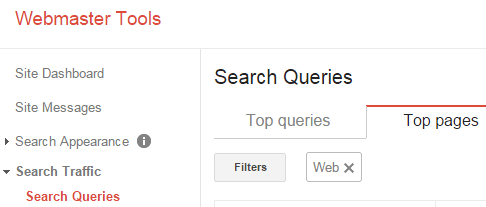
Quick answer: In Google Search Console, open Security & Manual Actions > Manual actions. “No issues detected” means you have no manual penalty. If an action is listed, read the type and affected pages, fix every instance of the problem, then click Request review and explain what you changed. Reviews usually take days to a few weeks.
Table of Contents
Common manual action types
- Unnatural links to your site: bought or manipulative backlinks.
- Unnatural links from your site: selling links that pass PageRank.
- Thin content with little or no added value: scraped, auto-generated or doorway pages.
- Pure spam: aggressive spam techniques.
- User-generated spam: spammy comments or forum posts.
- Site reputation abuse: third-party content published to exploit a site’s rankings.
- Structured data issues and cloaking or sneaky redirects.
How to fix a manual action
- Read Google’s description and sample URLs carefully.
- Fix the problem across the whole site, not just the samples.
- For link actions, remove bad links where possible and use the Google disavow tool for the rest.
- Document what you did (spreadsheets of removed links, deleted pages).
- Click Request review and explain the cause, the fix and steps to prevent it.
Manual action vs algorithmic drop
Most traffic drops aren’t manual actions; they come from core updates or competitors. If the report says no issues, use a Google penalty checker approach to compare traffic with update dates, and find the pages losing traffic.
Google explains each type in its Manual Actions report help.
FAQ
How long does a manual action review take?
Usually several days to a few weeks. You’ll get a message in Search Console.
Will rankings return immediately after removal?
Not always; recovery depends on what remains after the fix.
Do manual actions expire?
Some do eventually, but it’s best to fix and request a review.
how can i remove those unwanted links which are residing on low alexa and low PR blogs.
Great explanation, been trying to do this without paying anyone. Thanks!
There’s tools can do this job.
but you need to pay it.
Good one and I would like to try it out whether it works. It is simple and understandable since explained with relevant pics.