
10 Best Google Gadgets For Your Blog
Here are Google Gadgets to add to your website for increased functionality. Google Gadgets are mini tools that offer cool and dynamic content that can be placed on any page on the web. Though you can Google gadgets to your iGoogle page, Google Desktop, Blogger, and Page Creator, its even cooler to show off Google gadgets on your own site. There are some very cool gadgets out there, and here are some of my top picks in random order.
10 Best Google Gadgets
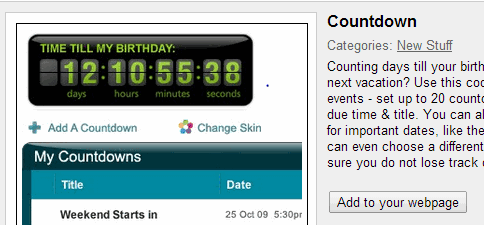
1. Countdown – Counts down to a user specified date. Customize it to countdown to any blog event, contest closing date, poll closing date, blog anniversary etc. Here is another one with text only display. Keep reminding your visitors and never miss a deadline.
2. Google Translate My Page – Gives you a quick dropdown menu to allow non-english readers to select their native language and translate the page using Google translation services. You can also get more gadgets with language flags. This is a good way to make your blog multilingual and get read by a wide international audience.
3. Digg Top 10 – Discover the best news, images and videos as voted on by the Digg community. You can customize your Digg gadget by topic, and view more story information, such as comments and a friend’s activity feed. Share interesting content rocking the web right now. You can also add Google News or BBC News.
4. Slim RSS Reader – Lets you add a custom RSS feed to display on your blog. Enter the RSS feed, number of items, title and you are done. Customize more with Simple rss reader or support multiple feeds with CustomRSS. Display feeds from your favorite blogs or topical categories in your sidebar.
5. YouTube Gadget – Display the top YouTube videos on your site, and let visitors browse around the Youtube site as well as play the videos without leaving your site. If sharing videos is your style, you need this now. Also try Google Videos.
6. Google talk – Everyone has a google account mostly via gmail and if your visitors are logged in, this gadgets lets them see your contacts online right now and send them instant messages. You can publicize your gtalk id and chat with your readers.
7. Photo of the Minute– Grabs a new latest photo from Flickr. Remove the photo info to optimize the size better. There are lots of gadgets that can rotate an interesting photo, graffiti, captions or cartoons. Try the National Geographic daily photo, Photos from Flickr etc.
8. Google Calendar – If you mark your blogging events on a Google calendar and share your public calendar, then why not add it to your blog and publicize the events you track. Grab this official widget and never miss a event.
9. Dilbert widget – Dilbert cartoon strip is a daily read that will bring a smile on your visitors face. Grab the official widget, resize it and load the daily Dilbert color comic strips and ranking. Or opt for a random Dilbert strip.
10. Date & Time – Some people like to place a widget displaying the date, time and calendar. Add a clock to your page. Click edit to change it to the color of your choice. Narrow the width to remove the calendar.
How to add a Google Gadgets?
Select the gadget you like, click the “Add to your webpage” button, edit the Display settings, Click to “Preview changes” and the click “Get the code” button to generate the HTML. Copy and paste the HTML into your webpage’s source code and behold and surprise your visitors. Remember that most gadgets can be easily resized by dragging the window from the bottom right corner, before you decide the final size.
Got more time? here are all the Google Gadgets For Your Webpage. Let me know of other gadgets that deserve to be listed here and I will add them.