
5 Apps to Wow The Average PC User
Every other day, we read about plenty of new software that promises to get rid of our woes and improve our experience as PC users. We read about such apps, download them, try and then move on. However, the following apps would really make any average PC user say “Wow”. Sometimes, even the power users might be astonished and go gaga over them. Have a look:
#1. LemonScreen – Your face is your password
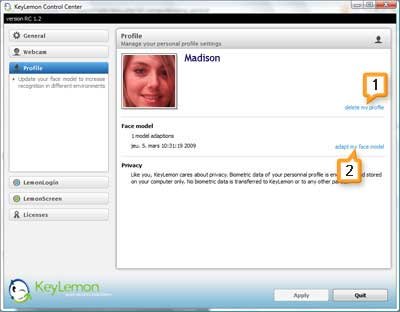
LemonScreen works with your webcam and uses face recognition technology to lock down your computer immediately when you step away from your desk. You needn’t type your password again to log in. It automatically makes out that you’re in front of your computer with inputs from your webcam and unlocks your computer in no time.
#2. Tunatic – Identify Song Title With Just The Audio

There’s a song playing on your local radio station but nobody is telling you what that song is. If you’ve got a microphone, place it near the audio source and pass the audio via Tunatic. It can help you identify that song. Yes, then you can really go buy that song (or rather, download it) :P
#3. Songsmith – Got only Vocals? Add some music, baby!
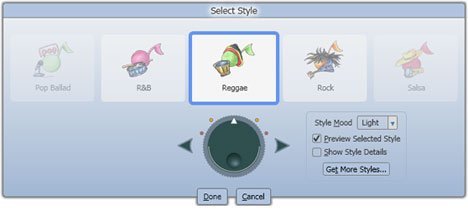
If you think you can only sing and not compose music, try the Songsmith app from Microsoft that automatically adds background music from any of 30 different styles to accompany your voice. The results may not be as mind-blowing, but you have to realize it’s a product that’s probably in its nascent stages.
#4. Shock Desktop 3D – Make your Desktop a 3D Playground
With this utility installed, it will seem like 2D Desktops are so passe. Shock Desktop 3D gives your desktop a very cool 3D look. Your icons actually look like cubes and you can play with them as if they were objects on a real table. Watch the video to believe. There are quite a few drawbacks when you compare it with the much-hyped, invite-only beta Bumptop, though.
#5. Unshredder – Reassembles Shredded Papers
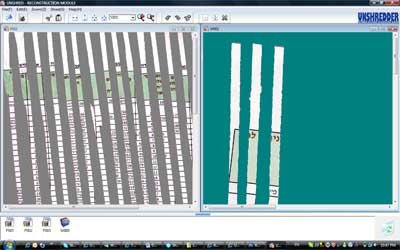
If you think no one can reproduce confidential company information from papers that you shredded using a document shredder, think again. Unshredder can easily put together all these shreds (yep, after you’ve scanned all those pieces) and make them readable again.
Guest Blogger Shankar Ganesh writes on KillerTechTips.com, where he covers tech tips ranging from essential windows utilities to how to make windows faster. You can also share your tips by writing a guest article on QOT.