
How to Force CSS Refresh in WordPress (Automatic Cache Busting)
Changed your stylesheet but visitors still see the old design? Browsers and caches keep CSS files for days, so regular readers may see a broken layout until they hard-refresh. The fix is to force CSS refresh by changing the file’s version number whenever it changes. In 2011 we used WordPress developer Mark Jaquith’s filemtime trick to do this automatically. It is still the best method, now done the proper WordPress way with wp_enqueue_style. Here is how in 2026, plus what to do about caching plugins and CDNs.
Quick answer: Load your stylesheet with wp_enqueue_style() and use filemtime() as the version, so the URL changes to style.css?ver=1728300000 every time you save the file. Then purge your caching plugin and CDN. To see changes yourself immediately, press Ctrl + F5 (Cmd + Shift + R on Mac).
Table of Contents
Why browsers show old CSS
Stylesheets are cached so pages load faster. Your server, caching plugin and CDN may also keep a copy. If the file name stays the same, nobody fetches the new version. Small tweaks may go unnoticed, but structural changes or new classes can make the site look broken to returning visitors.

Method 1: Automatic versioning with filemtime (recommended)
Add this to your child theme’s functions.php. It uses the file’s last-modified time as the version:
add_action( 'wp_enqueue_scripts', function () {
    $file = get_stylesheet_directory() . '/style.css';
    wp_enqueue_style(
        'child-style',
        get_stylesheet_uri(),
        array(),
        file_exists( $file ) ? filemtime( $file ) : null
    );
} );
Your stylesheet now loads as style.css?ver=1728300000, and the number changes automatically each time you save. Use the same idea for custom JavaScript files with wp_enqueue_script().
In 2011 we added the same trick directly to header.php with bloginfo('stylesheet_url') and filemtime(). It worked, but enqueueing is cleaner, works with caching plugins and avoids loading the stylesheet twice.
Method 2: Change the version number by hand
If you cannot use PHP, add a version to the URL yourself, such as style.css?v=2, and increase it after each change. Simple, but easy to forget. Our early approach of rotating style1.css, style2.css and style3.css was even more work.
Method 3: Additional CSS in the Customizer
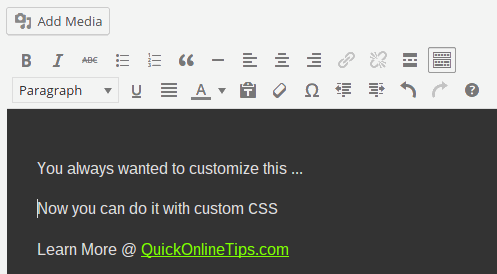
CSS added in Appearance, Customize, Additional CSS is printed inline in the page, so changes appear as soon as the page cache is cleared. It is ideal for small tweaks. We use it ourselves for quick fixes; see how to add custom CSS to the WordPress editor.
Do not forget caching plugins and the CDN
- Caching plugins: LiteSpeed Cache, WP Rocket and others may combine and minify CSS into new files. Purge all caches after a CSS change; many purge CSS automatically when versions change.
- CDN: Cloudflare, Hostinger CDN and others cache files at the edge. Purge the CDN cache or the specific CSS URL.
- Browser: hard-refresh with Ctrl + F5, or open DevTools (F12), go to the Network tab and tick Disable cache while testing.
Check it worked
View the page source (Ctrl + U) and search for “style.css”. The ?ver= number should match the latest save time. Then test the page in a private window and on your phone. Faster pages help too; see delay loading non-critical CSS and our tips on making CSS files load faster.
When to use each method
Use filemtime versioning for theme stylesheets you edit often; it is set-and-forget. Use Additional CSS for small, one-off tweaks you want live immediately. Use manual version numbers only on static HTML sites without PHP. Whichever you choose, make a habit of purging your page cache and CDN straight after design changes, and check the site logged out, where caching is strongest.
FAQ
How do I force a CSS refresh in Chrome?
Press Ctrl + F5 or Ctrl + Shift + R on Windows, or Cmd + Shift + R on Mac.
Does a version query string hurt caching?
No. Browsers and CDNs cache each version; only a changed version triggers a new download.
Where do I add the code?
In a child theme’s functions.php or a code snippets plugin, never in a parent theme that updates.
Stuck on a gift? Try our free Gift Idea GeneratorIdeas for anyone by age, job, interests and budget, with Amazon.com and Amazon.in linksFind gifts →Get our free weekly email: new tech guides and tools, no spam.
New and updated tech guides, a free tool worth bookmarking and one useful pick, once a week. No spam, unsubscribe anytime.
One email a week. Unsubscribe anytime. See our privacy policy.



The Versions plugin takes care of this automatically. It generates version numbers based on the filemtime function. Get it at: https://wordpress.org/plugins/versions/
Thank for the text, css is important for me.
Thanks for your important news Force Browsers to Refresh CSS for Your WordPress Blog Shearing.
maybe change the file would be great !!!!!!!! greetings
The RewriteRule needs a small update for js or css files that contain a dot notation versioning at the end. E.g. json-1.3.js.