
Google Chromebook Store Visit: My Photos and 2026 Buying Tips
In October 2013 I visited one of the first Google chromebook store counters in India, inside a Croma shop in Delhi, to try the new Chromebooks before buying one. Here are my photos and first impressions from that visit, plus what I would check today before you buy a Chromebook in a store or online.
Quick answer: Google set up Chromebook counters in Croma stores when Chromebooks launched in India in 2013, and I tried the HP Chromebook 14 and Acer C720 there. Today Chromebooks are sold by many electronics shops and online stores. Try the screen and keyboard in person if you can, and check how long the model will get ChromeOS updates before you buy.
Table of Contents
My visit to the Google Chromebook store in Delhi
I was excited that we could finally buy Google Chromebooks in India, and Croma was selling them online as well as in its shops. So I went to the Croma technology store in South Extension II, Delhi, to see the new Chromebook outlet for myself.
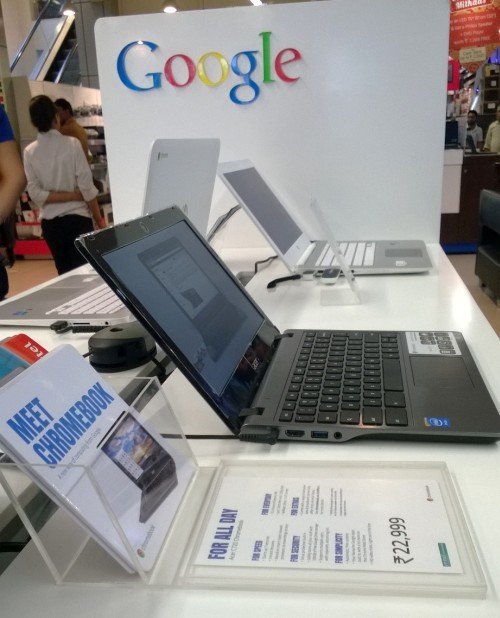
Croma stocks laptops from many brands. Apple had earlier had its own counter and staff there, and this time it was Google’s turn, with Chromebooks in a prominent spot just in time for the Indian festive season sales.
HP Chromebook 14: fast boot and a bright screen
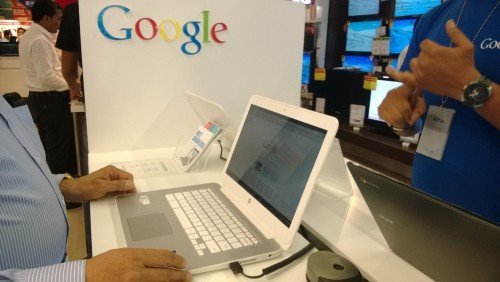
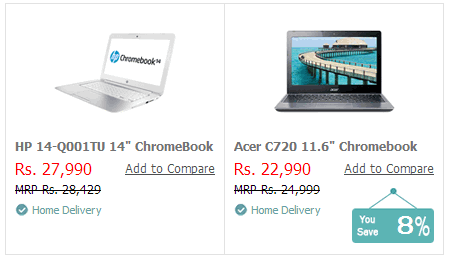
The HP Chromebook 14 was on display in white. The 14-inch screen looked beautiful. I shut it down and it was off in about 2 seconds, and when I pressed the power button it was fully on in 5 to 7 seconds. Chrome opened instantly. It felt superfast, partly because there were no heavy programs running in the background.
Acer C720: smaller and lighter
Next I tried the Acer Chromebook. It had a smaller 11-inch screen and was much lighter than the HP. Its screen was less brilliant, and the Google advisor explained it had an anti-glare coating. Showroom lights barely reflected on the Acer, while they showed up clearly on the HP. Personally, I preferred the larger, brighter screen.
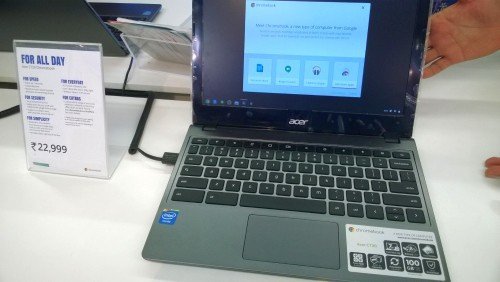
Features, price tags and the brochure
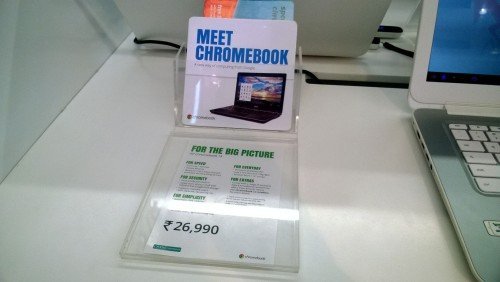
A sticker called the Chromebook a “New Kind of Computer” and listed its features: about 7-second boot, automatic updates, built-in security, free apps, 8.5 hours of battery life, fast SSD storage, 100GB of Google Drive space and protection without separate antivirus software.
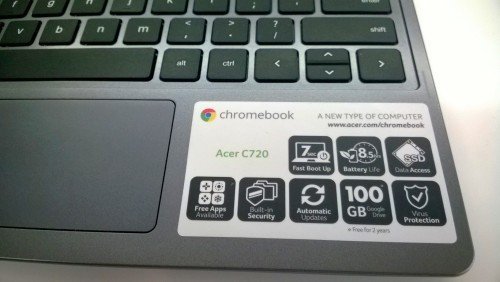
What the sticker did not mention was the small 16GB of local storage. I felt the store should also explain what common software could not be installed, so buyers knew how Chromebooks differ from usual laptops. The store prices were close to those online, with small differences from Flipkart, so I advised readers to compare online and offline prices before buying.
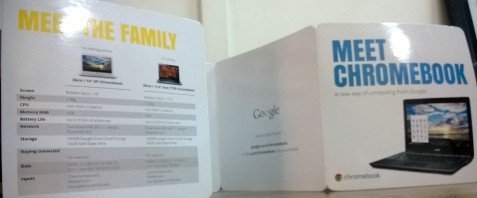
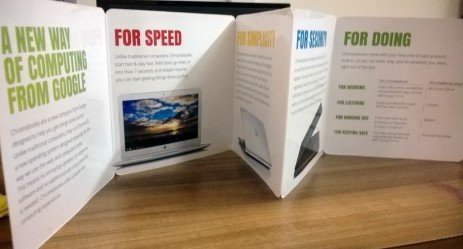
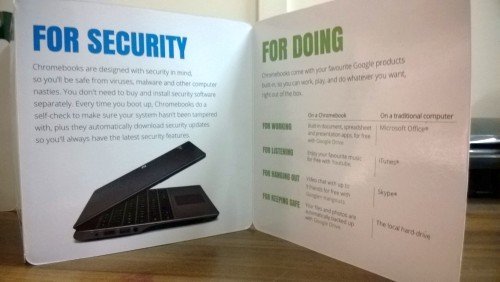
A glossy fold-out brochure was free to pick up. It explained the key features, the models and why Google called the Chromebook a new kind of computer.
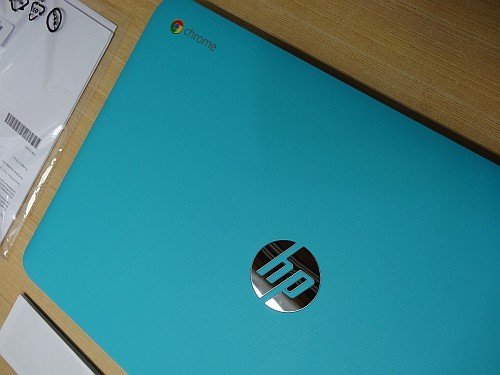
A few months later I bought the HP model, and you can see my HP 14 Chromebook unboxing photos.
Buying from a Chromebook store today
The 2013 store counters are history, and those early models no longer get updates. But my advice from that visit still holds: screen quality matters as much as screen size, so look at a Chromebook in person if you can. Before you buy, check these points:
- Update support: every Chromebook has an end date for ChromeOS updates. Google now gives newer models up to 10 years of updates, but check the date for the exact model, especially for older or discounted stock.
- Screen: compare brightness, glare and resolution side by side.
- Storage and RAM: more storage and memory help if you use Android apps or keep many tabs open.
- Keyboard and build: type a few lines and lift the laptop to feel its weight.
You can compare current models on Google’s official Chromebook site, and browse Chromebooks on Amazon. Once you have one, learn the basics such as how to screenshot on a Chromebook.
FAQ
Is there an official Google Chromebook store?
Google showcases Chromebooks on its own website, but they are sold through electronics retailers and online stores rather than a single Chromebook store.
Which Chromebooks did I see at the store in 2013?
The HP Chromebook 14 and the Acer C720, the first Chromebooks sold in India at Croma.
Can I still use a 2013 Chromebook?
It may still turn on, but it no longer gets ChromeOS security updates, so it is not safe for banking or other sensitive tasks.
How do I check how long a Chromebook gets updates?
Look up the model’s update expiry date in Google’s Chromebook help pages, or open Settings, then About ChromeOS, on a Chromebook you can try.
Disclosure: As an Amazon Associate, QuickOnlineTips earns from qualifying purchases.
Get our free weekly email: new tech guides and tools, no spam.
New and updated tech guides, a free tool worth bookmarking and one useful pick, once a week. No spam, unsubscribe anytime.
One email a week. Unsubscribe anytime. See our privacy policy.


Great Post!! I will surely visit once for updating my thoughts regarding Chromebook. Thanks for sharing.
Totally engrossed while looking at this amazing Google products, a bit costly though..
Wow.It’s a great news. Thanks for sharing. I’m curious to visit there once.
wow great …..felling so happy…i am going to share my facebook,tumblr,wordpress and others blog
Diwali or not, chromebooks are already cheap enough for every one to afford, also big companies really understand that new generation and some of the tech savvy guys really need something different to try.
If people dont really depend on the programs that need Mac OS or windows, they will surely go with something that creates buzz around the place.
And obviously everyone knows chromebooks are from Google, i dont think they will have issues depending or trusting it.
Hello,
I too went on Croma today and they are giving 3 to 5 Thousand INR Discount on each notebooks with complimentary gifts like laptop bags and headphones.
It’s a must deal according to me.
Thanks
Wow! Those must be some new Diwali offers to promote the Chromebook sales.
Yeah, You are right. I am going to write about that on my blog too :)
Thanks :)