Password Generator Strong Random Passwords and Passphrases
Step 1: Pick a type and its settings
Choose one option:
Step 2: Press Generate
Passwords are generated in your browser with crypto.getRandomValues and are never sent to or stored on our server.
© 2004–2026 QuickOnlineTips. This tool’s code and design are our own work. You are welcome to use it here for free, but please do not copy, republish or sell it. Terms of use
Help us improve this tool
More developer tools and other free tools
About this tool
This password generator creates strong, random passwords instantly. Choose the length and which characters to include, or switch to passphrase mode for several random words that are easier to remember. Every password is made in your own browser with cryptographic randomness and is never sent anywhere.
Quick answer: Click Generate for five random 16-character passwords, then click Copy next to one and save it in your password manager. For a password you have to type or remember, switch to Passphrase.
How to use the password generator
- Choose Password for maximum strength per character, or Passphrase for random words.
- Set the length. 16 characters is a strong default; use 20 or more for email, banking and your password manager’s master password.
- Pick the character types a site allows. Tick Avoid look-alikes if you will read the password aloud or type it from paper.
- Click Generate for a fresh set and copy the one you like.
What makes a password strong?
Strength comes from length and randomness, not from swapping letters for symbols. The bar shows entropy in bits: each extra bit doubles the number of guesses an attacker needs. A random 16-character password using all four character types has about 103 bits, far beyond any practical brute-force attack. Current US NIST guidance (SP 800-63B) recommends long passwords, checking them against lists of breached passwords, and not forcing regular changes unless a password is compromised.
Passwords vs passphrases
A passphrase such as Velvet-Comet-Harbor7-Tulip-Radar is easier to remember and type, especially on a phone or TV. Its strength depends on the number of words and the size of the word list, not on the words looking clever. This generator picks from a list of 325 words, so each word adds about 8.3 bits; five words plus a digit give about 47 bits, fine for low-risk logins, while 8 or more words are better for anything important. For a master password, use 7 or more words from a larger list, or a long random password.
Password safety tips
- Use a different password for every site. Reused passwords are the main way accounts get taken over after a data breach.
- Use a password manager, such as Bitwarden, 1Password or the one built into your browser or phone.
- Turn on two-factor authentication or passkeys wherever you can.
- Check for breaches at Have I Been Pwned.
- Never share passwords by email or chat.
Need random IDs instead of secrets? Use the UUID generator. Exporting saved passwords? See our guide to exporting a LastPass password list.
FAQ
Is it safe to use an online password generator?
This one runs entirely in your browser: the passwords are created on your device and never sent over the internet. You can even disconnect from the internet after the page loads and it still works.
Why do some sites reject symbols?
Some sites limit which symbols they accept. Untick Symbols and make the password a little longer instead.
$4.99Free when you subscribe
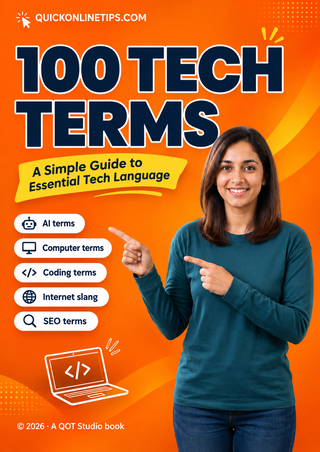
Get 100 tech terms explained in plain English
8-page PDF on AI, coding, slang and SEO + one tech email a week.
Don’t want emails? Buy the PDF for $4.99 (opens in a new tab)
Sent by email. Unsubscribe anytime. See our privacy policy.