12 Time Management Techniques That Actually Work (With Free Timers)
The best time management techniques are simple: decide what matters, give it a fixed slot of time, and protect that slot from interruptions. This guide explains 12 methods that work, from time blocking and timeboxing to the urgent-important matrix, and shows which free timer or planner to use with each one, so you can start today instead of just reading about it.
Quick answer: Start with three techniques that work together:
- Time blocking: put your important work into calendar slots, like meetings with yourself.
- Timeboxing: give each task a fixed time limit, then stop and review.
- The 25/5 method: work in 25-minute sprints with 5-minute breaks, using a free focus timer.
Use the urgent-important matrix to decide what goes into those blocks in the first place.
Table of Contents
Time management techniques at a glance
| Technique | Best for | Free tool to use |
|---|---|---|
| Time blocking | Planning the whole day or week | Weekly planner printable |
| Timeboxing | Tasks that drag on | Online timer |
| 25/5 focus sprints | Procrastination and studying | Focus timer |
| Urgent-important matrix | Too many tasks, unclear priorities | Pen and paper |
| Eat the frog | Putting off one hard task | Focus timer |
| 1-3-5 rule | Overloaded to-do lists | Weekly planner |
| Two-minute rule | Small jobs piling up | Stopwatch |
| Task batching | Email, calls and admin | Online timer |
| 80/20 rule | Choosing what to cut | Pen and paper |
| Ivy Lee method | Starting each day with a plan | Weekly planner |
| Single-tasking | Constant distractions | White noise generator |
| Deadlines and countdowns | Big projects with no end date | Countdown to a date |
1. Time blocking
Time blocking means dividing your day into blocks of time and giving each block one job: deep work from 9 to 11, email from 11 to 11:30, calls after lunch, and so on. Instead of a to-do list you hope to get through, you get a schedule that shows exactly when each task will happen. If something new comes up, you move a block rather than squeezing it in on top.
How to start time blocking:
- List the tasks for tomorrow and estimate how long each takes. Add a little extra, because most tasks take longer than planned.
- Put your hardest work in the hours when you have the most energy, usually the morning.
- Group small tasks (email, messages, admin) into one or two short blocks.
- Leave buffer blocks for surprises, and a short break between big blocks.
- At the end of the day, look at what moved and plan the next day.
Time blocking in Google Calendar
Any calendar app works: create an event for each block, give it a clear name (“Write report”, “Email”) and a colour for each kind of work. Google Calendar also has a special Focus time event that can mute Chat notifications and decline meetings automatically, but it is only for some work and school Google Workspace accounts, so personal Gmail users should use ordinary events. To add one, open Google Calendar on a computer in Day or Week view, click a time slot, choose Focus time at the top of the event, set the start and end, pick whether to decline meetings and mute Chat, then click Save (full details in Google’s Focus time help page (external site, opens in new tab)).
Prefer paper? Print our free weekly planner and colour in your blocks. Comparing calendar apps for this? See our guide to the best calendar apps.
2. Timeboxing
Timeboxing gives one task a fixed amount of time in advance. You work on it until the time is up, then stop and check what you finished. The limit stops small tasks from swallowing your day and makes big tasks easier to start, because you only commit to one box of time.
Time blocking and timeboxing sound alike but answer different questions. Time blocking decides when you will do something; timeboxing decides how long it is allowed to take. They work best together: block an hour for “slides”, then timebox each slide to 10 minutes. To timebox, set the online timer to the length of your box, press Start and stop when it rings.
3. The 25/5 focus method
Work for 25 minutes on one task, take a 5-minute break, and after four rounds take a longer break of 15 to 30 minutes. This rhythm was made famous by Francesco Cirillo as the Pomodoro Technique®. Short sprints make it easier to start, and the regular breaks stop you burning out. It is one of the best time management techniques for students revising for exams.
Our free focus timer runs the whole cycle for you: set your times, press Start, and it switches between focus and breaks on its own. Full screen mode shows a huge clock for your desk, a classroom or a study group.
Open the free Focus Timer to start your first 25-minute sprint now.
Not a fan of 25 minutes? Try 50/10 or 90/20 once you are used to the method. Pomodoro® and Pomodoro Technique® are registered trademarks of Francesco Cirillo. QuickOnlineTips is not affiliated with him.
4. The Eisenhower matrix (urgent vs important)
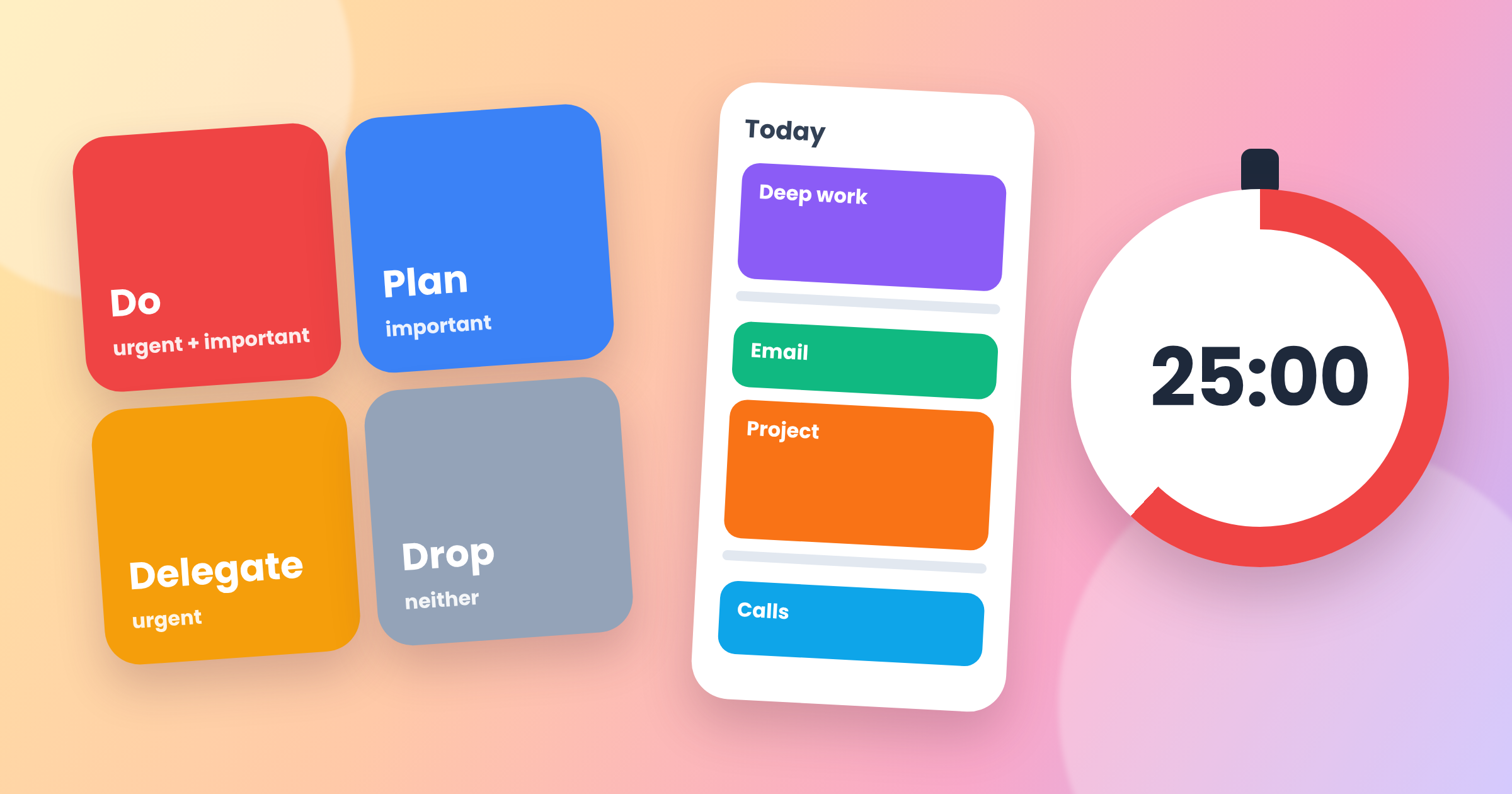
The Eisenhower matrix, named after US president Dwight D. Eisenhower, sorts every task by two questions: is it urgent, and is it important? That gives four boxes, each with its own action.
| Urgent | Not urgent | |
|---|---|---|
| Important | Do it now: real deadlines, emergencies | Schedule it: planning, learning, health, big projects |
| Not important | Delegate it: many interruptions and requests | Drop it: busywork and time wasters |
The magic is in the top-right box. Important but not urgent work is what moves your life forward, and it is the first thing to get pushed aside. Put it into time blocks before the urgent stuff fills your week.
5. Eat the frog
“Eat the frog” means doing your hardest, most important task first thing, before email and messages pull you in. Once the worst job is done, the rest of the day feels easier. Pick tomorrow’s frog the evening before, so you can start without deciding. Start one focus sprint on it, and you will usually keep going.
6. The 1-3-5 rule
A to-do list with 20 items is a wish list. The 1-3-5 rule limits each day to one big task, three medium tasks and five small tasks. It forces you to choose, and finishing a realistic list feels better than half-finishing a long one. Write your nine tasks in the daily boxes of the weekly planner.
7. The two-minute rule
If a task takes less than two minutes (replying “yes”, filing a document, booking an appointment), do it now instead of writing it down. Tracking and remembering a tiny task takes longer than doing it. Don’t let two-minute jobs break up a focus block, though: collect them for your next batch.
8. Task batching
Switching between different kinds of work costs time and attention. Task batching groups similar jobs and does them together: all email at 11 and 4, all calls in one afternoon block, all errands in one trip. Two or three set email times a day usually beat checking every few minutes. Use the online timer to keep a batch from spreading over the whole afternoon.
9. The 80/20 rule
The 80/20 rule, or Pareto principle (named after economist Vilfredo Pareto), says that a small share of your work often brings most of the results. Look at your list and ask which few tasks make the biggest difference: the client who brings most of the income, the topic that is most of the exam. Do those first, and question whether the rest is needed at all.
10. The Ivy Lee method
A simple routine credited to productivity consultant Ivy Lee more than a century ago:
- At the end of each workday, write down the six most important things to do tomorrow.
- Put them in order of importance.
- Tomorrow, work on the first task until it is done before moving to the second.
- Move anything unfinished to the next day’s list of six.
It works because the plan is made before the day starts, so you begin with action instead of decisions.
11. Single-tasking
Multitasking feels busy but usually means doing two things badly. Single-tasking means one task, one window, one goal until the timer rings. Close the tabs you don’t need (on Windows you can split the screen for just the two windows a task needs), put your phone in another room, and mute notifications. If noise is the problem, play steady background sound from the white noise generator. More ideas for your desk are in our tips to increase productivity on computers.
12. Deadlines and countdowns
Parkinson’s law, from a 1955 essay by historian C. Northcote Parkinson, says that work expands to fill the time available for it. A task with no deadline can take forever. Give every project a date, break it into weekly milestones, and keep the end in sight with a live countdown to a date. Planning further ahead? Mark the milestones on a free printable calendar.
Free time management tools on QuickOnlineTips
Every tool below is free, works in your browser and needs no sign-up.
- Focus timer: 25/5 cycles with long breaks, sound alerts and full screen.
- Online timer: one countdown with an alarm, for timeboxing any task.
- Stopwatch: time how long tasks really take, so your time blocks get more accurate.
- Weekly planner: a printable PDF for time blocking your week.
- Habit tracker: a printable tracker to make a new routine stick.
- Countdown to a date: a live countdown to any deadline.
- White noise generator: white, pink and brown noise to block distractions.
- Sleep calculator: plan a bedtime that leaves you rested for tomorrow’s focus.
Which time management technique should you use?
| Your problem | Try this |
|---|---|
| I can’t get started | Eat the frog plus one 25-minute sprint |
| Tasks take far longer than planned | Timeboxing |
| My day disappears into meetings and messages | Time blocking plus task batching |
| Everything feels urgent | The urgent-important matrix |
| My to-do list never ends | The 1-3-5 rule or the Ivy Lee method |
| I keep getting distracted | Single-tasking with a focus timer |
| I’m studying for exams | The 25/5 method and a weekly study plan |
You don’t need all 12. Pick one or two for your biggest problem, use them for two weeks, then add another. Want to go deeper? Our list of the best productivity books covers several of these methods in detail.
FAQ
What are the best time management techniques?
For most people: time blocking to plan the day, timeboxing to keep tasks short, 25/5 focus sprints to beat procrastination, and the urgent-important matrix to choose what matters.
What is the difference between time blocking and timeboxing?
Time blocking reserves a slot in your calendar for a kind of work. Timeboxing sets a time limit for one task and stops you when it runs out. Many people use both.
What are good time management tips for students?
Plan the week’s study sessions in a planner, study in 25-minute sprints with short breaks, do the hardest subject first, and keep your phone out of reach while the timer runs.
How can I focus better when working from home?
Use one room or desk only for work, block your day with set start and end times, batch messages into a few slots, and use a focus timer and background noise to stay in the zone.

Subscribe to our weekly tech newsletter
Free: 100 Tech Terms ebook (worth $2.99)
Unsubscribe anytime. Privacy