
Canonical URL in WordPress: Check and Fix Errors (2026)
A wrong canonical tag can quietly tell Google to ignore your pages. We learned that in 2009, when our Google PageRank dropped and we traced part of the problem to canonical URL settings in the All in One SEO Pack plugin. Canonical tags are now built into WordPress and every SEO plugin, but mistakes still happen. Here’s how a canonical URL in WordPress works and how to fix common errors.
Quick answer: WordPress adds a rel=”canonical” tag to posts and pages automatically, and SEO plugins like Rank Math, Yoast and All in One SEO manage it site-wide. Check it by viewing the page source and searching for “canonical”: it should show the page’s own clean URL. Fix errors by setting the correct site address in Settings > General, using one URL version (https, www or non-www) with redirects, and only setting custom canonicals for true duplicates.
Table of Contents
What is a canonical URL?
When the same content is reachable at several URLs (with tracking parameters, http and https, www and non-www, or category paths), a canonical URL tells search engines which version you prefer. Google introduced the canonical link element in February 2009, just before our problem. According to Google Search Central (external site), permanent redirects and rel=”canonical” are strong signals, while listing URLs in a sitemap is a weak one.
What went wrong for us in 2009
All in One SEO Pack had just added canonical URL options. On our setup, where the WordPress address and blog address are the same, the plugin’s canonical settings pointed some pages to the wrong URL, which may have contributed to our PageRank drop. The plugin did what it was designed to do; it just needed settings for different WordPress configurations. Google engineer Matt Cutts also explained the canonical element in a video at the time.
How to check the canonical URL in WordPress
- Open a post, right-click and choose View page source.
- Search for
rel="canonical". - Confirm it shows the exact URL of that page, with https and your preferred www or non-www version.
- In Google Search Console, use URL Inspection to see the “Google-selected canonical” and compare it with yours.
Common canonical errors and fixes
- Wrong domain or http: fix WordPress Address and Site Address in Settings > General and redirect the old version.
- Every page canonical to the home page: usually a theme or plugin bug; disable duplicate SEO plugins and retest.
- Two canonical tags: happens when a theme and an SEO plugin both add one; keep only the plugin’s.
- Paginated pages canonical to page 1: let each page canonical to itself unless it’s truly a duplicate.
- Google picks a different canonical: make the content clearly unique, link internally to your preferred URL and include only canonical URLs in your sitemap.
Set a custom canonical URL in WordPress
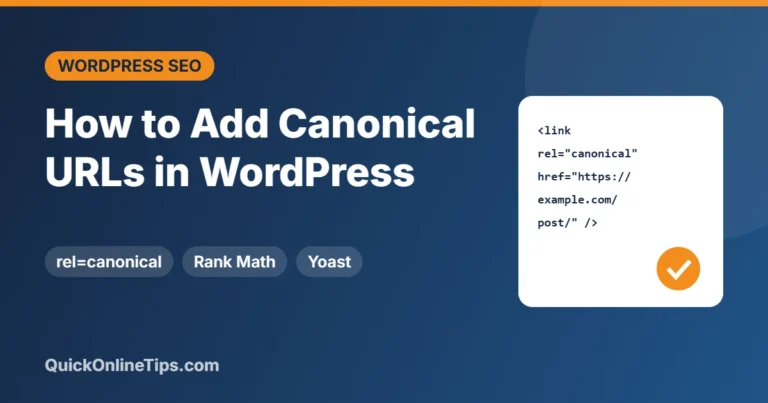
In Rank Math, open the post, go to the Advanced tab and enter a canonical URL; Yoast and All in One SEO have similar fields. Only use this when the post really duplicates another page, such as a syndicated copy. For posts you’ve merged, a 301 redirect is better.
FAQ
Does WordPress add canonical tags automatically?
Yes, WordPress core adds rel=”canonical” to single posts and pages, and SEO plugins extend it to archives.
Is a canonical tag a directive?
No. Google treats it as a strong signal but can choose a different canonical if other signals disagree.
Should I use All in One SEO, Yoast or Rank Math?
All three handle canonicals well. Use only one SEO plugin to avoid conflicting tags.
Stuck on a gift? Try our free Gift Idea GeneratorIdeas for anyone by age, job, interests and budget, with Amazon.com and Amazon.in linksFind gifts →Get our free weekly email: new tech guides and tools, no spam.
New and updated tech guides, a free tool worth bookmarking and one useful pick, once a week. No spam, unsubscribe anytime.
One email a week. Unsubscribe anytime. See our privacy policy.


Canonical issue is always related to your page rank even if you have set the preferred domain in the Google webmaster tool. You solve this issue by adding a simple script to your .htaccess file.
yes it’s been a while since google created this meta tag to better distinct duplicate content right guys ?!
I have the all-in-one SEO plugin installed as well, but I don’t believe it’ll do much for my page rank. I think content and structuring your pages correctly is more important.
In a recent post, I have looked at an issue I had with WordPress default canonical URLs: pages will have a canonical URL, but my pages had extra parameters which cause them to display differently since they’ve got custom PHP in them. But several pages all ended up with the same canonical
I would say be very cautious about automatic canonical URLs.
I got a problem here. When write an article i put a canonical link trough the canonical plugin. But when the article shows in the home as new article, then that canonical appears in the head……
@DazzlinDonna – Its possibly occurred on our blog because WordPress address and Blog address are the same in the settings.
So maybe the plugin does not recognize the occurence of the new index.php at the root. But I am sure many bloggers out there have not changed the default wordpress settings.
I got a problem here. When write an article i put a canonical link trough the canonical plugin. But when the article shows in the home as new article, then that canonical appears in the head……
I have the all-in-one SEO plugin installed as well, but I don’t believe it’ll do much for my page rank. I think content and structuring your pages correctly is more important.
Hi,
I got a problem here. When write an article i put a canonical link trough the canonical plugin. But when the article shows in the home as new article, then that canonical appears in the head……
what’s the problem? And is it ok that it also apppears at the articlepage self?
I always use seo plugins for my blogs
Has this issue been fixed in a new WP release?
I used it on a couple of our client blogs and have not had any issues with it
In a recent post, I have looked at an issue I had with WordPress default canonical URLs: pages will have a canonical URL, but my pages had extra parameters which cause them to display differently since they’ve got custom PHP in them. But several pages all ended up with the same canonical URL.
I have now fixed this (see my post but my pages may take a long time to actually get indexed, if at all. They still aren’t indexed in spite of being in a sitemap…
I would say be very cautious about automatic canonical URLs.
I know I have used that plugin for all my wordpress SEO needs….hope they keep it updated
Well it can be an issue with seo because your efforts are divided…great fix with canonical urls.
It is because of Michael Torbert’s ALL IN ONE SEO that I use WordPress for almost all of my SEO efforts. This plugin makes it very easy to control the most important on page tactics to rank well.
I have not found these issues, if I install the plugin as I am just creating the blog. If you have installed it after your blog has already started ranking than I would suggest that you need to set up your 301 redirects, which now can also be done right through a plugin WP redirects. This usually solves the problem, however I usually set up WordPress with the www when I first create it as well.
This is the first time i read about this. I always use all in one seo for wp.
Thanks
I never did understand what the canonical stuff was about in the all in one seo plugin. Therefore, I never clicked it, but now I think I need to pay more attention.
There is a option in all in seo pack for canonical urls,should we mark it or not?
As a webmaster I found this article very interesting and thank you all for openly debating the Canonical URL points above. My concern, which no one mentions so far, is with the All in One SEO Plugins interpretation of my main page URL without a trialing backslash / eg:
Default All in One SEO Plugin:
My preference Canonical URL is:
I would like to see the All in One SEO Plugin option to choose this backslash (or not) instead of me having to hack the plugin php source code after every update.
Page rank drives me crazy. At least you have PR. I have a site that is over a year old and has 1500+ backlinks and is stuck at pr 1. Its indexed so It is not being punished, but still, figure that one out.
Jeff Johnson has an excellent free SEO WP plugin which addresses this issue (among other things).
There is a option in all in seo pack for canonical urls,should we mark it or not?
will you please explain,what is canonical url,and what is its function…
Well, this way WordPress without the plugin All in One SEO do better than using the plugin with canonical URL.
This is a great article for all the people that are wprried about SEO and page rank.
This is an excellent article and really thankful to author because my page rank was going down due to this plugin and now I hope, I will manage it properly.
I know I have used that plugin for all my wordpress SEO needs….hope they keep it updated more often.
I would like to recommend the Platinum SEO Pack, it has more useful options than the all in one seo pack. There are more nofollow selections, additional post, page and home headers, you can nofollow all of the outgoing links on just the front page, you can add the noydir meta tag, the noodp meta tag, you can use the option for noindex on sub pages and my favorite option of all is all of the options that it gives you on each individual post and page of your wordpress blog.
Those are just a few of the things that I can think of off the top of my head. The fact of the matter is that I have used both and have found that I am in greater control of my websites on-page seo than when I was using the All in One SEO Pack.
But I still have good SEO rankings with this problem.
Never tried this one before, I believe I’m the most outdated person when it comes to All-in-one SEO pack.
If your single page is accessed by multiple urls, the canonical url option can help search engines identify and index the url of choice and avoid duplicate content Google penalization issues.
rom the obvious to the “Hey-I-never-thought-of-that-great-idea-before”, here are 10 of the top 52 tips on how to optimize your website for its turbo-charge rocket ride up the search engine rankings.
I used the all in one seo plugin with the canonical urls checked.
Now I use the canonical urls plugin from Yoast and all in one seo plugin with the canonical urls unchecked.
Is it a right approach?
What for all the time that i’ve been using that wrong option?
thanks for anyone who will answer
I believe this will set most of the problems of duplicate problems as well as for webmasters who control a huge database of pages.
Have your search rankings for your keywords been restored yet??
The front page PR is back from PR4 to PR5! Most keywords had not lost their PR.
For most WordPress users, there will be minimal benefit from rel=”canonical” and at worst, you can actually do harm. We are considering the rel=”canonical” feature for WordPress core for version 2.9. There is no rush. rel=”canonical” is really only going to help you significantly if you’re already in trouble and have a bunch of
?funky=tracking_parametersor something else appended to your URL. WordPress itself already handles things like slashes, ?p=1234 redirection, yes-www vs no-www and a bunch of other canonical URL issues.Matt Cutt’s advice for most users of WordPress is wait.
I do believe that Google keeps changing things in order to have an excuse to lower page ranks. As for upgrades in WordPress, I do believe that people should keep checking with them to make sure they get all of their upgrades and updates. Otherwise, it might cause real issues.
I have WP installed on the root folder and the WordPress address and Blog address point to the homepage. So I understand that I am safe.
If there is any mistake in my statement, please correct.
(lol. This was just to make sure that I am safe)
Arun Basil Lal
But my PR increased to 4, I selected canonical url options on ALL IN SEO plugin.
P.S. – Sorry, forgot to tell you great post!
But my PR increased to 4, I selected canonical url options on ALL IN SEO plugin.
@Craig – thanks for pointing that out.
@Davinder – When the WP is hosted in an alternative directory, it would affect only those bloggers whose WordPress address and Blog address are the same in the WP-admin settings. I am sure there will be a new option in the plugin soon letting us set that too.
@Peter – I have clarified in the article that PR drop could be because of hundreds of causes and this is just one more possibility. I have changed the title it was being misinterpreted.
@Stephen – Thanks for all your good points. This was not an attempt to blame the All-in-One plugin for PageRank drop, but just to warn other bloggers about the canonical issue.
Thanks for all your comments. I have changed the title of the post as it was being misinterpreted. I have also updated why the issue was affecting us.
@Jeffro thanks for pointing out the forum. All points well taken. There is no doubt that Michael has created a very useful plugin and the very fact that it is the most downloaded plugin ever speaks for it.
I hope Michael continues to work on this nice plugin. I apologize if this article offended him or anyone working on this plugin in any way, as it was just meant to help other bloggers like us who host wordpress in alternative directories and might be affected by the canonical url issues.
That’s a pretty big assumption you’re making there. You can’t see your current up to date PageRank, only your toolbar PR, which Google exports once every 3 months or so. As it happens Google just recently updated Toolbar PR, so it’s no surprise you’re seeing changes – however these changes are based on many different factors over the last 3 months or so. The new feature of All in One is only about a week old. It’s very unlikely that it would have had much impact in that small amount of time.
That said, it would seem that people should be careful about this issue if they run WordPress in a subfolder. It may have impact on such sites, so if there’s any doubt, don’t use that feature of the plugin. However, it’s a real stretch to blame All in One for your PageRank drop (not that PageRank matters much any more).
Christopher, I just can’t agree with you, for a number of reasons:
First, Google has nothing against search engine optimization – especially not the kind that this plugin handles. This plugin gives you the ability to better clarify what each page is about – instead of relying on wordpress to do it for you. Google has nothing against this, they encourage proper meta information and titles for sites – this helps them figure out what your page/site is about.
As for the direct confirmation that this plugin caused your pagerank drop – this is just ridiculous. Is it possible? Sure – but there are hundreds of other possibilities – and its likely that a combination of them caused the drop. On top of that, I’ve seen across a number of other sites on the internet that we are in the midst of a pagerank update – this drop could have been months and months in the making.
Lastly – there is no plugin that will help with SEO today? As referenced above, this plugin absolutely will help your on page optimization. SEO is not the voodoo that some people make it out to be – its about structuring your page so that search engines can easily understand exactly what it’s about, and driving relevant links to it. This plugin handles the first part of that equation perfectly.
QuickOnlineTips, your sentiment that plugin authors shouldn’t set new options as the default is certainly debatable. I think it’s a little low, however, to publicly place the blame for your pagerank drop squarely on a free plugin, which may or may not have had anything to do with it.
Even I host WP in a folder and redirect to root. I checked source code, it looks fine showing root URL and not folder URL – even though Canonical URLS option is checked, any idea?
nice catch! I’d say it is the most likely source of your drop and I’m sure your PR will return to normal once Google sorts things out now that you’ve fixed the issue.
I did want to add though that setting your preferred domain in Google Webmaster Tools has no relevance to this issue, that is solely about “.www” or not in your domain.
Sounds like something really fishy went on but if the conical URL PR increased while the other URL decreased, it appears to be a logical conclusion. The All in one SEO plugin author happens to be a member of the WPTavern community and I’ve started a thread with this article in mind:
Hopefully, he’ll either reply their in the forum or he’ll respond in the comments.
But having interview Michael Torbert who is the author of the plugin, he told me that even if a new person who would simply activate the plugin on their WordPress install, it would help out their SEO despite their being a myriad of settings to choose from. While the most recent version is not covered, their is a changelog located here
This case not happen to my blog. Even my blog now have PR3. And lot Organic traffic too.
I have had the same thing happen. I wondered why my page rank dipped and then I just check my homepage and I have the same issue.
Thanks for the tip!
@Brian – I am glad I could help more people notice this issue.
@DazzlinDonna – Its possibly occurred on our blog because WordPress address and Blog address are the same in the settings.
So maybe the plugin does not recognize the occurence of the new index.php at the root. But I am sure many bloggers out there have not changed the default wordpress settings.
I think this might be a rare occurrence, possibly because your blog is located in a folder called “archives”, and that might be confusing something on the back end with the WP archives. I’ve checked each of the blogs I own that are hosted within a subfolder and not at the root domain, and they all show the correct canonical url.
Although I do agree that plugins should not auto-check new features (because I’ve had issues with that kind of thing causing problems in other plugins), I’m not sure this particular issue is widespread. Good catch though!
SEO is about optimizing your content and structuring your pages correctly. Installing a plugin that changes your page structures site-wide will look like obvious SEO to Google, and they are not keen on that are they?
So in answer to your question, I think it was definitely the cause. There is not a plugin on this planet right now that will directly help you with your SEO in my opinion.