
How to Find Thin Content on Your Site (and Fix It) in 2026
Want to find thin content on your site before it drags down your Google rankings? In 2012 our traffic crashed after a Google Panda update, and finding and cleaning up thin content was a big part of our recovery. Panda is now part of Google’s core ranking systems, along with the helpful content system, so low-value pages can still hold a whole site back. Here’s how we find thin content today, using free tools, plus what we learned the hard way.

Quick answer: To find thin content, export every URL with its clicks and impressions from Google Search Console > Performance > Pages for the last 12 to 16 months, add word counts from a crawler such as Screaming Frog, and flag pages with almost no impressions, very few words, or copied and outdated text. Then improve, merge, redirect, noindex or delete each one, deciding page by page.
Table of Contents
What is thin content?
Thin content is a page that gives searchers little or no value. Common examples:
- Very short posts that only announce a link or quote another site.
- Auto-generated, scraped or spun pages, and AI-written pages published at scale without real expertise.
- Near-duplicate pages, such as many tag archives or product variants with the same text.
- Outdated news and reviews of products that no longer exist.
- Doorway pages created only to rank for keyword variations.
Google’s spam policies call out “scaled content abuse”, and its core systems reward people-first content. A site with thousands of weak pages can see rankings fall across all pages, not just the thin ones.
How to find thin content on your site
1. Use Google Search Console
In Google Search Console, open Performance > Search results, set the date range to the last 16 months and open the Pages tab. Export the list. Pages with zero or a handful of impressions in a year are your first candidates. Also check Indexing > Pages for “Crawled – currently not indexed”, which often means Google sees a page as low value.
2. Check engagement in Google Analytics 4
In Google Analytics 4, go to Reports > Engagement > Pages and screens. Low views combined with very short engagement time suggest readers don’t find the page useful. Back in 2012 we used the old Universal Analytics Content Drilldown report (shown above) to browse our archives month by month; GA4 replaced it in 2023.
3. Crawl your site for word counts and duplicates
A crawler such as Screaming Frog SEO Spider (free up to 500 URLs) shows the word count, title and meta description of every page, and flags near-duplicates. Sort by word count to find pages under about 300 words. Free tools like Ahrefs Webmaster Tools also run site audits for low word count and duplicate content.
4. Combine the data in a spreadsheet
Put URL, clicks, impressions, average position, word count, backlinks and publish date in one sheet. Then sort into groups. This is exactly how we triage our 2,500 posts today.
What to do with thin content
- Improve and expand: pages with some impressions or backlinks. Update facts, add depth and answer the questions searchers ask.
- Merge: several short posts on one topic. Combine them into one strong guide and 301 redirect the old URLs.
- Noindex: pages you want to keep for readers but not in search, such as tag archives or old announcements.
- Delete (410) or redirect: pages with no traffic, no backlinks and no value. Redirect only if there’s a closely related page.
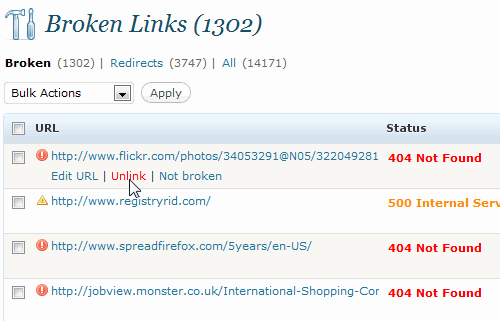
Fix broken links while you’re at it; see how to find broken links on WordPress blogs.
What we learned from removing thin content
After the Panda traffic crash, we found years of thin posts dating back to 2004. Many were short news items with large blockquotes from other sites, which could look like copied content, and over 10% of links in old posts were broken. Our site had also been hit for heavy ads above the fold. We deleted over 500 low-traffic posts in a week. Looking back:
- Low traffic isn’t always thin. A good page on a rarely searched topic can be worth keeping. Thanks to reader Sumesh for pointing this out back then.
- Unpublish or noindex before deleting. It’s easy to restore a draft, but deleted URLs lose their backlinks for good.
- Review content yourself. You know which old posts were once popular or earned links.
See more in our guide to recovering from Google Panda.
Frequently asked questions
How many words make content thin?
There’s no fixed number. A 200-word answer can be helpful, while a 1,500-word page can be thin if it adds nothing new. Focus on value, not length.
Should I delete thin content or improve it?
Improve pages with impressions, backlinks or useful information. Delete or noindex pages with no traffic, links or purpose.
Does Google penalise thin content?
Usually it’s not a manual penalty but lower rankings from Google’s core systems. Manual actions do apply to scraped or auto-generated spam.
How long does recovery take after removing thin content?
Often several months, usually after the next core update, as Google re-evaluates the whole site.
Stuck on a gift? Try our free Gift Idea GeneratorIdeas for anyone by age, job, interests and budget, with Amazon.com and Amazon.in linksFind gifts →Get our free weekly email: new tech guides and tools, no spam.
New and updated tech guides, a free tool worth bookmarking and one useful pick, once a week. No spam, unsubscribe anytime.
One email a week. Unsubscribe anytime. See our privacy policy.




That’s really helpful bro. I didn’t have the idea of finding low quality content in this way, specially using content drilling. Thanks for the tips.
Have you ever tried WebTaker? Is it legit ?
Just want to know that, is it good idea to use noindex, follow meta tags on those thin content pages
@Sidharth – Its a good idea to noindex thin content.
google panda did hit my website traffic but after removing ads above the fold traffic is back to normal
My ranking was in trouble also. Thanks for sharing. Will try to edit everything according to your advice.
Absolutely, thin content drove your site rankings to the worst scenario so better remove/edit it before Google slaps it. Nice post!
awesome post, specially “thin content” would affect our SEO ranking on Google by Google Panda updating.
i wanna earn money using blogs…can anyone guide me freely?
I have ever heard some bloggers said about ways to bypass Google Panda in which removing low quality posts/articles is one of the basic ones. I think a decent amount of guest posts are thin content because they usually cover non-related content or have too general niche.
It appears that the articles written on the early days on QOT are low content when you was still a “newbie” blogger :-).
BTW, nice and helpful article!
I wanted to remove thin content from my blog, your tutorial will help me a lot. Thanks again. :)