
First MacBook Air (2008): The World’s Thinnest Notebook Then and Now
The first MacBook Air was unveiled by Apple on 15 January 2008 and billed as the world’s thinnest notebook. Here is what that original model offered, why it mattered, and how it compares with the MacBook Air you can buy in 2026. (For Apple’s newest twist on the laptop, see the touchscreen MacBook Pro.)
Quick answer: The first MacBook Air (2008) was 0.16 inches at its thinnest point and 0.76 inches at its thickest, with a 13.3-inch screen, Intel Core 2 Duo processor, 2GB of memory and an 80GB hard drive, priced from $1,799. It had no built-in optical drive. Today’s MacBook Air uses Apple silicon and comes in 13-inch and 15-inch sizes.
Table of Contents
The first MacBook Air: world’s thinnest notebook in 2008
“Which is the thinnest laptop in the world?” In January 2008 Apple’s answer was the MacBook Air. In its press release (external site), Apple said it measured 0.16 inches at its thinnest point, and that its maximum height of 0.76 inches was less than the thinnest point on competing notebooks.

First MacBook Air specs
Despite the thin body, Apple fitted in a full-size laptop experience:
- Display: 13.3-inch LED-backlit widescreen.
- Keyboard and trackpad: full-size backlit keyboard and a large trackpad with multi-touch gestures.
- Camera: built-in iSight camera for video chats.
- Processor: 1.6GHz or 1.8GHz Intel Core 2 Duo with 4MB L2 cache.
- Memory and storage: 2GB of memory and an 80GB 1.8-inch hard drive as standard.
- Wireless: 802.11n Wi-Fi and Bluetooth 2.1.
- Price: from $1,799 in the US, shipping about two weeks after launch.
There was no built-in CD/DVD drive. Apple sold an optional external MacBook Air SuperDrive for $99, powered from the laptop’s USB port so you didn’t need a separate power adapter.
To install software without a disc drive, Apple added a Remote Disc feature that let the MacBook Air use the CD or DVD drive of a nearby Mac or Windows PC over the network. For wired internet you needed a USB Ethernet adapter, as there was no Ethernet port.
Why the original MacBook Air mattered
Leaving out the optical drive and most ports was controversial at the time, and we listed several feature defects in the first MacBook Air, such as the single USB port and sealed battery. But the idea that a laptop could be very thin and light, rely on wireless, and skip the disc drive became the norm. Thin-and-light Windows laptops, later called ultrabooks, followed the same path, and optical drives are now rare on laptops.
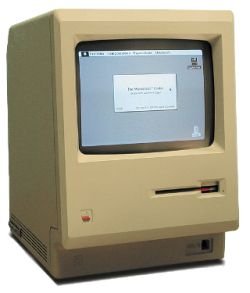
It continued a long line of Apple design firsts, going back to the first Macintosh computer in 1984.
MacBook Air in 2026
The MacBook Air is still Apple’s mainstream laptop. According to Apple’s MacBook Air page (external site), the current models:
- run on Apple’s own M5 chip instead of an Intel processor,
- come in 13-inch and 15-inch sizes,
- are under half an inch thick, and weigh about 2.7 pounds.
If you are shopping for one, think about screen size, memory and storage first, since these can’t be upgraded later. Our checklist of things to consider before buying a laptop helps, and you can compare current MacBook Air models on Amazon.
FAQ
When was the first MacBook Air released?
Apple announced it on 15 January 2008, with shipping starting about two weeks later.
How thin was the first MacBook Air?
It measured 0.16 inches at its thinnest point and 0.76 inches at its thickest.
How much did the first MacBook Air cost?
It started at $1,799 in the US. The optional external SuperDrive cost $99.
Did the first MacBook Air have a CD drive?
No. You could buy the external MacBook Air SuperDrive or use Remote Disc to borrow the drive of another computer.
Can the first MacBook Air still be used?
It can power on, but it no longer gets macOS or security updates, so it isn’t suitable for everyday browsing or sensitive work.
Disclosure: As an Amazon Associate, QuickOnlineTips earns from qualifying purchases.
Stuck on a gift? Try our free Gift Idea GeneratorIdeas for anyone by age, job, interests and budget, with Amazon.com and Amazon.in linksFind gifts →Get our free weekly email: new tech guides and tools, no spam.
New and updated tech guides, a free tool worth bookmarking and one useful pick, once a week. No spam, unsubscribe anytime.
One email a week. Unsubscribe anytime. See our privacy policy.





The aesthetic features, of course, has its setbacks. But I still love my Mac Air.
B’coz there are many add-ons out there…
1 USB can be 3, 5, or may be even more.
We also got portable HDD right?
Sooner or later you may just go for these external stuffs!
(If you haven’t yet, ;))
I’m also inclined to say it is one of the worst laptops out there. 80gb? 1 usb port? external dvd? this is 2008…
I wish I’d have one. Sooner. :)