How to Add Video Comments to Your Blog in 2026 (and Whether You Should)
In 2008, video comments looked like the next big thing for blogs. A WordPress plugin from the video conversation site Seesmic let readers record a webcam reply instead of typing, and Viddler offered something similar. Both faded away. But the idea of hearing and seeing your readers is still appealing. This guide shows the practical ways to add video comments to a blog in 2026, and when plain text comments are still the better choice.

Quick answer: WordPress has no built-in video comments. The simplest option is to let readers share a link to a short video (YouTube, Loom or similar) in a normal comment. For real recorded replies, embed a video feedback tool such as VideoAsk on your post or contact page. Many bloggers now invite video responses on social platforms instead, and keep on-site comments as text.
Table of Contents
Why video comments never took off
- Effort: recording a video takes far more confidence and time than typing a sentence, so few readers do it.
- Moderation: you have to watch every clip to check it, and spam or abuse is harder to spot.
- Speed and storage: video makes pages heavier and someone has to host it.
- Privacy: showing your face and home on someone else’s site puts many people off.
- Services closed: early hosted tools disappeared, taking their videos with them.
Short-video apps solved these problems on their own platforms, which is why video replies now mostly happen on TikTok, Instagram, YouTube and X rather than in blog comment boxes.
4 ways to add video comments today
1. Let readers share video links in comments
The lightest option. Tell readers they can paste a link to a short video reply hosted on YouTube (external site, opens in new tab) (unlisted is fine) or a screen recording tool like Loom (external site, opens in new tab). The link sits in a normal text comment, so moderation and spam filters work as usual. Keep link moderation on, because links are also what spammers use; our guide to removing spam links in comments shows the trade-offs.
2. Embed a video feedback widget
Tools such as VideoAsk by Typeform (external site, opens in new tab) let visitors record a video, audio or text reply in the browser, which you then review privately. Embed it on a post where you want stories or questions, or on your contact page. Replies don’t appear publicly unless you choose to share them, which solves most moderation worries. Check its current plans before relying on it.
3. Ask for video replies on social media
End a post with a question and invite readers to reply with a short video on Instagram, TikTok or YouTube Shorts and tag you. Then embed the best responses in a follow-up post. WordPress can embed many social posts by pasting their URL on its own line.
4. Answer comments with video yourself
Turn it around: record short video answers to popular reader questions, upload them to YouTube and embed them in the post. It adds the personal touch of video without asking readers to be on camera.
Should your blog use video comments?
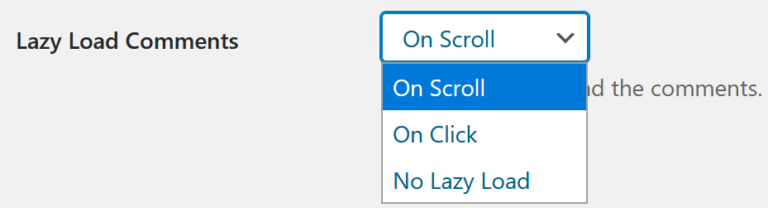
Video replies work best for communities where people already share video: creators, coaches, language learners, fitness or craft blogs, and product feedback. For most how-to and news blogs, fast text comments with good spam control give better results. If you are deciding on a comment system first, see Disqus vs WordPress comments, and keep pages fast by lazy loading comments.
What changed since 2008
Our April 2008 post covered the new Seesmic WordPress plugin, which let readers leave authenticated or anonymous video comments hosted on Seesmic and moderate them like text comments, and noted that dial-up users would struggle. Seesmic later pivoted to social media software and was bought by HootSuite in 2012, and the plugin and its hosted videos are long gone. Broadband is no longer the obstacle; reader effort and moderation are. The old YouTube demo embedded in this post now pointed to an unrelated video, so it has been removed.
FAQ
Can WordPress comments include videos?
Not natively. Readers can paste a video link as text. Some plugins add media uploads to comments, but they increase spam and storage risks, so test carefully.
Are video comments good for SEO?
Search engines can’t read what is said in a video comment, so they add little SEO value. Text comments with useful questions and answers help more.
How much does VideoAsk cost?
Plans and limits change, so check the current pricing on the Typeform website before you build it into your site.
What happened to Seesmic?
Seesmic shut down its video conversation service, turned into a social media dashboard, and was acquired by HootSuite in 2012.
Subscribe to our weekly tech newsletter
🎁 Free 100 Tech Terms ebook when you subscribe. Unsubscribe anytime. Privacy