How to Use ChatGPT Image Generator (Free and Plus)
The ChatGPT image generator turns a written description into a picture, and it can edit photos you upload too. Just describe what you want in a chat (or open Images in the sidebar), wait while it creates the image, then ask for changes in plain words. OpenAI says image creation is available on all ChatGPT plans, including free, on the web and in the iPhone and Android apps.
Quick answer: Open ChatGPT, describe the image you want (subject, style, colours, background and size), and send it. To edit, select the image, use Select to highlight an area or just describe the change. Use Save to download it. All your pictures are kept in the Images section of the sidebar.
Table of Contents
What You Need
- A free or paid ChatGPT account at chatgpt.com or in the official app.
- A clear idea of the picture. The more specific your prompt, the closer the first result.
OpenAI’s Images in ChatGPT help page says image creation is on all tiers, while “Images with thinking” (which plans more complex pictures) is for Plus, Pro and Business. It doesn’t list fixed daily numbers, and limits can change, so if you hit one, try again later. New to ChatGPT? Start with our guide on how to use ChatGPT.
How to Create an Image in ChatGPT
- Open ChatGPT and start a new chat, or open the sidebar and choose Images.
- Type a description of the picture you want. For example: “A cosy reading corner by a rainy window, warm lamp light, watercolour style, wide 16:9 image.”
- Send it and wait. OpenAI notes that complex images can take a few minutes.
- Ask for changes in the same chat: “make it brighter”, “add a cat on the chair”, “change to a square image”.
In the Images section you’ll also find Templates (such as posters or logos) that ask you a few questions and build the prompt for you. In the mobile app you can type @ and choose Sketch to draw a rough sketch and add written instructions.
How to Edit an Image or Photo
- Upload a photo, or click an image ChatGPT has already made.
- On the web, the editor shows Select, Aspect ratio, Undo, Redo, Cancel and Save.
- Click Select, brush over the part you want changed, and describe the change (“replace the sky with a sunset”).
- Or skip the selection and describe the whole edit in words.
OpenAI warns that highlights aren’t always precise and an edit can spill outside the area you selected, so check the result and undo if needed. Only upload photos you have the right to use, especially pictures of other people.
Change the Size and Shape
Ask for a shape in your prompt (“square”, “16:9”, “vertical 9:16 for Stories”), or use the aspect ratio picker. In the editor, Aspect ratio regenerates the picture in a new shape.
Save, Share and Find Your Images
- Download: open the image and choose Save. Copy and Share are there too.
- Find old images: everything you create is saved automatically in Images in the sidebar.
- Delete: OpenAI says deleting an image means deleting the conversation where it was created.
Prompt Tips for Better ChatGPT Images
| Add this | Example |
|---|---|
| Subject and action | “a golden retriever catching a frisbee” |
| Style | “flat vector illustration”, “photorealistic”, “pencil sketch” |
| Setting and light | “on a beach at sunset, warm light” |
| Colours | “teal and orange colour palette” |
| Shape | “square 1:1” or “wide 16:9” |
| Text (keep it short) | “poster title: Summer Fair, bold letters” |
- Change one thing at a time in follow-ups instead of rewriting the whole prompt.
- Describe original characters and designs rather than copying brands, logos or famous characters, which may be refused.
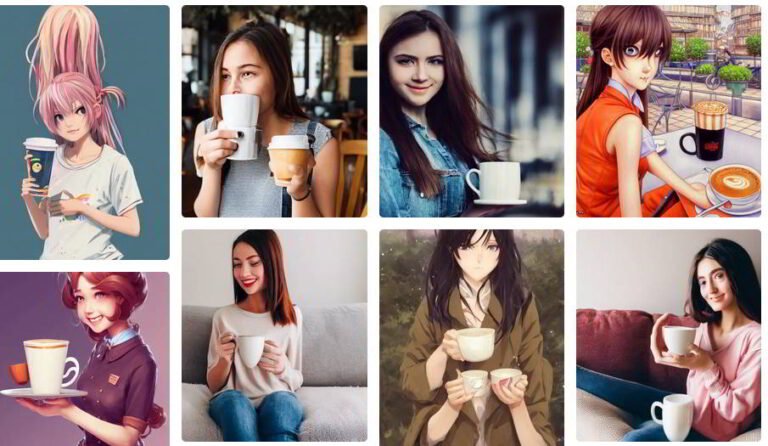
- Ready-made ideas: our Halloween AI photo prompts and the free AI portrait prompt generator work in ChatGPT too.
ChatGPT vs Other Free AI Image Generators
ChatGPT is a good all-rounder because you can talk your way to the result. If you want to compare it with Gemini, Copilot, Meta AI, Canva and others, see our list of the best free AI art generators.
FAQ
Is the ChatGPT image generator free?
Yes. OpenAI says ChatGPT Images is available on all tiers, including free. Paid plans get extra options such as Images with thinking, and limits can differ by plan.
Where are my ChatGPT images saved?
In the Images section of the ChatGPT sidebar. Use Save on an image to download it to your device.
Can ChatGPT edit my own photos?
Yes. Upload the photo, select it, and describe the change, with or without the Select tool.
How long does ChatGPT take to make an image?
Simple images are usually quick, but OpenAI says generation can take a few minutes depending on how complex the image is.
Get our free weekly email: new tech guides and tools, no spam.
New and updated tech guides, a free tool worth bookmarking and one useful pick, once a week. No spam, unsubscribe anytime.
One email a week. Unsubscribe anytime. See our privacy policy.