
Web Hosting Checklist: 10 Things to Check Before You Buy (2026)
There are thousands of web hosts, and most of them promise the same things. This web hosting checklist helps you cut through the marketing. It started as eight tips from a guest blogger in 2009, and we’ve updated every point for 2026, from renewal prices to backups and free SSL. Run a host through these 10 checks before you pay, and drop any host that fails the ones that matter to you.

Quick answer: Before you buy web hosting, check the renewal price (not just the intro price), how many sites the plan allows, the uptime guarantee, storage type and resource limits, free SSL and daily backups, one-click WordPress install, 24/7 support, the money-back period, data center location, and recent independent reviews.
Table of Contents
Your web hosting checklist for 2026
1. Total cost, including renewal
Set a budget first. Most shared hosts offer a low first-term price if you pay for one to four years upfront, then renew at a much higher rate. Compare the renewal price and the total cost over the full term. The 2009 advice to aim for under $5 a month still works for a small blog, but only if the plan passes the other checks.
2. Number of websites allowed
If you run more than one site, check how many websites (once called “addon domains”) the plan includes. Entry plans often allow just one site, while mid-tier plans allow many. Hosting all your sites on one account is cheaper, but remember they then share the same resources.
3. Uptime and reliability
Look for a 99.9% or better uptime guarantee with credits if the host misses it. Downtime costs a business sales and costs a blog readers. Caching helps too: we once kept serving visitors during server errors thanks to page caching. For how to measure a host yourself, see our guide to reliable web hosting.
4. Storage type and resource limits
Disk space matters less than it used to; for most blogs, a few gigabytes is plenty. What matters more is SSD or NVMe storage, and the CPU, memory and file (inode) limits that decide how much traffic your site can handle. Plugins, images and backups all add up over years of posting, so leave room to grow.
5. Free SSL and automatic backups
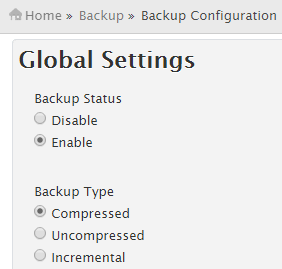
In 2026 a free SSL certificate (usually Let’s Encrypt) should be included, along with automatic daily backups you can restore yourself. Keep your own copies too; here is how to back up websites on your hosting server.
6. Easy control panel and one-click WordPress
A control panel such as cPanel, Plesk or a host’s own panel (Hostinger uses hPanel) lets you manage email, databases and files without the command line. One-click installers set up WordPress (external site) in minutes; in 2009 a manual install could take a beginner half an hour or more.
7. 24/7 customer support
Good hosts offer live chat around the clock, with staff who can actually fix things. Our guest author’s host once helped him move his database for free, a job that would have cost money on a freelance forum. Test support with a pre-sales question before you buy.
8. Money-back guarantee
Most reputable hosts offer a 30-day money-back guarantee, and some offer longer. Read the terms: domain registration fees and some add-ons are often not refundable.
9. Data center location
Choose a server location close to most of your visitors for faster load times. US audiences are best served from US data centers; add a CDN if your readers are spread worldwide.
10. Independent reviews
Search for recent reviews on forums and Reddit, not just affiliate “best host” lists. Read the negative reviews and look for patterns: one angry customer is noise, but the same outage or billing complaint from many people is a warning.
Red flags to avoid
- “Unlimited” everything with no published resource limits. Our post on whether unlimited hosting is really unlimited explains the fine print.
- Paid add-ons for basics like SSL or backups.
- Huge renewal jumps hidden in small print.
- No way to export your site or get a full backup.
- Lifetime plans that sound too good to be true; see our take on lifetime web hosting deals.
Originally written by guest author Dalirin, a blogger who wrote about making money online. Updated for 2026 by QuickOnlineTips.
FAQ
What should I look for in a web host?
Fair renewal pricing, reliable uptime, SSD or NVMe storage, free SSL, automatic backups, easy WordPress setup and responsive 24/7 support.
Is cheap web hosting good enough for a blog?
Yes, for a new or small blog. Shared hosting is fine until your traffic grows, then you can move to a bigger plan, cloud or VPS hosting.
How much does web hosting cost in 2026?
Shared hosting usually costs a few dollars a month on a long first term and more on renewal. VPS and managed WordPress hosting cost more.
Can I switch web hosts later?
Yes. Most hosts offer free migration, or you can move your files and database yourself and update your DNS.
Stuck on a gift? Try our free Gift Idea GeneratorIdeas for anyone by age, job, interests and budget, with Amazon.com and Amazon.in linksFind gifts →Get our free weekly email: new tech guides and tools, no spam.
New and updated tech guides, a free tool worth bookmarking and one useful pick, once a week. No spam, unsubscribe anytime.
One email a week. Unsubscribe anytime. See our privacy policy.


Most of the qualities mentioned above can be find in top web hosting service providers. Thanks.
Well, cheap is good, but be very careful when choosing your hosting company. Do not trust any unlimited marketing heap. I prefer something solid like HawkHost or SharkSpace for once.
I don’t think you need cpanel per say, but any type of control panel is a must. I personally prefer HELM which is what I use with my current host Server Intellect. The best point I think you would need is support. Support is crucial especially for sites that mission critical sties.
100megs has launched its green hosting initiative! Providing eco-friendly website hosting and doing our part for a greener world.
i choose hostgator, hosting service very good
cost is number one for my consideration and supporting customer service is another point
Cpanel may not be the only control panel but it is much more popular than other control panel.
This is a great piece that works in perfectly with my blog readers. I linked to it in my Tips Around The Net Friday!
Hi Dalirin. These are great tips. Keep in mind though that cPanel is not the only hosting control panel (actually it’s Fantastico which has the easy WordPress installation) which offers easy installation of WordPress.
Some hosts use different programs (or even create their own) which automates easy installs of blogs, wiki’s, etc. Take the Elefante Scripts, for example.
Like you said – know your needs and find a web hosting company fit around your needs.
About #8 – you have to be really careful here when it comes to Googling web hosts in hopes to find real review sites. I say real because many of them simply sign up for the different web host’s affiliate programs and then list them.
I’m sure you’ve seen them – those sites with a list of banner ads for each hosting company. Many of those sites are there just to make them money; unfortunately, most newbies don’t understand this.
Thats right John. You need to look for impartial reviews. Searching for negative reviews from affected customers, and poorly supported status blogs sometimes gives out more information.
No 3 and 5 IMHO, is the most important.
#1 Unless you are hosting on a server hosting company like theplanet.com always go to check on which server hosting company is your webhost relying upon. because the downtime depends a lot on them.
#2 Know your needs. Shared hosting and Dedicated hosting are a lot different from each other. Sometime users are not able to host their blog in shared hosting because of low memory access (which is told to them after the payment).
#3 Check spam ip’s – many fraud web hosting companies provide IP’s earlier used by spammers. (To detect this type of fraud is very easy – the cost of dedicated hosting annually will be lower than a pizza)
#4 Tell your friend that you have found a very good web host and let him try first.
Thanks for sharing all these info. I have just started with my own site a couple of weeks ago and I wanted to host it in one good hosting company. I have reservations signing for a free web host because I have heard so much bad reviews regarding non competent tech support and that is the least that I need for my new site.