
How to Type in Hindi on Computer and Phone (Free Tools, 2026)
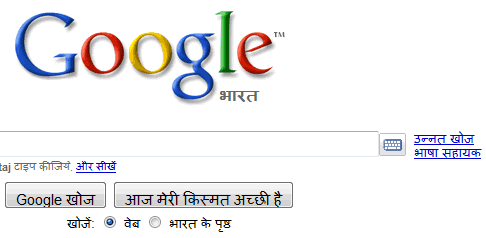
In April 2010 Google added a virtual keyboard to its search box, and I typed in Hindi for the first time by clicking the keyboard icon on Google India. Today it’s much easier to type in Hindi anywhere, on your computer or phone, using free built-in keyboards and transliteration. Here’s how in 2026.
Quick answer: On a phone, add Hindi to Gboard (Android) or the iPhone keyboard and type phonetically in English letters to get Hindi words. On Windows, add Hindi in Settings > Time & language > Language and choose the Hindi phonetic keyboard; on a Mac, add a Hindi input source in Keyboard settings. You can also use voice typing in Hindi.
Table of Contents
Type in Hindi on your phone
- Android (Gboard): Gboard settings > Languages > Add keyboard > Hindi, then choose Hinglish/transliteration or the Devanagari layout.
- iPhone: Settings > General > Keyboard > Keyboards > Add New Keyboard > Hindi (Transliteration or Devanagari).
- Tap the microphone and speak in Hindi to type by voice.
Type in Hindi on Windows
- Settings > Time & language > Language & region > Add a language > Hindi.
- Under language options, add the Hindi phonetic keyboard to type English letters and get Hindi.
- Switch keyboards with Windows + Space.
Type in Hindi on a Mac
System Settings > Keyboard > Text Input > Edit > add Hindi (Transliteration or Devanagari), then switch from the menu bar.
Online and in the browser
- Google Input Tools extension for Chrome adds transliteration in many Indian languages.
- Google Docs: Tools > Voice typing in Hindi, or use the input tools menu.
- Google Search still shows a keyboard icon for some languages.
Need translations instead? See how to translate Hindi to English for free. Typing currency? Here’s how to type the rupee symbol.
FAQ
What is Hindi transliteration typing?
You type Hindi words using English letters (for example “namaste”), and the keyboard converts them to Devanagari.
Do I need special fonts?
No. Modern Windows, Mac, Android and iOS include Hindi fonts.
Can I type other Indian languages the same way?
Yes, Tamil, Bengali, Marathi, Telugu and more are supported.
Stuck on a gift? Try our free Gift Idea GeneratorIdeas for anyone by age, job, interests and budget, with Amazon.com and Amazon.in linksFind gifts →Get our free weekly email: new tech guides and tools, no spam.
New and updated tech guides, a free tool worth bookmarking and one useful pick, once a week. No spam, unsubscribe anytime.
One email a week. Unsubscribe anytime. See our privacy policy.



Ya its new and where to get it, something interesting to get when we need in-search of other languages….