
PHP Flush Buffer Early to Speed Up Website Loading (and Early Hints)
Can PHP flush make your website load faster? Years ago I read Yahoo’s famous “Best Practices for Speeding Up Your Web Site” and tried its tip to flush the buffer early: send the top of the HTML page to the browser while PHP is still building the rest. The idea still makes sense in 2026, but modern servers, compression and CDNs often get in the way, and a newer feature called 103 Early Hints now does the job better. Here is how PHP flush works and what to use today.

Quick answer: Calling flush() right after the closing </head> tag sends the head to the browser early, so it can start downloading CSS and JavaScript while the server builds the page. It only helps if output buffering, gzip and proxy buffering do not hold the data back. On modern hosting, page caching and HTTP 103 Early Hints usually give a bigger, more reliable speed boost.
Table of Contents
How PHP flush works
When someone visits a dynamic page, PHP and the database may take 200 to 500 milliseconds to build the HTML. During that time the browser waits with nothing to do. If you send the <head> section first, the browser can fetch stylesheets, fonts and scripts in parallel while the server finishes the body.
</head>
<?php if (ob_get_level()) { ob_flush(); } flush(); ?>
<body>
In WordPress, a theme can flush after wp_head() in header.php.
Why PHP flush often does nothing
- Output buffering: PHP’s
output_bufferingsetting or a plugin may hold the whole page until it is finished. - Compression: gzip or Brotli compression can wait for more data before sending anything.
- Web server buffering: Nginx’s FastCGI buffering and many reverse proxies collect the full response first.
- Page caching: if your page is served from a cache, PHP does not run at all, so flushing is irrelevant. And that is a good thing.
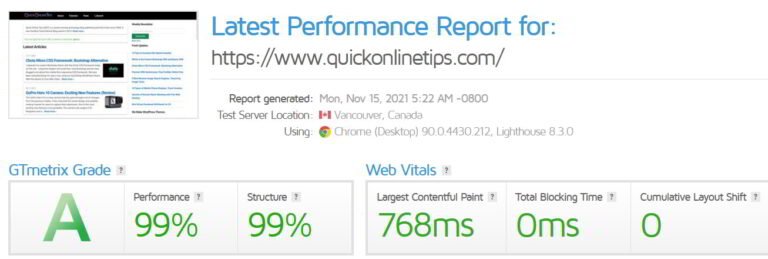
Test before and after with a web page speed test and look at the waterfall to see whether CSS starts loading earlier.
Better option in 2026: 103 Early Hints
HTTP 103 Early Hints lets the server send a quick preliminary response that lists important files, such as your main CSS and fonts, before the real page is ready. Browsers like Chrome and Edge start downloading them immediately. Cloudflare and several hosts can generate Early Hints automatically from your Link: rel=preload headers, so you get the benefit of an early flush without touching PHP.
Other ways to cut waiting time
- Full-page caching: LiteSpeed Cache, WP Rocket or your host’s cache serves ready-made HTML in a few milliseconds.
- Preload key files: add
<link rel="preload">for your main font and CSS. - Load CSS efficiently: inline critical CSS and defer the rest. See how to load CSS faster.
- Faster PHP: use a current PHP 8 version with OPcache.
- Reduce slow plugins and queries. More ideas in our tips to increase site speed.
FAQ
Is PHP flush still useful?
Sometimes, on uncached dynamic pages with slow back ends. For most WordPress sites, page caching helps far more.
Can flushing break my site?
Flushing before headers are sent can cause “headers already sent” errors with redirects or cookies. Only flush after all headers are set.
Does LiteSpeed support Early Hints?
Support depends on your server and CDN. Check your host or CDN settings, and test with Chrome DevTools to see 103 responses.
Have you tried flushing or Early Hints? Share your results in the comments.
Get our free weekly email: new tech guides and tools, no spam.
New and updated tech guides, a free tool worth bookmarking and one useful pick, once a week. No spam, unsubscribe anytime.
One email a week. Unsubscribe anytime. See our privacy policy.




great. doesnt the PHP flush it automatically ?
@Maxim: The substitute in Java is response.getOutputStream().flush();
Regards.
How will I add it in thesis theme ?
This looks like a great tip for php developers.. Is there a substitute for this in java?
response.getOutputStream().flush(); is the equivalent in Java.
Regards.
Thanks for the code.
Generally i used cache plug-in but this time i really need work on it. Thanks
When we use caching plugins (such as WP Super Cache that is also used in this blog), I don’t think this will have any effect. But this is an interesting idea. I guess if anyone uses this, it should be used just after wp_head() function.
wp head position can vary in the HEAD in custom themes, so scripts and CSS may actually be after it.
Going to give a try on my blog and will see will it help me or not.. Thanks for this code.. :)
Did it show any improvements?