
Personal Internet Use at Work: What’s OK and What Employers See (2026)
Can you use the internet for personal things at work without getting into trouble? In 2009 a guest writer here listed tools that disguised fun as work: an ebook reader that looked like PowerPoint, a Twitter client dressed up as an Excel sheet, and web messengers that slipped past office filters. Those tools are gone, and today’s workplaces monitor networks and devices far more closely. Here’s a sensible 2026 guide to personal internet use at work: what employers can see, what’s usually fine, and how to keep work and personal browsing apart.
Quick answer: Check your company’s acceptable use policy first. Assume anything you do on a work laptop, work account or office Wi-Fi can be logged. For personal browsing, messaging or reading during breaks, use your own phone on mobile data instead of trying to bypass work filters, which can break policy and get you fired. Keep separate browser profiles and never mix personal and work accounts.
Table of Contents
What your employer can see
- Office network: websites you visit, even over HTTPS, can show up in firewall and DNS logs.
- Work devices: managed laptops and phones may have monitoring, data loss prevention or screen-capture software.
- Work accounts: email, chat (Slack, Teams) and cloud files on company accounts belong to the company.
Disguise tools, proxies and unapproved VPNs don’t hide this well and are often flagged by security software. Using them is usually a bigger problem than the browsing itself.
Personal internet use that’s usually fine
- Checking personal email or messages on your own phone during breaks.
- Reading news or ebooks at lunch on your own device.
- Quick personal tasks (banking, a doctor’s appointment) if your policy allows reasonable personal use.
How to keep work and personal browsing separate
1. Use your own phone and mobile data
Your personal device on mobile data is outside the company network. It’s the simplest way to keep personal browsing private and within the rules.
2. Separate browser profiles
If personal use on a work computer is allowed, use a separate browser profile so personal logins, history and bookmarks don’t mix with work. On a personal computer, keep a separate profile for work.
3. Read at work, the honest way
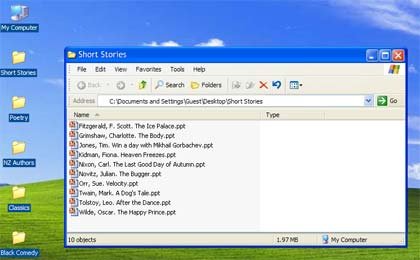
The old “Read at Work” site disguised ebooks as PowerPoint slides. Today the Kindle app or Libby on your phone does the job for lunch breaks, with no disguise needed.
4. Share links properly
Instead of emailing whole web pages, share a link in your work chat or save pages to a read-later app. See the fastest ways to bookmark web pages.
5. Manage your social media time
If X or other apps eat into your day, set app limits. Our light-hearted signs of Twitter addiction includes tips to cut back.
What changed since 2009
The tools in the original post have all shut down: SpreadTweet ran on Adobe AIR, iGoogle closed in 2013, and web messengers like Meebo and webuzz.im disappeared along with Google Talk, Windows Live Messenger and Yahoo! Messenger. Messaging moved to phones, which is also why it’s easier now to keep personal use off work systems.
FAQ
Can my employer see my browsing on office Wi-Fi?
Usually they can see which sites you visit, even if they can’t read encrypted page content. Assume it’s logged.
Is it legal for employers to monitor work devices?
In many countries, yes, especially when disclosed in policy. Rules vary by country and state.
Should I use a VPN at work?
Only if your company provides or allows it. Unapproved VPNs often break security policy.
Originally written by guest author Dav from TechF5.com, which featured tips and tutorials on basic computing. Updated for 2026 by QuickOnlineTips.
Stuck on a gift? Try our free Gift Idea GeneratorIdeas for anyone by age, job, interests and budget, with Amazon.com and Amazon.in linksFind gifts →Get our free weekly email: new tech guides and tools, no spam.
New and updated tech guides, a free tool worth bookmarking and one useful pick, once a week. No spam, unsubscribe anytime.
One email a week. Unsubscribe anytime. See our privacy policy.






You could try working at work instead. Novel concept, isn’t it?
Add in some boss key applications and be invincible at the office! :D
Like SpreadTweet, I can cheat my boss.
Still waiting for some sort of portable browser with ICMP-tunneling built-in.
Wow! Great tools!
I liked “Read ebooks at Work” the most.
Thank You.