Add to Calendar Link Generator Event Links and ICS File
Step 1: Enter the event details
Step 2: Press Create calendar links
Your add to calendar links
Preview: test each link
Each test link opens in a new tab.
Private by design: the links and the .ics file are built in your browser. Your event details are not sent to QuickOnlineTips or stored. A calendar service sees them only when someone clicks its link. QuickOnlineTips is not affiliated with Google, Microsoft, Yahoo or Apple.
© 2004–2026 QuickOnlineTips. This tool’s code and design are our own work. You are welcome to use it here for free, but please do not copy, republish or sell it. Terms of use
Help us improve this tool
More date and time tools
About this tool
This free add to calendar link generator turns your event into ready-made links that open the event in Google Calendar, Outlook.com, Microsoft 365 and Yahoo Calendar, plus a standard .ics file for Apple Calendar and any other calendar app. Paste the links into emails, invitations, newsletters or your website so people can save the date in one click.
Quick answer: Type the event title, date, time and time zone, add a location or meeting link if you like, and press Create calendar links. Copy the Google, Outlook, Microsoft 365 or Yahoo link, or download the .ics file for Apple Calendar and other apps.
How to create an add to calendar link
- Enter the event title, start and end, and the time zone the times are in. Tick All-day event for things like holidays and deadlines.
- Add a location (an address or a video-call link) and a short description.
- Press Create calendar links, then copy the link you need, copy all of them, or copy ready-made HTML buttons for a website or email template.
- Click each test link once to check the event opens with the right date and time.
Which link should I use?
| Your guests use | Give them |
|---|---|
| Gmail or an Android phone | The Google Calendar link |
| Outlook.com or Hotmail | The Outlook.com link |
| Work or school Microsoft accounts | The Microsoft 365 link |
| Yahoo Mail | The Yahoo Calendar link |
| iPhone, iPad, Mac, Outlook desktop, Thunderbird | The .ics file (attach it to your email or upload it to your site) |
Not sure? Offer the Google link plus the .ics file; between them they cover almost every calendar.
Time zones made simple
Pick the time zone the event happens in. The links store the time in a way each calendar converts automatically, so a 10 AM New York webinar shows as 3 PM for a guest in London. Need to check times for guests? Use the time zone converter.
FAQ
Do the links expire?
No. The event details are written into the link itself, so it keeps working as long as the calendar service supports this kind of link. Nothing is stored on our side.
Can I add an add to calendar button to my website?
Yes. Press Copy HTML buttons and paste the code into your page or email template. For the .ics option, upload the downloaded file to your site and link to it.
Why does a long description get cut short?
Very long links can break in some email programs, so keep the description short and put full details on a web page. The tool limits the description to 3,000 characters.
$4.99Free when you subscribe
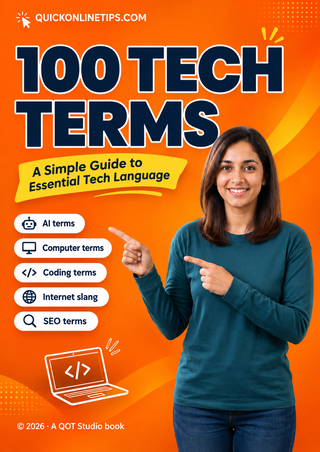
Get 100 tech terms explained in plain English
8-page PDF on AI, coding, slang and SEO + one tech email a week.
Don’t want emails? Buy the PDF for $4.99 (opens in a new tab)
Sent by email. Unsubscribe anytime. See our privacy policy.