
Best Programming Fonts for Coding in 2026 (Free Fonts with Ligatures)
Which are the best programming fonts? When you stare at code for hours, a good coding font makes a real difference: it’s easier on the eyes, and it makes look-alike characters like 0 and O, or 1, l and I, easy to tell apart. When we first wrote this in 2006, the best options were tiny bitmap fonts. Today there are excellent free programming fonts with ligatures and sharp rendering on high-resolution screens. Here are the best programming fonts for coding in 2026.
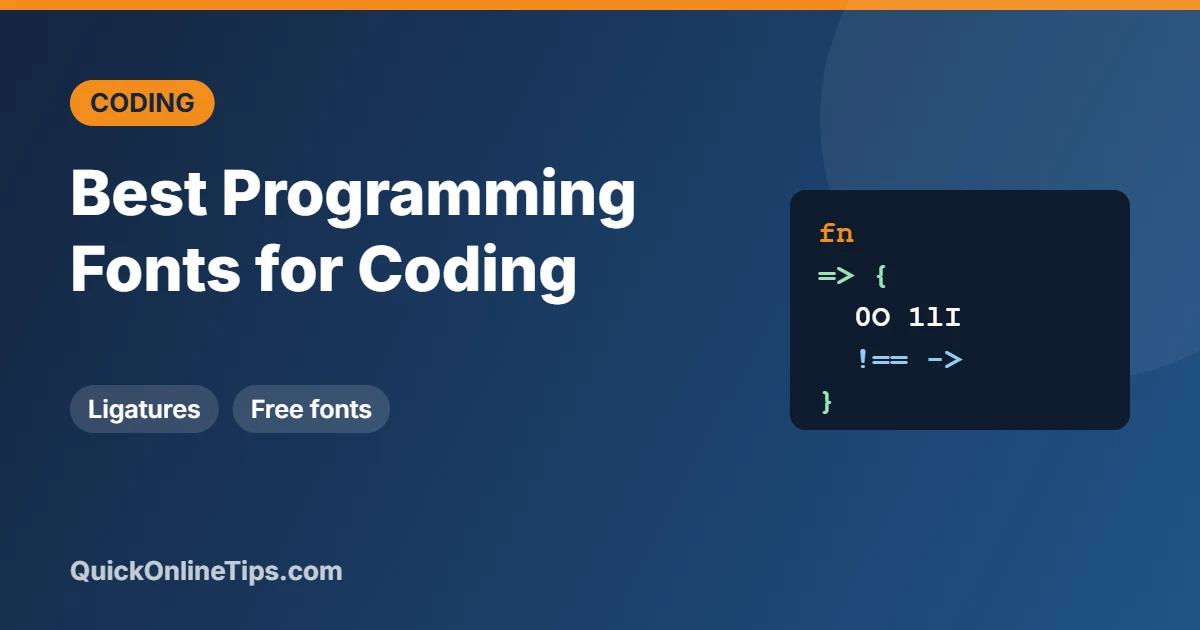
Quick answer: The most popular free programming fonts are JetBrains Mono, Fira Code, Cascadia Code and Source Code Pro. All are monospaced, clearly distinguish similar characters, and (except Source Code Pro) support coding ligatures that turn symbols like => and != into single neat glyphs.
Table of Contents
Best programming fonts in 2026 (all free)
1. JetBrains Mono
JetBrains Mono has taller lowercase letters for easier reading at small sizes, clear distinctions between similar characters and optional ligatures. It’s the default in JetBrains IDEs and free for everyone.
2. Fira Code
Fira Code made coding ligatures popular. It’s based on Mozilla’s Fira Mono and is one of the most widely used fonts in VS Code.
3. Cascadia Code
Cascadia Code is Microsoft’s modern coding font, bundled with Windows Terminal. It comes with ligatures (Cascadia Code) or without (Cascadia Mono), and a version with Powerline symbols for terminal prompts.
4. Source Code Pro
Source Code Pro from Adobe is clean, balanced and available in many weights, free on Google Fonts.
5. IBM Plex Mono
IBM Plex Mono has a friendly, slightly rounded look with a true italic, great for documentation and long coding sessions.
6. Iosevka
Iosevka is a narrow font that fits more code on screen, and it’s highly customisable: you can build your own variant with the character styles you prefer.
7. Hack
Hack is designed purely for source code, with very clear punctuation and no ligatures, which some programmers prefer.
8. Monaspace
Monaspace from GitHub is a family of five coding fonts that can be mixed, for example using a handwriting-style font for comments, with clever “texture healing” that improves letter spacing.
Classic programming fonts still worth knowing
- Consolas: Microsoft’s ClearType coding font, included with Windows and Office. Read more about Consolas and the other Vista fonts.
- SF Mono and Menlo: Apple’s coding fonts on macOS, used in Xcode and Terminal.
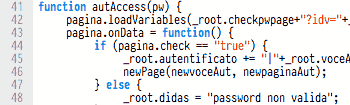
- Proggy, Dina, ProFont and Terminus: the bitmap fonts from our original 2006 list. They’re still loved by fans of crisp pixel fonts on low-resolution screens, but look small and jagged on modern high-DPI displays.
- Pragmata Pro: a paid, condensed font popular with developers who want maximum code on screen.
What makes a good programming font?
- Monospaced: every character has the same width, so code lines up neatly.
- Clear look-alikes: zero has a dot or slash, and 1, l and I are distinct.
- Readable punctuation: brackets, commas and semicolons are easy to spot.
- Ligatures (optional): combine symbols like
->,>=and===into one glyph. Some people love them, others find them confusing, so most fonts let you switch them off.
How to change the font in VS Code
- Install the font on your computer.
- In VS Code, open Settings (Ctrl+, or Cmd+,) and search for Font Family.
- Enter the font name first, for example
'JetBrains Mono', Consolas, monospace. - To use ligatures, search for Font Ligatures and enable it (or set
"editor.fontLigatures": truein settings.json).
Frequently asked questions
What is the most popular programming font?
JetBrains Mono and Fira Code are among the most popular free coding fonts, along with the built-in Consolas on Windows and SF Mono on Mac.
Are programming fonts free?
Most of the best ones are free and open source, including JetBrains Mono, Fira Code, Cascadia Code, Source Code Pro and IBM Plex Mono.
Should I use font ligatures for coding?
It’s personal preference. Ligatures can make code look cleaner, but they can hide the exact characters typed. Try them for a week and switch off if they bother you.
Stuck on a gift? Try our free Gift Idea GeneratorIdeas for anyone by age, job, interests and budget, with Amazon.com and Amazon.in linksFind gifts →Get our free weekly email: new tech guides and tools, no spam.
New and updated tech guides, a free tool worth bookmarking and one useful pick, once a week. No spam, unsubscribe anytime.
One email a week. Unsubscribe anytime. See our privacy policy.
I still think Liberation Mono is one of the best programming fonts out there.
went through nearly all of these fonts, including some of the more exotic ones..
in the end, liberation mono, as rendered through OS X’s font engine, came out above the rest.
it’s worth a serious look.
I’ve tried Proggy etc. Then, for a while, Monaco which is available on Macs, which looks great with antialiasing in ClearType on Windows.
But I have now finally settled for “Deja Vu Sans” and it’s mono type fonts. This is the default code font in Ubuntu, and it’s so fantastic that it’s my default font in Windows too.
scrod, another indication that someone doesn’t work in software development is when they say “all the codes they tweak” instead of “all the codes we tweak.” :P
On the font front, I’m using Consolas now but I’m Pragmata-curious. Seriously thinking of rolling my own damn font one day. I want clear, readable, and small in both dimensions!
Check out my Envy Code R font – it’s designed for 10 point but is properly scalable and takes advantage of ClearType. Includes italic, bold and a hack to let the italic work within Visual Studio.
[)amien
Thanks Scrod. Well now you know I am not working in software development. ;-)
There is a simple test to determine who works in software development and who doesn’t. It’s in the use of the word “code” or “coding” to refer to writing software. Those who aren’t close to the industry have trouble with the usage of that word. One gives himself away usually with a usage like “all the codes they tweak.”
Code is never pluralized. It’s a dead giveaway to anywone who isn’t a programmer. You should say all the code they have to stare at. (“Tweaking code” is a bit weak too.)