
How to Find Your Server PHP Version (WordPress, cPanel, phpinfo) 2026
Need to find your server’s PHP version? Knowing the PHP version running your WordPress site helps you fix errors, check plugin compatibility and keep your site fast and secure. In 2009, while troubleshooting internal server errors, we checked it by uploading a small phpinfo file. That still works, but in 2026 there are quicker ways that don’t need FTP at all.

Quick answer: In WordPress, go to Tools > Site Health > Info and open the Server section to see your PHP version. In cPanel, open Select PHP Version or MultiPHP Manager; on Hostinger, check Advanced > PHP Configuration. With SSH, run php -v. WordPress recommends PHP 8.3 or newer.
Table of Contents
Method 1: WordPress Site Health (easiest)
- Log in to your WordPress dashboard.
- Go to Tools > Site Health and click the Info tab.
- Expand Server. You’ll see the PHP version, memory limit, max execution time and upload size.
If your PHP version is outdated, the Status tab also shows a warning recommending an update.
Method 2: Your hosting control panel
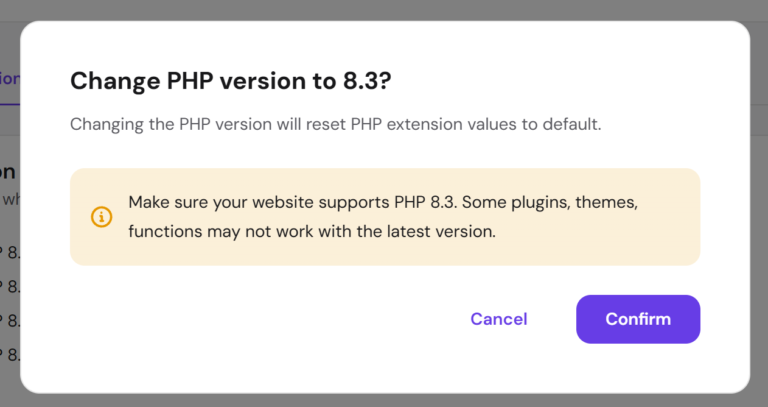
- cPanel: open Select PHP Version (CloudLinux) or MultiPHP Manager to see and change the version per domain.
- Hostinger hPanel: go to your website’s Advanced > PHP Configuration.
- Plesk: open the domain’s PHP Settings.
This is also where you upgrade PHP, usually with a single click.
Method 3: Command line
If you have SSH access, run:
php -vNote that the command-line PHP version can differ from the one your website uses, so double-check with Site Health or your control panel.
Method 4: Create a phpinfo file
This is the method we used in 2009, and it works on any server:
- Create a text file with only this line:
<?php phpinfo(); - Save it with a hard-to-guess name such as
info-7f3k.php. - Upload it to your site’s root folder with your host’s File Manager or FTP.
- Open
https://yourdomain.com/info-7f3k.phpin your browser. The PHP version is shown at the top, followed by every setting and module. - Delete the file as soon as you’re done; it exposes server details that can help attackers.
Our original code used the short opening tag <?, which is disabled on most modern servers and would show the code as text. Always use the full <?php tag.
Which PHP version should you use?
WordPress recommends PHP 8.3 or newer. Older versions such as PHP 7.4 no longer get security updates. Newer PHP is also faster, which helps Core Web Vitals. Before upgrading, back up your site, update all plugins and your theme, then switch the version in your control panel and test key pages. If something breaks, switch back and check which plugin needs an update.
Frequently asked questions
How do I check the PHP version without logging in to WordPress?
Use your hosting control panel, SSH with php -v, or a temporary phpinfo file.
Is it safe to leave a phpinfo file on my server?
No. Delete it right after use, because it reveals paths and configuration details.
Can I change the PHP version myself?
On most hosts, yes, from the control panel. On managed hosting, ask support if you don’t see the option.
Why does Site Health show a different PHP version than php -v?
The web server and the command line can use different PHP installations. The Site Health version is the one your website actually runs.
Get our free weekly email: new tech guides and tools, no spam.
New and updated tech guides, a free tool worth bookmarking and one useful pick, once a week. No spam, unsubscribe anytime.
One email a week. Unsubscribe anytime. See our privacy policy.


Link exchange is nothing else except it is simply placing the other person’s blog link on your
page at appropriate place and other person will also do similar in favor of
you.
It didnt work for me. it showed me info, but didnt tell me the php version…
Thanks for the tip! Now I know why a joomla component wouldn’t run on my hosting server.
how to receive the email to our domain(localhost)
from any mail servers like yahoo,gmail
Nice tips! Thanks for sharing. I don’t have any proper knowledge about php coding but this post help me a lot. Thnks again!