eSIM vs Physical SIM in India: Which Should You Use? (Jio, Airtel, Vi)
eSIM vs physical SIM: should you switch? Jio, Airtel and Vi all support eSIM now, many new phones include it, and Apple’s iPhone Air has no SIM tray at all, even in India. But switching in India is not as simple as most global guides make it sound. Each operator has its own SMS-based process, SMS and OTPs can be blocked for a day after the change, and fraudsters are using fake eSIM requests to steal bank OTPs. This guide covers everything an Indian user needs to decide, and exactly how to switch safely.
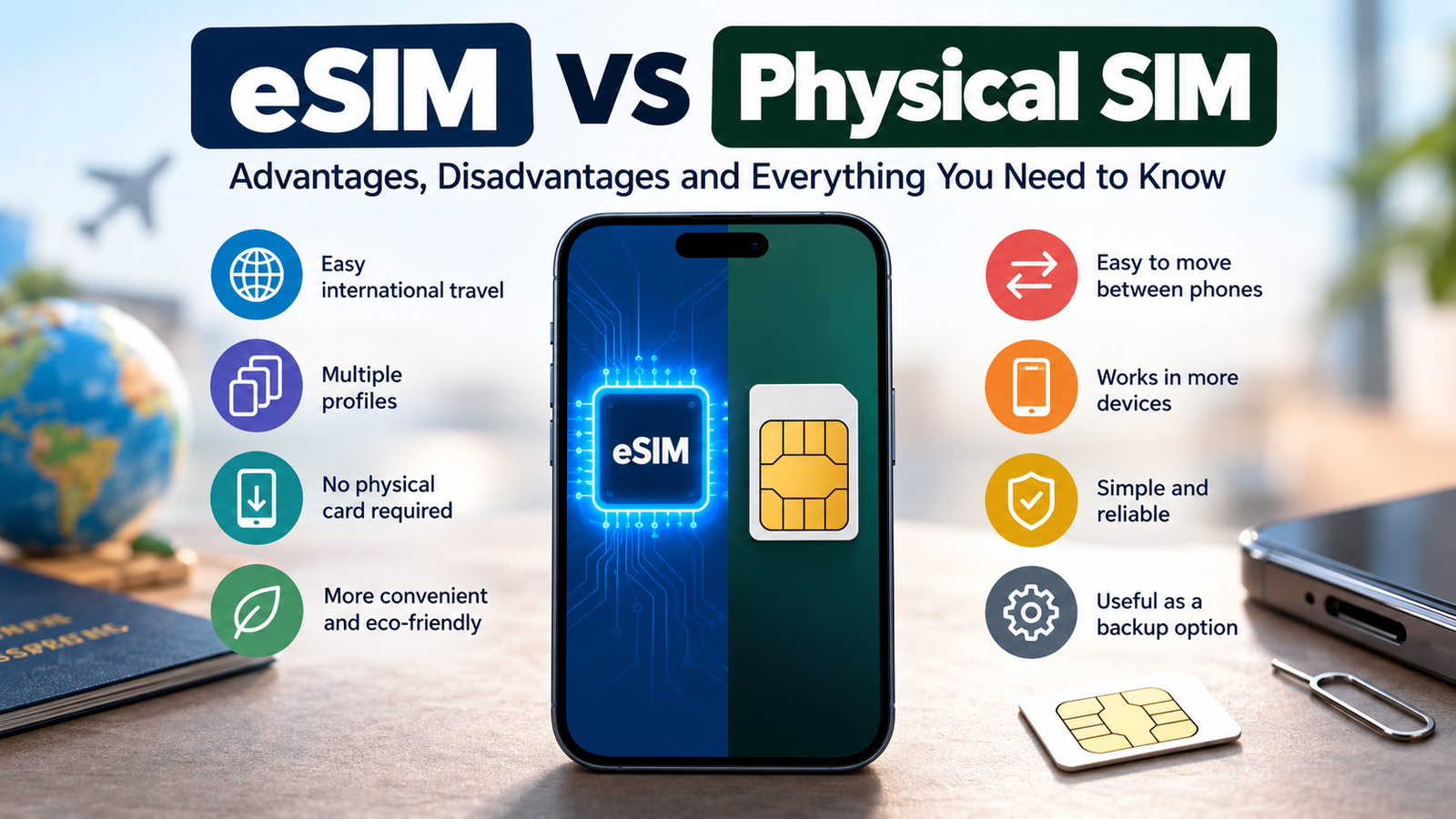
Quick answer: An eSIM gives the same network, speed and coverage as a physical SIM. Switch to eSIM if you travel abroad, want two numbers, or have a phone without a SIM tray. Keep a physical SIM if you often move your SIM between phones or keep a backup phone. If you switch, do it yourself through your operator’s official app or SMS number, and avoid days when you need bank OTPs, because SMS may be blocked for 24 hours.
Table of Contents
What is an eSIM?
An eSIM (embedded SIM) is a small chip built into your phone that does the job of a SIM card. Instead of inserting a plastic card, you download your operator’s SIM profile to the phone, usually by scanning a QR code or confirming a request by SMS. Your number, plan, calls, SMS and data work exactly the same once it is active.
eSIM vs physical SIM at a glance
| Physical SIM | eSIM | |
|---|---|---|
| Network speed and coverage | Same | Same |
| Getting started in India | Buy or replace at a store, insert | Request by SMS or app, confirm by call, scan QR code |
| Moving to a new phone | Take it out, put it in: seconds | New request to operator: minutes to 2 hours |
| If the phone is stolen | Thief can remove and use the SIM | Cannot be pulled out of the phone |
| If the phone is broken | Move SIM to another phone instantly | Operator must reissue the eSIM |
| Travel abroad | Swap SIMs and risk losing yours | Add a travel eSIM and keep your Indian number |
| Two numbers | Needs a dual-SIM tray | Store several profiles; use two at once on dual-SIM phones |
| Phone support | Every phone | Mostly mid-range and premium phones |
Should you switch to eSIM? A quick decision guide
Switch to eSIM if you:
- Travel abroad and want local data without removing your Indian SIM.
- Use two numbers, for example personal and work, and want a free SIM slot or a second line.
- Bought a phone without a SIM tray, such as the iPhone Air.
- Worry about theft: a thief cannot pull out an eSIM to stop your phone being tracked or to use your number in another phone.
Keep your physical SIM if you:
- Move your SIM between phones often, or keep an old phone as a backup.
- Need OTPs every day for work or business and cannot risk a day without SMS.
- Live in an area your operator’s eSIM service does not cover (Vi, for example, excludes some circles).
- Use a budget phone; many phones under Rs 20,000 do not support eSIM.
Best of both: if your phone supports a physical SIM and an eSIM together, keep your main number on the physical SIM and use the eSIM for a second number or a travel plan.
Before you switch: checklist
- Check your phone supports eSIM. Look for “eSIM” in the specifications, or for an EID number in Settings. Some versions of the same phone sold in other countries differ, so check the Indian model.
- Find your EID and IMEI. On an iPhone: Settings > General > About. On Android: Settings > About phone > Status or SIM status. Your IMEI number is listed there too.
- Check your registered email. Airtel and Vi send the eSIM QR code by email.
- Connect to Wi-Fi. Downloading the eSIM profile needs internet.
- Pick a quiet day. Expect no SMS or OTPs for up to 24 hours.
How to get an eSIM on Jio, Airtel and Vi
These are the steps each operator published at the time of writing. Processes change, so confirm them in your operator’s official app or website, and never follow steps sent to you by someone else.
Jio eSIM
- From your Jio number, SMS
GETESIM <32-digit EID> <15-digit IMEI>to 199. - You receive a 19-digit eSIM number. SMS
SIMCHG <19-digit eSIM number>to 199. - After about 2 hours, reply 1 to 183 to confirm, and answer the automated verification call.
- When the confirmation SMS arrives, follow the prompt on your phone to add the eSIM.
You can also start the request in the MyJio app on many phones.
Airtel eSIM
- From your Airtel number, SMS
eSIM <registered email ID>to 121. - Reply 1 within 60 seconds when asked to confirm.
- Accept the consent call from 121.
- Scan the QR code sent to your email on the phone that will use the eSIM. It activates within about 2 hours.
Check the eSIM section on Airtel or in the Airtel Thanks app for current details.
Vi eSIM
- In the Vi app, go to Help > Raise a Service Request > Activate eSIM.
- Enter your EID and the OTP sent to your number.
- Download the eSIM when prompted, usually after about 15 minutes.
Vi also accepts an SMS request to 199. Vi eSIM is not available in some circles, including Himachal Pradesh, Jammu and Kashmir, Odisha, Assam and the Northeast.
Changing phones with an eSIM
This is the biggest practical difference. With a physical SIM, you move the card. With an eSIM:
- iPhone to iPhone: iOS can often transfer an eSIM during setup (eSIM Quick Transfer) if your operator supports it. If it fails, request a new eSIM.
- Android, or switching between Android and iPhone: in India, the reliable route is to repeat your operator’s eSIM request from the new phone, using its EID.
- Do not delete the eSIM from your old phone until the new one is working, and never factory reset a phone with your only eSIM on it without a plan.
- Need to go back? Any operator store can convert your eSIM to a physical SIM with KYC.
What if you lose your phone?
You do not lose your number. Call your operator from another phone to block the line, then get a new eSIM or physical SIM at a store with your ID. A thief also cannot simply remove an eSIM, which helps tracking tools like Find My and Find My Device. See how to find a lost iPhone or Mac.
The 24-hour SMS block after a SIM change
To fight SIM swap fraud, India’s Department of Telecommunications requires operators to verify every SIM change and to block SMS on the new SIM for 24 hours. Converting to eSIM or moving it to a new phone counts as a SIM change. Calls and data usually work, but bank and UPI OTPs may not arrive for a day.
Beware of eSIM scams
In September 2025 the Indian Cyber Crime Coordination Centre (I4C) warned about an eSIM scam. Callers pretending to be from your telecom operator send an “eSIM activation” or “SIM upgrade” link or ask you to reply to an SMS. If you do, your number moves to an eSIM on their phone, your phone shows no signal, and they receive your bank OTPs. In one reported case, a victim lost Rs 4 lakh.
- Start eSIM requests only yourself, from your operator’s official app, SMS number or store.
- Never share your EID, eSIM QR code, OTP or confirmation reply with anyone.
- Do not reply 1 or “Y” to an eSIM confirmation you did not request.
- If your phone suddenly loses signal for no reason, call your operator and bank immediately from another phone.
- Report fraud on the 1930 helpline or at cybercrime.gov.in.
The same tricks appear in email; learn to spot a fake phishing email.
eSIM for international travel
This is where eSIM shines for Indian travellers. Buy a travel data eSIM from an app such as Airalo or Holafly, or an international pack from your Indian operator, and install it before you fly while you are still on Wi-Fi. Use the travel eSIM for data and keep your Indian SIM active for calls and OTPs; turn off data roaming on your Indian line to avoid charges. Check your Indian plan’s roaming rules, because incoming SMS abroad depends on it.
Does eSIM affect speed, battery or signal?
No. An eSIM connects to the same towers and network as a physical SIM. Speed depends on your operator, signal, network congestion and your phone’s modem, not on the SIM type. Battery life is the same.
Which phones support eSIM in India?
- iPhone: iPhone XR, XS and later. The iPhone Air (2025) is eSIM-only in India.
- Google Pixel: most recent Pixel phones.
- Samsung: Galaxy S and Z series flagships, and some newer A series models.
- Others: selected Motorola, OnePlus, Vivo, Xiaomi and Nothing models. Always check the exact Indian variant.
FAQ
Is eSIM better than a physical SIM?
Neither is faster. eSIM is better for travel, two numbers and theft protection; a physical SIM is better for switching phones quickly.
How long does eSIM activation take in India?
From about 15 minutes to 2 hours after you confirm, depending on the operator, plus up to 24 hours before SMS works.
Is there a charge to switch to eSIM?
Operators usually offer it free or for a small fee. Check in your operator’s app before starting.
Can I use an eSIM and a physical SIM together?
Yes, on dual-SIM phones that support both. You can use two numbers at once.
Can I convert my eSIM back to a physical SIM?
Yes. Visit your operator’s store with ID for a replacement physical SIM.
Does an eSIM work without internet?
Once active, yes. You need internet only to download or transfer the eSIM profile.
Bottom line
For most Indian users, the smartest setup is a phone that supports both: keep your main number on a physical SIM and use an eSIM for a second number or travel data. Switch fully to eSIM if you travel often, want theft protection or own an eSIM-only phone, but do it yourself through official channels, on a day when you do not need OTPs.
Get our free weekly email: new tech guides and tools, no spam.
New and updated tech guides, a free tool worth bookmarking and one useful pick, once a week. No spam, unsubscribe anytime.
One email a week. Unsubscribe anytime. See our privacy policy.