
How to Leverage Browser Caching to Speed Up Your Website (2026)
If you leverage browser caching, repeat visitors load your pages much faster, because their browser reuses images, CSS, JavaScript and fonts it already downloaded instead of fetching them again. Back in 2010, when Google started using site speed as a ranking signal, our own site was slower than 94% of sites online, and adding cache headers was one of the first fixes we made. Here is how to leverage browser caching in 2026 on Apache, Nginx and WordPress.

Quick answer: Send long cache lifetimes for static files with the Cache-Control: max-age header (for example one year for images, fonts, CSS and JS with versioned file names), and short or no caching for HTML. On Apache add mod_expires rules to .htaccess; on Nginx use the expires directive; on WordPress a cache plugin such as LiteSpeed Cache or a CDN like Cloudflare can set them for you.
Table of Contents
What is browser caching?
When a browser downloads a file, the server’s response headers say how long it may keep and reuse that file. Without them, the browser checks with the server again on every visit. With them, it loads files instantly from disk. PageSpeed Insights flags missing headers as Serve static assets with an efficient cache policy.
How to leverage browser caching on Apache (.htaccess)
Add this to the .htaccess file in your site root (back it up first):
## EXPIRES CACHING ##
<IfModule mod_expires.c>
ExpiresActive On
ExpiresByType image/jpeg "access plus 1 year"
ExpiresByType image/png "access plus 1 year"
ExpiresByType image/gif "access plus 1 year"
ExpiresByType image/webp "access plus 1 year"
ExpiresByType image/avif "access plus 1 year"
ExpiresByType image/svg+xml "access plus 1 year"
ExpiresByType image/x-icon "access plus 1 year"
ExpiresByType font/woff2 "access plus 1 year"
ExpiresByType text/css "access plus 1 year"
ExpiresByType text/javascript "access plus 1 year"
ExpiresByType application/javascript "access plus 1 year"
ExpiresByType application/pdf "access plus 1 month"
ExpiresByType text/html "access plus 0 seconds"
ExpiresDefault "access plus 2 days"
</IfModule>
## EXPIRES CACHING ##
Apache turns these into Cache-Control: max-age and Expires headers. The old Flash (swf) line from the original post is no longer needed.
How to leverage browser caching on Nginx
location ~* \.(jpg|jpeg|png|gif|webp|avif|svg|ico|woff2|css|js)$ {
    expires 1y;
    add_header Cache-Control "public, immutable";
}
How to leverage browser caching in WordPress
- LiteSpeed Cache: turn on Browser Cache in its settings (on LiteSpeed hosts such as Hostinger).
- WP Rocket: adds browser caching rules automatically.
- Cloudflare: set Browser Cache TTL under Caching, and serve files from its CDN.
Avoid stale files: use versioned file names
Long cache times are safe only if a changed file gets a new URL. WordPress adds ?ver= to theme and plugin CSS and JS, and build tools add a hash like style.3f9a1c.css. If you edit a file without changing its name, visitors may keep the old copy until the cache expires.
How to check your cache headers
- Open your site, press F12 and go to the Network tab.
- Reload, click an image or CSS file and look for
cache-controlin the response headers. - Or test the page in PageSpeed Insights.
More speed tips: increase site speed and load CSS faster.
FAQ
How long should I cache static files?
One year for versioned images, fonts, CSS and JS. Keep HTML short or uncached so content updates show quickly.
Is browser caching the same as page caching?
No. Page caching stores whole HTML pages on the server; browser caching stores files on the visitor’s device. Use both.
Why does PageSpeed still warn about third-party files?
You can’t set headers for files from other domains, such as ad or analytics scripts.
Get our free weekly email: new tech guides and tools, no spam.
New and updated tech guides, a free tool worth bookmarking and one useful pick, once a week. No spam, unsubscribe anytime.
One email a week. Unsubscribe anytime. See our privacy policy.




I used the given snippet and it worked for most of the elements. But few of the jpeg and png elements are yet to get cached. How can I achieve that? Why few are skipped? Any idea?
This is the code I am used.
# EXPIRES CACHING ##
ExpiresActive On
ExpiresByType image/jpg “access plus 1 year”
ExpiresByType image/jpeg “access plus 1 year”
ExpiresByType image/gif “access plus 1 year”
ExpiresByType image/png “access plus 1 year”
ExpiresByType text/css “access plus 1 month”
ExpiresByType application/pdf “access plus 1 month”
ExpiresByType text/x-javascript “access plus 1 month”
ExpiresByType application/x-shockwave-flash “access plus 1 month”
ExpiresByType image/x-icon “access plus 1 year”
ExpiresDefault “access plus 2 days”
## EXPIRES CACHING ##
And these are the elements not cached.
/wp-content/plugins/custom-share-buttons-with-floating-sidebar/images/hide-l.png (4 hours)
/wp-content/plugins/custom-share-buttons-with-floating-sidebar/images/hide.png (4 hours)
/wp-content/plugins/custom-share-buttons-with-floating-sidebar/images/minify-social.png (4 hours)
/wp-content/uploads/2016/05/placeholder.gif?id=1439 (4 hours)
/wp-content/uploads/2016/11/Logo.png (4 hours)
/wp-content/uploads/2016/12/image1-Custom.jpg (4 hours)
/wp-content/uploads/2016/12/image2-Custom.jpg (4 hours)
/wp-content/uploads/2016/12/image3-Custom.jpg (4 hours)
/wp-content/uploads/stm_fonts/stm/stm.ttf?6tqapb (4 hours)
/wp-includes/css/dashicons.min.css (4 hours)
I am looking for a way to add google fonts to leverage caching. Any help ?
Page Caching
Importance
Easy to Solve Website does not allow page caching.
The website is not configured to allow page caching.
Apache:
Add this to the .htaccess file in the website main directory.
# Enable expirations
ExpiresActive On
# HTML
ExpiresByType text/html “access plus 2 days”
but this code is note worked
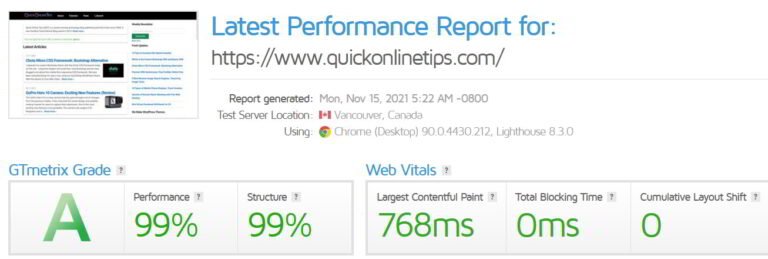
I like this article, and i have been test on my blog, score gtmetrix.com is 99 and yslow 99 for my website. this trick is very good….!!!
I cannot remember the number of times I have returned to this page to copy this code. Thanks for this mister!
Wow! Glad it served useful to you.
Finally I done it now my site is loading very fastly ..thanks bro ..
ADD THIS
ExpiresActive On
ExpiresDefault A600
ExpiresByType image/x-icon A2592000
ExpiresByType application/x-javascript A604800
ExpiresByType text/css A604800
ExpiresByType image/gif A2592000
ExpiresByType image/png A2592000
ExpiresByType image/jpeg A2592000
ExpiresByType image/jpg A2592000
ExpiresByType text/plain A86400
ExpiresByType application/x-shockwave-flash A2592000
ExpiresByType video/x-flv A2592000
ExpiresByType application/pdf A2592000
ExpiresByType text/html A600
The code is fine. If it doesn’t work for you, make the terms plural: i.e. weeks, months, days
Truly enjoyed the info supplied here.
The best way to improve the performance is by using W3 Cache or Super Cache plugin.
As arslanone told, this post was not working 100% for me. After changing “access 1 year” to A2592000. It started working 100%, anyway nice post with explain.
Awesome! I inserted mine using Notepad and the site score went up 11 points immediately! Thanks so much for making this easy!
Hi guys
If you look at this page http://httpd.apache.org/docs/2.0/mod/mod_expires.html it tells you the keywords are years, weeks, days, hours, minutes and seconds. Not the way the writer posted on his post.
So I did this, and now Google Chrome PageSpeed in developer tools the red light for leverage browser cache warning is gone!
ExpiresActive On
ExpiresDefault “access plus 1 week”
ExpiresByType text/css M604800
Thanks.
i have set above code for css and surf the website, then i changed background in css and surf the website so the changes are coming on the website. so it means caching not worked. can you please guide me how to implement it.
Just so everyone knows, his .htaccess method does not work save some time adn do something more simple
ExpiresActive On
ExpiresDefault “access plus 1 month”
same, when i deleted the
## EXPIRES CACHING ##
and
## EXPIRES CACHING ##
it causes an error
I am also using windows server, Facing the same problem
same i inserted into my htaccess and had no effect……………..
Hi, i’ve insert in my htaccess the code below, but, if i check with google page speed it don’t recognize the leverage browser caching in my site. Why?
Thank you.
Has your server the mod_expires module? If it doesn’t, the lines within IF statement are not read