
Genesis WordPress Theme Framework Review: Still Worth It in 2026?
Is the Genesis Framework still worth using? In 2012 we moved QuickOnlineTips to Genesis by StudioPress after the Panda updates and wrote this review from first-hand use. A lot has happened since: WP Engine bought StudioPress in 2018, WordPress switched to the block editor, and newer themes like Kadence, GeneratePress and Astra took over. Here is our original experience, updated with where Genesis stands in 2026.

Quick answer: Genesis is still available from StudioPress, now owned by WP Engine, and it remains a fast, secure, SEO-friendly framework with child themes. But it was built for the classic editor era. For a new site in 2026, a block-ready theme such as Kadence, GeneratePress or Astra is easier to customise without code. Genesis makes most sense if you already run Genesis child themes or host with WP Engine.
Table of Contents
Our Genesis review: what we liked in 2012
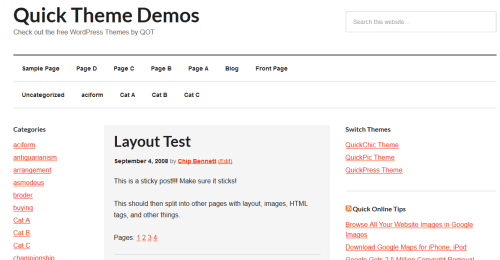
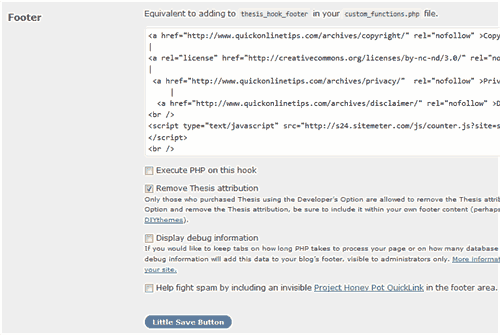
Enthused by the buzz around StudioPress and Copyblogger, we bought the Eleven40 child theme, which bundled the framework, for about $80. Eleven40 resembled our earlier custom design and was one of the few responsive themes at the time. After a few days we switched to the plain Genesis child theme because it was easier to customise. We had earlier tried the Thesis theme too.
- Professional design out of the box, with clean typography, good category and tag archives, featured images and a useful 404 page.
- Child themes done right. The framework updates itself while your customisations stay safe in the child theme. This taught us to run every site on a child theme.
- Genesis Simple Hooks. The framework uses hooks instead of template files, and the free Genesis Simple Hooks plugin let us insert code, such as AdSense ads, anywhere without touching functions.php.
- Built-in SEO settings, which switch off automatically when you use an SEO plugin. We found our plugin more complete and kept it.
- Easy layouts, menus and widgets, plus import and export of Genesis settings between sites.
What we missed was a way to change column widths without editing CSS. We added custom styles in a child stylesheet and through the Jetpack CSS editor.

Genesis Framework in 2026
- Owner: StudioPress is part of WP Engine.
- Products: the Genesis Framework, Genesis child themes, Genesis Blocks for the block editor, and Genesis Pro, a bundle of block tools and layouts.
- Strengths: lightweight code, strong security record, years of stable updates and a large library of tutorials.
- Weaknesses: fewer new child themes, design changes often still need hooks and PHP, and most of the WordPress community has moved to block and full site editing themes.
Genesis vs modern WordPress themes
| Theme | Customise without code | Block editor focus | Free version |
|---|---|---|---|
| Genesis + child theme | Limited | Partial, via Genesis Blocks | Framework only |
| Kadence | Yes, header and footer builder | Strong | Yes |
| GeneratePress | Yes | Strong with GenerateBlocks | Yes |
| Astra | Yes | Strong | Yes |
QuickOnlineTips itself later moved on from Genesis and today runs on a Kadence child theme, which lets us change layouts, fonts and colours from the Customizer while keeping the child theme approach Genesis taught us.
Should you use Genesis?
- Yes if your site already runs a Genesis child theme that works well, or you want a stable, code-friendly framework.
- Probably not for a brand-new site if you want to design visually in the block editor.
Whichever theme you choose, use a child theme for custom code and keep your permalink structure unchanged when switching themes.
FAQ
Is the Genesis Framework still supported?
Yes. StudioPress, owned by WP Engine, continues to offer the Genesis Framework, themes and Genesis Blocks.
Is Genesis good for SEO?
Its clean, fast code is good for SEO, but rankings depend far more on content. Most sites now use an SEO plugin like Rank Math or Yoast instead of theme SEO settings.
Can I switch from Genesis to another theme?
Yes, but anything added through Genesis hooks or Simple Hooks must be moved to the new theme or a plugin. Test on a staging site first.
Get our free weekly email: new tech guides and tools, no spam.
New and updated tech guides, a free tool worth bookmarking and one useful pick, once a week. No spam, unsubscribe anytime.
One email a week. Unsubscribe anytime. See our privacy policy.




i was unable to find a good theme for my blog but i think i am gonna use this one.
I have been using Genesis Framework on many of my sites since I started using WordPress. It’s so far my favorite theme framework for WordPress so far, because it supports a lot of child themes and have some other great features too.
I like this theme and considering getting it. One question, is this layout customized? Thanks
Eleven40! Thats the theme that I currently use with Genesis Framework. Trust me, it is awesome framework but cannot beat Thesis in my opinion. Before this I used Thesis framework but all the Thesis skin are awful on my eyes. So then I moved to Genesis because of Eleven40.
genesis one of the best seo friendly wordpress themes which are popular and thanks for your such nice presentation on helping guide for genesis
All my sites are also powered by genesis themes because their themes are the best and support is awesome. Its a nice decision to use genesis
You made a great choice, Genesis is easy and rock solid framework for WordPress. You can checkout Genesis tutorials at basicwp.com or ask any specific question using “Contact us” form, cheers!
Thanks. Glad to have more support for our choice.
I hope this time it helps. Maybe is has something to do with guest post for penguin and not panda?
I hope it works.
I think I am going to try this framework myself in the future.