8 Best Free Fitness Apps (Workouts, Running, Yoga)
The best free fitness apps give you real workouts, running plans and yoga classes without a monthly bill. Many “free” apps lock most of their content behind a trial, so we picked eight that stay useful at no cost and spell out the catch in each: home and gym workouts, a beginner running plan, run tracking, a gym log, the step and activity apps already on your phone, and the most popular free yoga library.
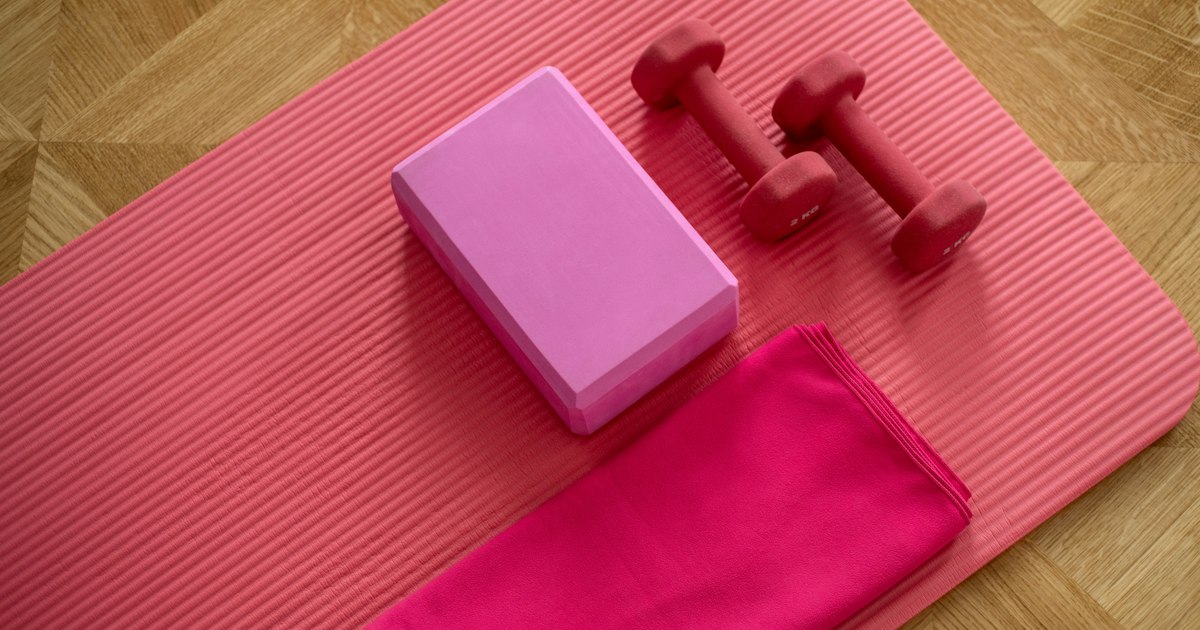
Quick answer: For guided workouts, start with Nike Training Club or FitOn, both free. New to running? Follow the free NHS Couch to 5K plan and log your runs on Strava. Lifting weights? Track sets in Hevy. For yoga, Yoga With Adriene has hundreds of free classes on YouTube. And don’t forget the free activity apps on your phone: Apple Fitness on iPhone and Samsung Health on Android.
Table of Contents
Best free fitness apps compared
| App | Best for | What’s free | Platforms |
|---|---|---|---|
| Nike Training Club | Home and gym workouts, multi-week programs | The workout library and programs | iPhone, Android |
| FitOn | Video classes with variety | All workouts; PRO adds meal plans and extras | iPhone, Android |
| NHS Couch to 5K | Complete beginners who want to run | The whole 9-week plan | iPhone, Android (plus a printable plan) |
| Strava | Tracking runs, rides and walks | Recording activities and the social feed | iPhone, Android |
| Hevy | Logging gym sessions | Workout logging with up to 4 saved routines | iPhone, Android, Apple Watch, Wear OS |
| Apple Fitness | Daily activity on iPhone | Move goal, steps and distance | iPhone (built in) |
| Samsung Health | Daily activity on Android | The full app | Android 10 and later |
| Yoga With Adriene | Free yoga classes | 500+ videos on YouTube | Any device with YouTube |
1. Nike Training Club: best free workout app overall
Nike Training Club (external site) (NTC) is the easiest free workout app to recommend. Nike says the app has hundreds of free workouts for every level, and its App Store listing describes “industry-leading workout programming and legit coaching for free”. You get trainer-led classes for strength, HIIT, core, yoga, pilates, mobility and recovery, plus programs that run for several weeks at home or in the gym.
- Good for: people who want a plan to follow, not just random workouts.
- Equipment: many classes need nothing but a mat; others use dumbbells or gym kit.
- Nice touch: with an Apple Watch you can pause or skip moves and see your heart rate on your wrist.
- The catch: you need a free Nike account, and the classes lean towards a sporty, high-energy style.
2. FitOn: best for variety of video classes
FitOn (external site) is built around the promise “100% free workouts”. The free library is a wide mix of trainer-led video classes, so you can switch styles from day to day.
- Good for: anyone who gets bored easily and wants something different each day.
- What PRO adds: music stations, personalized meal plans, 500+ recipes, unlimited offline downloads and live heart rate tracking with Fitbit, Garmin or Samsung watches. None of that is needed to work out.
- The catch: the app nudges you towards PRO often; just skip the upgrade screens.
3. NHS Couch to 5K: best free running plan for beginners
Made by England’s National Health Service, Couch to 5K (external site) takes you from no running at all to running 5 km (about 3 miles) in nine weeks. You run three times a week with rest days in between, and a trainer of your choice talks you through each session in your headphones while your music plays.
- Good for: true beginners, people coming back after a break, and anyone who has tried running and given up.
- Flexible: repeat a week whenever you need to; the plan is designed to be taken slower if you prefer.
- The catch: it is a UK service, so the app may not show up in every country’s app store. The full nine-week plan is also printed on the NHS website and as a PDF, so you can follow it with any timer.
4. Strava: best free app to track runs, rides and walks
Strava (external site) records your runs, rides, hikes, walks and gym sessions with your phone’s GPS or a connected watch, and shares them with friends who can cheer you on. Strava says it has a free version and a paid subscription; the free version covers recording your activities and the social feed, which is all most casual runners need.
- Good for: staying motivated with friends, clubs and challenges.
- What the subscription adds: Strava lists routes, segment leaderboards and advanced training analysis among its subscriber features, and offers a 30-day free trial.
- Privacy tip: before your first run, open Strava’s privacy settings and limit who can see your activities and maps, so your home address isn’t public.
5. Hevy: best free gym workout log
If you lift weights, Hevy (external site) replaces the notebook. Log each exercise, set, weight and rep, see which muscles you trained, and beat your old numbers. Hevy’s help center lists what free users get: workout tracking, exercise stats, a monthly report, body weight tracking, social features, Strava sync, and Apple Watch and Wear OS support.
- Good for: anyone following a strength program who wants to see progress.
- Free limits: up to 4 saved routines, up to 7 custom exercises and 3 months of history.
- What Pro adds: unlimited routines, all-time stats, more body measurements, a warm-up calculator and personalized programs.
6. Apple Fitness: free activity tracking already on your iPhone
You don’t need an Apple Watch to use the Apple (external site) Fitness app that comes on every recent iPhone. Apple’s iPhone guide explains that you can set a daily Move goal, and the phone’s motion sensors count your steps, distance and flights climbed while you carry it. Workouts from other apps that connect to Apple Health count towards your goal too.
- Good for: a simple daily target (“walk more”) without installing anything.
- The catch: the classes inside the app belong to Apple Fitness+, a paid subscription. The activity tracking itself is free.
7. Samsung Health: best free activity app for Android
Samsung Health (external site) is free from Google Play and the Galaxy Store, and it isn’t only for Samsung phones: Samsung says it works on other Android phones running Android 10 or later. It counts steps with the phone’s motion sensor and lets you build workout routines from more than 100 exercises.
- Good for: Android users who want one free place for steps, workouts and basic health data.
- The catch: sleep tracking and some coaching features need a Galaxy Watch or Galaxy Ring, and heart health features such as ECG work only on Galaxy phones.
8. Yoga With Adriene: best free yoga classes
For yoga, the best free option isn’t a yoga app at all. Yoga With Adriene (external site) has a library of more than 500 free yoga videos on YouTube, from short sessions to full-length classes. Search “Yoga With Adriene” plus what you need (for example “beginners” or “stretch”) in the YouTube app.
- Good for: beginners who want a calm, friendly teacher.
- The catch: YouTube shows ads unless you pay for YouTube Premium, and there is no built-in progress tracking.
Nike Training Club also includes free yoga classes if you’d rather keep everything in one app.
Which free fitness app should you pick?
- Want to get fit at home with no equipment: Nike Training Club or FitOn.
- Want to start running: NHS Couch to 5K for the plan, then Strava to log your runs.
- Lifting at the gym: Hevy.
- Just want to move more each day: Apple Fitness on iPhone or Samsung Health on Android.
- Stretching, flexibility and stress: Yoga With Adriene.
- Want to earn small rewards for walking: see our list of apps that pay you to walk (and the catch with each).
The best combination for most people is one workout app plus one tracker. For example, NTC workouts three days a week and the step count on your phone the rest of the time.
Tips to keep a free fitness app habit going
- Schedule it: put your workouts in your calendar like a meeting.
- Start small: a 10-minute session you do beats a 45-minute one you skip.
- Turn on reminders in the app, but switch off promotional notifications.
- Cancel trials early: if an app asks for card details to start a free trial, set a reminder a few days before it ends, or skip it; every app on this list works without paying.
- Listen while you move: a pair of open-ear earbuds lets you hear coaching cues and traffic at the same time on outdoor runs.
- Check with your doctor before starting a new exercise plan if you have a health condition, are pregnant or haven’t exercised in a long time.
Frequently asked questions
What fitness apps are completely free?
Nike Training Club, the NHS Couch to 5K app, Samsung Health and Yoga With Adriene’s YouTube classes cost nothing to use. FitOn’s workouts are free too, with optional paid extras. Strava and Hevy have useful free versions with some features kept for subscribers.
What is the best free workout app for beginners?
Nike Training Club, because it offers beginner classes and multi-week programs at no cost. For running, NHS Couch to 5K is built for people who have never run before.
Can I use the Apple Fitness app without an Apple Watch?
Yes. On iPhone, the Fitness app uses the phone’s motion sensors to count steps and distance towards your daily Move goal. The guided classes need an Apple Fitness+ subscription.
Do free fitness apps work without a gym?
Yes. Nike Training Club, FitOn and Yoga With Adriene all have plenty of no-equipment workouts you can do at home, and running plans like Couch to 5K need only shoes.
Is Strava free?
Strava has a free version for recording activities and following friends. Routes, segment leaderboards and advanced training analysis are part of the paid subscription, which comes with a 30-day free trial.
Stuck on a gift? Try our free Gift Idea GeneratorIdeas for anyone by age, job, interests and budget, with Amazon.com and Amazon.in linksFind gifts →
$4.99Free when you subscribe
Get 100 tech terms explained in plain English
8-page PDF on AI, coding, slang and SEO + one tech email a week.
Sent by email. Unsubscribe anytime. See our privacy policy.