
WordPress Comment Pagination: Fix Duplicate Comment Pages (2026)
WordPress 2.7 introduced comment pagination in 2008, splitting long comment threads into pages. Shortly after, we noticed Google indexing lots of duplicate /comment-page-1/ URLs on QuickOnlineTips, even though our theme didn’t support the feature. The setting had been switched on by default. WordPress comment pagination still causes SEO questions today, so here’s how it works and how to set it up correctly in 2026.

Quick answer: Comment pagination (Settings > Discussion > “Break comments into pages”) creates extra URLs like /comment-page-2/. Modern WordPress points each of those pages’ canonical tag to itself or the post, and most themes support it, so it isn’t a duplicate-content disaster. For most blogs, turning it off is simplest. Enable it only if posts get hundreds of comments, and consider lazy loading comments instead.
Table of Contents
What went wrong in 2009
After upgrading to WordPress 2.7, the “Break comments into pages” box in Settings > Discussion was checked by default. Our theme didn’t support comment pages, so the same post was available at both its normal URL and comment-page URLs with identical content. Google indexed them as duplicates. Unchecking the box fixed it, and we saw the same issue on other blogs we’d upgraded.
How WordPress comment pagination works today
- Settings > Discussion lets you break comments into pages with a set number of top-level comments per page and choose whether the first or last page shows by default.
- Comment pages use URLs like
/post-name/comment-page-2/. - Current WordPress versions and SEO plugins handle canonical tags for these pages, reducing duplicate-content risk.
- Block themes and most classic themes include comment pagination links.
Should you turn comment pagination on or off?
- Turn it off if most posts have fewer than 50-100 comments. All comments stay on the post page, which is simpler for readers and search engines.
- Turn it on if some posts have hundreds of comments that slow the page down.
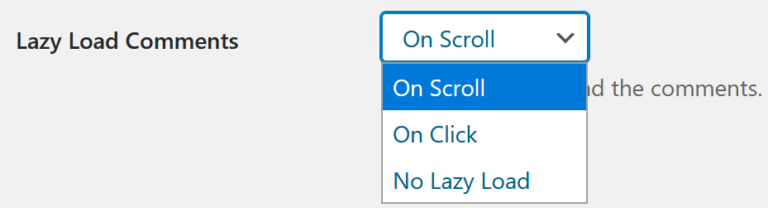
- Alternative: lazy load comments so they load only when readers scroll down, or show comments on a separate page.
How to change the setting
- Go to Settings > Discussion in your WordPress dashboard.
- Find “Break comments into pages with … top level comments per page”.
- Uncheck it to show all comments on one page, or set a number if you need pages.
- Save changes, then check a post with many comments.
Check for indexed comment pages
Search Google for site:yourdomain.com inurl:comment-page. If you turned pagination off, those URLs will eventually drop out. You can also check them in Search Console’s URL Inspection tool.
FAQ
Does comment pagination hurt SEO?
Not much on modern WordPress, but it adds URLs with thin content. Most blogs are fine with it off.
Why does Google show comment-page-1 URLs?
Comment pagination is on, or was on in the past. Turn it off and the URLs will fade from search results.
How many comments should I show per page?
If you paginate, 50 or more top-level comments per page keeps the number of extra pages low.
Subscribe to our weekly tech newsletter
New tech guides, free tools and 2-minute fixes, once a week.
🎁 100 Tech Terms ebook comes free with every subscription.
Unsubscribe anytime. See our privacy policy.





i have the same problem but i don’t know how to overcome it other than make it long comment without pagination.
Thanks for the info. I have a question though on duplicate content. I have posted on my blog page information on directors duties, had comments on it, then updated the with a fuller post to the same URL. Now when I try and see the full post I can only see it through the Recent Comments widget rather than via the blog or the tags. Please help.
Thanks terry
I never think about this problem, is it hurt for SEO? If it is, I must have to change it right now for my blog.
thumbs up to you for getting it to work :D
plz see my website!!!!
Thanks so much for the compliment. It means a lot to me to hear from people who enjoy the blog! Hopefully you will enjoy future posts just as much. So dont forget to subscribe to the blog.!
get F****d the lot of ya yous dont know s*** about articles
I used to publish my articles, but now I wander should I stop doing this, because the risk of duplicate content penalty. Should I stop publish my articles on article directories?
Hi guys,great tips…. thank u
Really great article! I wish I had something like this when I started using .
And building on Austin’s solution, you can also make your titles and meta descriptions unique on each comment page by using a short bit of PHP:
The first commenter’s solution is cut and pasted (with no attribution) from mine, which is in English:
http://pressedwords.com/solving-wordpress-seo-paged-comments-problem/
I already changed my settings.
Thanks for sharing this issue.
I changed my settings.
But fortunately or unfortunately my webmasters tool had not shown me any such notifications..probably because I never had any article with 50 comments :)
Hi I posted a solution for the pagination duplicate content, you may take a look into.http://www.gexiaofei.com/20081218469.html (In Chinese, but the code you may use in you theme fuctions.php)