
How to Recover Link Juice from Deleted Subdomains (301 Redirect Guide)
Did you delete a subdomain years ago? It may still have valuable backlinks pointing at it, and every one of them now lands on an error page. You can recover that lost link juice from deleted subdomains with a simple 301 redirect, and it takes only a few minutes. We did exactly this on our own site and reclaimed links from high-authority websites that had been wasted for years.
Quick answer: Re-create the subdomain (or just its DNS record) in your hosting or DNS panel, then 301 redirect it to your main domain. Add a redirect in your hosting panel, or put a rewrite rule in the subdomain’s .htaccess file, such as RewriteRule ^(.*)$ https://yoursite.com/$1 [R=301,L]. Check the old backlinks now return a 301 to a working page.
Table of Contents
Why deleted subdomains lose link juice
Many sites once created subdomains for side projects, forums, job boards or old blogs, then deleted them. Some were removed to clean up thin content after Google updates such as Google Panda; others simply weren’t worth maintaining.
But the content had already earned likes, shares and backlinks. When the subdomain disappears, every link to it hits a DNS error or a 404 page, and the authority those links carried is lost. Google can’t pass value through a link that leads nowhere.
For example, we once ran a jobs subdomain with a job board. It was thin content that never got much traffic, so we deleted it long ago for a cleaner site. Years later, after moving to new hosting, I ran a link audit on our old subdomains. Several of them still had backlinks from high domain authority websites:
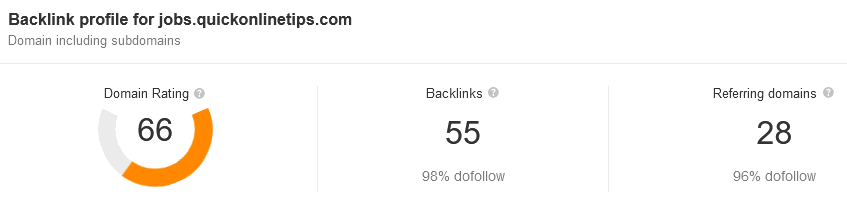
That was free link value we’d thrown away, so we decided to reclaim it.
Step 1: Find backlinks to your old subdomains
Check each old subdomain in a backlink tool:
- Ahrefs Backlink Checker or the free Ahrefs Webmaster Tools.
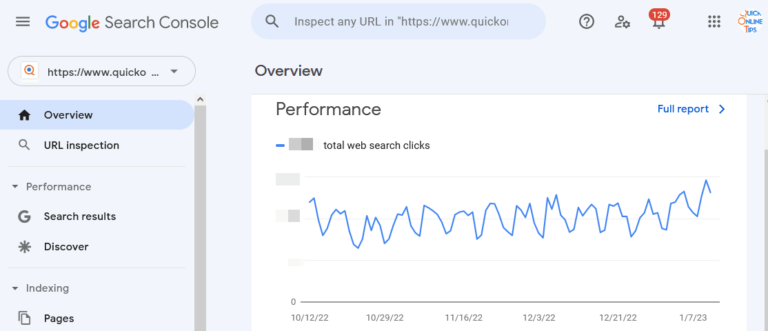
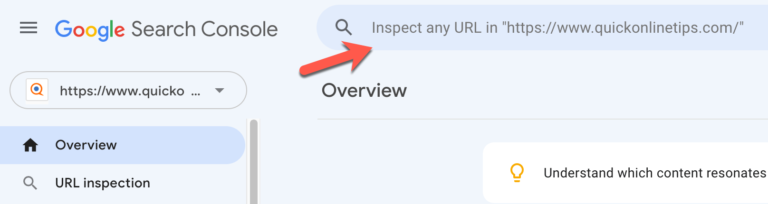
- Google Search Console: if you verify your whole domain as a Domain property, the Links report includes subdomains. Here’s how to verify all subdomains in Search Console with a DNS TXT record.
Note which old URLs have the most links, so you can redirect them to the most relevant pages.
Step 2: Re-create the subdomain
In your hosting control panel (cPanel, hPanel or similar), add the subdomain back. It doesn’t need any content; it just needs to exist so it can redirect.
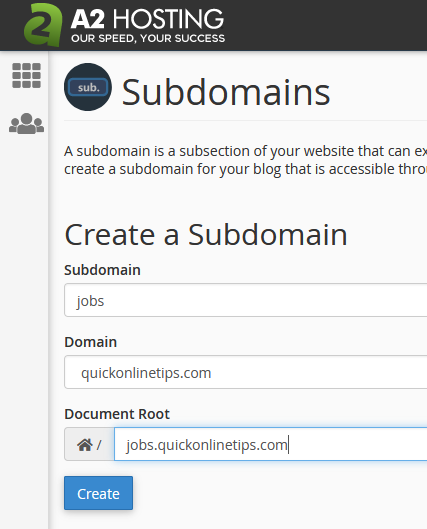
If you use Cloudflare or another DNS provider, make sure there’s a DNS record for the subdomain pointing to your server.
Step 3: 301 redirect the subdomain
Option A: Use your hosting panel
Most control panels have a Redirects tool. Choose the subdomain, set a Permanent (301) redirect, and enter your main domain or a relevant page.
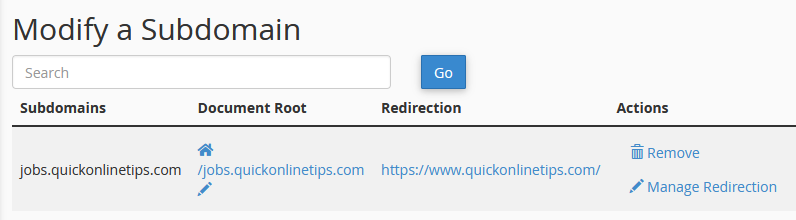
Option B: Use .htaccess
On Apache or LiteSpeed servers, open the subdomain’s folder with the file manager or FTP, and add rules to its .htaccess file (in the subdomain folder, not your main site’s root).
To send every old URL to your homepage:
RewriteEngine On
RewriteCond %{HTTP_HOST} ^sub\.yoursite\.com$ [NC]
RewriteRule ^(.*)$ https://yoursite.com/ [R=301,L]
To keep the same path on your main domain (sub.yoursite.com/page/ → yoursite.com/page/):
RewriteEngine On
RewriteCond %{HTTP_HOST} ^sub\.yoursite\.com$ [NC]
RewriteRule ^(.*)$ https://yoursite.com/$1 [R=301,L]
Use the second version only if those pages actually exist on your main site; otherwise visitors land on 404s again.
Option C: Cloudflare redirect rules
If your DNS is on Cloudflare, add a proxied DNS record for the subdomain and create a Redirect Rule that sends it to your main domain. No hosting changes are needed.
Step 4: Check the redirects work
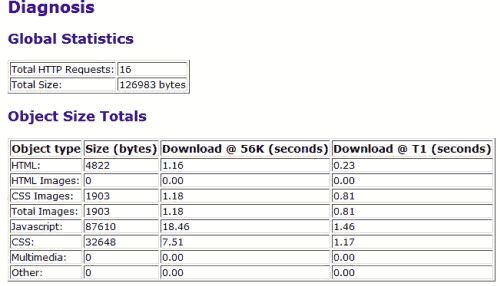
Open a few of the old backlinked URLs and confirm they arrive at the right page. A tool that shows HTTP status codes should report 301 followed by 200. See how to verify 301 redirects.
Redirect each old URL to the most relevant page you have. Google may treat mass redirects to an unrelated homepage like a soft 404, so a relevant destination keeps more of the value.
Frequently asked questions
Does a 301 redirect pass link juice?
Yes. Google has confirmed that 301 redirects pass PageRank, so links to the old subdomain help the page you redirect to.
How long should I keep the redirects?
Keep them permanently, or at least as long as the backlinks exist. Removing the redirect loses the value again.
Should I redirect a subdomain with no backlinks?
It isn’t necessary. If a subdomain has no links or traffic, you can let it go. Focus on the ones with valuable backlinks. For a broader check, see how to find toxic backlinks while you’re auditing links.
Get our free weekly email: new tech guides and tools, no spam.
New and updated tech guides, a free tool worth bookmarking and one useful pick, once a week. No spam, unsubscribe anytime.
One email a week. Unsubscribe anytime. See our privacy policy.

Always looking to learn more about SEO – great post!