
McAfee Stinger (Trellix Stinger): Free Virus Removal Tool Download
McAfee Stinger has been a favourite free virus removal tool since we first wrote about it in 2005, when it was called McAfee AVERT Stinger. It is still around in 2026, now as Trellix Stinger, after McAfee’s enterprise business became Trellix. Here is how to download McAfee Stinger, what it can and cannot do, and how to use it to clean an infected Windows PC.
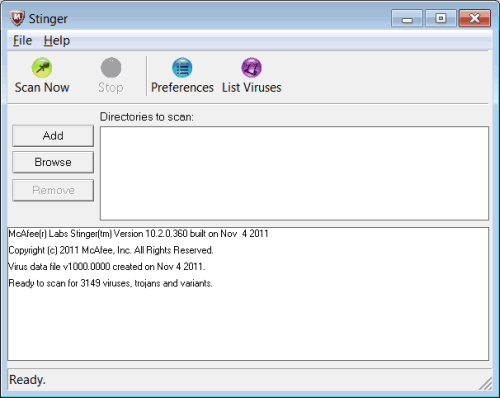
Quick answer: McAfee Stinger, now Trellix Stinger, is a free portable virus scanner for Windows that finds and removes specific common threats. Download the latest copy from the Trellix free tools page, run it without installing, and scan. It is a second-opinion cleanup tool, not a replacement for real-time antivirus.
Table of Contents
What is McAfee Stinger?
Stinger is a small standalone scanner. It does not install, does not run in the background and does not conflict with your existing antivirus. It targets a defined list of prevalent malware families and uses the same scan engine technology as Trellix’s commercial products, including process scanning and digitally signed definition files. Because it is portable, you can run it from a USB drive on a PC that is too infected to install normal security software.
McAfee Stinger vs Trellix Stinger
In 2021 McAfee sold its enterprise business, which was merged with FireEye and renamed Trellix. Stinger moved with it, so new versions carry the Trellix name. The consumer company, McAfee, continues to sell McAfee Total Protection separately. Old McAfee download links for Stinger no longer work.
How to download and use Trellix Stinger
- Open the Trellix free tools page and download Stinger (64-bit for most PCs, 32-bit for older systems).
- Always download a fresh copy before each use. Stinger has no update feature; each release includes the latest definitions.
- Right-click the file and choose Run as administrator.
- Click Customize my scan to add drives or folders, or keep the default which scans running processes, memory and common locations.
- Click Scan. Stinger repairs infected files by default and keeps backups in its quarantine folder.
- Read the log when it finishes, restart the PC, and run a full scan with your regular antivirus.
What Stinger cannot do
- It does not provide real-time protection, so it will not stop new infections.
- It detects a limited set of threats, not everything a full antivirus finds.
- It works on Windows only, not Mac, Android or iPhone.
For everyday protection, keep Microsoft Defender or a full security suite running. Read our guides to AVG free antivirus and Norton antivirus free trials.
Other free second-opinion scanners
- Microsoft Safety Scanner – a free on-demand scanner from Microsoft that expires after 10 days, so you always use a fresh copy.
- Malwarebytes Free – good at adware, unwanted programs and browser hijackers.
- Norton Power Eraser – a free aggressive scanner for stubborn threats.
Tips for cleaning an infected PC
- Disconnect from the internet before scanning if you suspect ransomware or a password stealer.
- Scan with two different tools; each catches things the other misses.
- After cleaning, update Windows, your browser and all apps, then change important passwords from a clean device.
- Do not forget to remove spyware and adware, which many antivirus tools treat as low priority.
When to use Stinger
Reach for McAfee Stinger when a PC is behaving strangely and your main antivirus says everything is fine, when a friend’s computer has no working security software at all, or when malware blocks you from installing a full antivirus. Copy the latest Stinger file to a USB drive from a clean computer, plug it in, and run it straight from the drive. It is also handy for IT support staff who clean many PCs, because nothing needs to be installed or uninstalled afterwards.
FAQ
Is McAfee Stinger free?
Yes. Trellix Stinger is free to download and use.
Can I run Stinger with another antivirus installed?
Yes. Stinger is portable and does not run in the background, so it will not conflict with Defender or other antivirus software.
Does Stinger work on Windows 11?
Yes. Current Trellix Stinger releases run on supported 64-bit versions of Windows, including Windows 10 and 11.





works well for a computer run down by hordes of virus