
9 Best Free Tools to Create Online Forms (No Coding Needed)
Need to create online forms for registrations, surveys, orders or feedback, without writing any code? Drag-and-drop form builders let you build a form in minutes, share it with a link or embed it on your website, and collect responses in a spreadsheet. Many of the tools in our original 2009 list have changed names or closed, so here are the best free tools to create online forms in 2026.
Quick answer: Google Forms is the best free option for most people, with unlimited forms and responses. For more design and features, try Jotform, Tally or Microsoft Forms. To take payments or build complex workflows, look at Jotform, Zoho Forms or Formstack.
Table of Contents
Best free tools to create online forms
1. Google Forms
Google Forms (external site) is free with a Google account, with no limits on forms or responses. Choose from templates for event registration, feedback, quizzes and order forms, add logic to skip questions, and see responses instantly in Google Sheets.
2. Microsoft Forms
Microsoft Forms (external site) is free with a Microsoft account and included in Microsoft 365. It’s great for surveys and quizzes, with automatic charts and Excel export.
3. Jotform
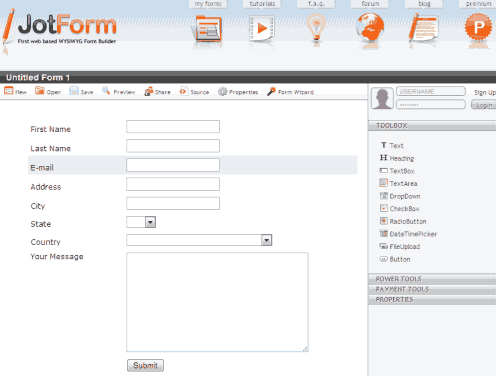
Jotform (external site), already a favourite in 2009, now has over 10,000 templates, payment integrations, e-signatures, approval workflows and a mobile app. The free plan includes a limited number of forms and monthly submissions.
4. Tally
Tally (external site) lets you build forms by typing, like writing a document. Its free plan offers unlimited forms and submissions, plus logic, file uploads and payments through Stripe.
5. Typeform
Typeform (external site) shows one question at a time for a friendly, conversational feel that people enjoy filling in. The free plan has a small response limit.
6. Zoho Forms
Zoho Forms (external site) is strong for business use, with offline mobile forms, approvals and integrations with Zoho CRM and other apps. The free plan suits small needs.
7. Formstack
Formstack (external site) was called FormSpring when it appeared in our original list. It’s now a paid business platform for forms, documents and e-signatures, with a free trial.
8. Wufoo
Wufoo (external site), now part of SurveyMonkey, still offers simple, colourful form templates, email notifications and a small free plan.
9. FormSite
FormSite (external site) has been around since 1998 and still offers template-based forms and surveys with payment options, now as a paid service with a free trial.

How to choose an online form builder
- Free limits: check how many forms and monthly responses the free plan allows.
- Where responses go: Google Sheets, Excel, email or your CRM.
- Payments: if you sell tickets or products, pick a tool with Stripe or PayPal built in.
- Logic and calculations: show or hide questions based on answers, or calculate totals.
- Privacy: for personal or health data, check where data is stored and whether the tool meets rules like GDPR.
- Spam protection: look for CAPTCHA options on public forms.
If you just need a simple contact form for your website, see our list of the best free contact form services.
What happened to the 2009 form builders?
Our original list included VisitorContact, FormSite, AppNitro pForm, FormSpring, Kontactr, JotForm and Wufoo. FormSpring became Formstack, AppNitro’s pForm turned into its MachForm software, and VisitorContact and Kontactr are no longer widely used. Jotform, Wufoo and FormSite are still going strong.

Frequently asked questions
What is the best free online form builder?
Google Forms is the best completely free option. Tally is excellent if you want unlimited forms with a more modern design.
Can I embed an online form on my website?
Yes. All these tools give you an embed code or a link. Paste the embed code into a WordPress Custom HTML block or your site’s HTML.
Can online forms take payments?
Yes. Jotform, Tally, Zoho Forms and others connect to payment services like Stripe, PayPal and Razorpay.
Stuck on a gift? Try our free Gift Idea GeneratorIdeas for anyone by age, job, interests and budget, with Amazon.com and Amazon.in linksFind gifts →Get our free weekly email: new tech guides and tools, no spam.
New and updated tech guides, a free tool worth bookmarking and one useful pick, once a week. No spam, unsubscribe anytime.
One email a week. Unsubscribe anytime. See our privacy policy.






Give http://www.QikForm.com a look – it is very easy to start and only one line of code does all form display, validation and processing.
Really good writing and actually aids with understanding the topic much better.
FormThis.com is a great online form designer with a Calculation Engine, Go Wide fields, Dynamic Rows, Save & Return, Required Fields, Rule Builder and so much more. Completely Free!
this doesn’y help because where do you go for them
i want to create them actually here on this website
thanx
not that good thoow