
Google Search Operators for SEO: 8 Tricks That Still Work (2026)
Google is still the first place most SEOs go for quick research, and a handful of Google search operators for SEO can answer questions in seconds that would otherwise need a paid tool: who targets a keyword in their titles, which of your pages are indexed, and where content gaps exist. This guide updates our 2010 guest post for 2026, drops the operators Google has retired and adds the ones worth using today.
Quick answer: The most useful Google search operators for SEO in 2026 are site: (check indexed pages on a domain), intitle: and allintitle: (find pages targeting a keyword in the title), inurl: (keywords in the URL), intext: (keywords in body text), quotes for exact phrases, the minus sign to exclude results, and filetype: for documents. The old link: and cache: operators no longer work, so use Google Search Console or a backlink tool for link data.
Table of Contents
8 Google search operators for SEO research
1. site: check indexing and find content on a domain
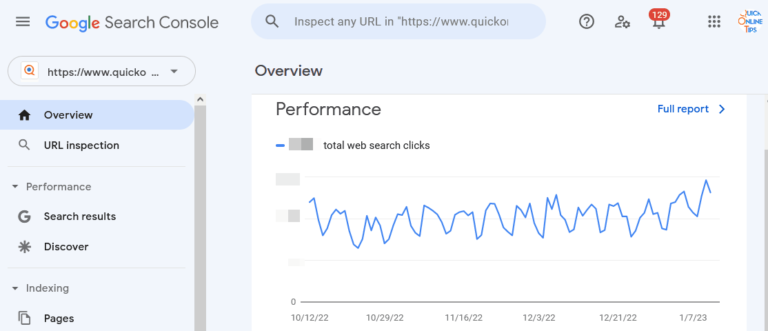
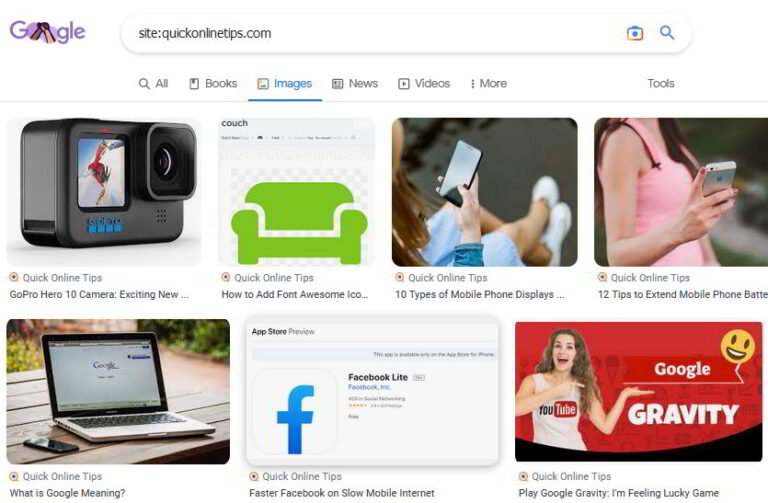
site:example.com shows pages Google has indexed from a domain. Add a keyword (site:example.com keyword research) to find every page on that site about a topic, which is handy for internal linking or spotting cannibalization. You can also use it for a whole class of sites, such as site:.edu or site:.gov. Treat the result count as a rough estimate; for accurate indexing data use the Pages report in Google Search Console (external site).
2. intitle: and allintitle: see who targets a keyword
intitle:keyword returns pages with that word in the title tag. allintitle:best running shoes requires all the words. A low allintitle: count often means a keyword is less competitive, a quick sanity check before you write.
3. inurl: and allinurl: find keyword URLs
inurl:guest-post or inurl:resources helps find guest post pages and resource lists for outreach, and shows how competitors structure URLs.
4. intext: and allintext: keyword in body content
These match words in the visible page text. Combine with site: to find unlinked mentions of your brand on a specific site, for example site:example.com intext:"quickonlinetips".
5. “Exact phrase” quotes
Quotes force an exact match. Search a unique sentence from your article in quotes to find scrapers and copies of your content.
6. Minus sign to exclude
"your brand" -site:yourdomain.com lists mentions of your brand on other sites, a classic link-building trick.
7. filetype: find PDFs and documents
filetype:pdf seo checklist surfaces documents, useful for research and for checking which of your own PDFs are indexed.
8. OR and combinations
Operators stack. intitle:"write for us" OR intitle:"guest post" seo finds outreach targets in one search.
Operators that no longer work
- link: once showed a sample of backlinks. Google told SEOs to stop relying on it years ago and it is no longer a supported operator. For your own site, use the Links report in Search Console; for competitors use a backlink tool such as Ahrefs Free (external site) (formerly Ahrefs Webmaster Tools, free for your own verified sites).
- cache: Google removed the cached page links and the cache: operator in 2024. Use the Wayback Machine to see old versions of a page.
- inanchor: and allinanchor: the original article recommended these to research anchor text. Results today are unreliable, so use a backlink tool’s anchor report instead.
Google’s own search operators documentation (external site) lists the operators it officially supports for site owners.
How to use these in an SEO workflow
- Before writing: run allintitle: on your target keyword to gauge competition, then site: on the top competitor to see how deep their coverage goes.
- After publishing: search
site:yourdomain.com/your-urlto check if a page is indexed. - Link building: use brand mentions with the minus sign and inurl:resources searches to find outreach targets.
For deeper research, see our guides to finding competitor keywords, using anchor text for SEO, free Google SEO tools and general Google search tips.
Originally written by guest author Eric Gesinski, a web designer and SEO consultant. Updated for 2026 by QuickOnlineTips.
FAQ
Does the link: operator still work in Google?
No. Google no longer supports link: as a way to see backlinks. Use Search Console’s Links report or a backlink tool.
Is the site: result count accurate?
No, it is an estimate. Search Console’s Pages report shows the real number of indexed pages for sites you own.
What is the difference between intitle: and allintitle:?
intitle: applies to the single word right after it, while allintitle: requires every following word to appear in the title.
Can I combine Google search operators?
Yes. For example, site:example.com intitle:review finds review pages on one domain.
Stuck on a gift? Try our free Gift Idea GeneratorIdeas for anyone by age, job, interests and budget, with Amazon.com and Amazon.in linksFind gifts →Get our free weekly email: new tech guides and tools, no spam.
New and updated tech guides, a free tool worth bookmarking and one useful pick, once a week. No spam, unsubscribe anytime.
One email a week. Unsubscribe anytime. See our privacy policy.


Thank you for sharing these Google Search operators! I am using intext operator but I am new to “inanchor:” and “site:” , I really need to try this two right now!
I have book marked your blog, for future reading..have a good and useful info in your blog.
Thank you for sharing, two of them I’m using for some time, others are new for me, but seemed to be useful :)
hey thanks for this, i’ll try to doing the allinanchor thing
Hi Eric Gesinski,
Thanks for sharing this tips. If you provided example for all tricks means, it will be very useful for beginners.