
Face Search in 2026: Best Free Ways to Search Faces with Google Images, Lens and More
Want to do a face search, finding where a photo of a person appears online or checking whether a dating profile picture is stolen? Back in 2007, Google Images had a hidden “faces only” filter. In 2026 that filter is gone, and Google deliberately won’t identify strangers from their face. Here’s what does work today: Google Lens, other reverse image search engines, dedicated face search tools, and how to protect your own photos.

Quick answer: For a free face search, upload the photo to Google Lens (images.google.com → camera icon) and look at “Exact matches” to see where that same picture appears online. For finding other photos of the same face, dedicated face search engines like PimEyes exist, but they’re paid and raise serious privacy concerns.
Table of Contents
Can you still search faces with Google Images?
In 2007 we shared a trick: adding &imgtype=face to a Google Images URL showed only pictures of faces, and a “Face” option later appeared in the search tools. That filter has since been removed from Google Images, along with other old options.
Today, Google Images and Google Lens find visually matching images: the same photo, cropped or resized copies, and pages that use it. Google has publicly chosen not to offer facial recognition that identifies private individuals from their face, because of the risk of stalking and misuse.
How to do a face search with Google Lens
- Go to images.google.com on a computer, or open the Google app on your phone.
- Click the camera icon (Search by image) and upload the photo, or paste an image link.
- Google Lens shows visually similar results. Click Exact matches to see web pages that use the same picture.
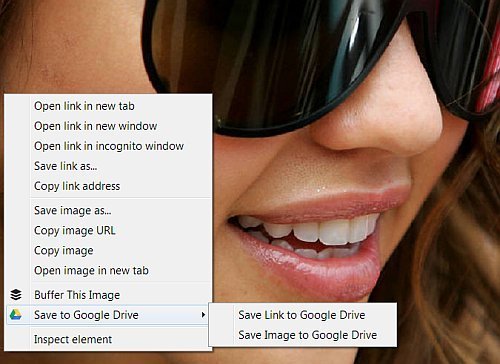
- In Chrome, you can also right-click any image and choose Search with Google Lens.
This is the quickest way to check whether a profile photo has been copied from someone else’s Instagram, a stock photo site or a news article, a common sign of a fake account or scam.
Other reverse image search engines
If Google doesn’t find a match, try the others. Each has its own index, so results differ:
- Bing Visual Search: upload a photo at bing.com/images and see matching pages.
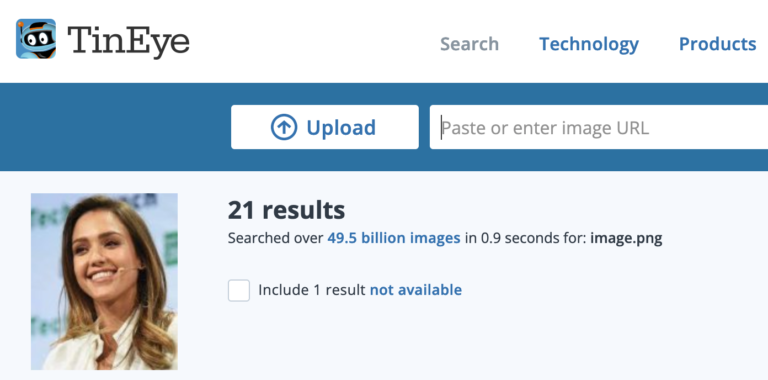
- TinEye: finds exact copies of an image and shows when each copy first appeared, which helps you find the original.
- Yandex Images: often finds more face-similar results than Google, though its reach depends on your region.
See our full guide to the best reverse image search engines for step-by-step instructions for each.
Dedicated face search engines (use with care)
Some websites use facial recognition to find different photos of the same person across the internet:
- PimEyes: searches public websites for faces that match yours. Paid plans are needed to see where results come from.
- FaceCheck.ID: aimed at checking people before meeting them, such as on dating apps. Paid.
- Lenso.ai: AI image search with a face search category. Paid.
These tools are controversial. They can be misused to track or harass people, and their accuracy varies. Some aren’t legal in every country. Only search for your own face, or for someone with a genuine safety reason, and never use them to identify strangers.
Search for your own face and protect your privacy
Face search works both ways. It’s worth checking where your photos appear online:
- Search your own photos with Google Lens to find copies on sites you don’t know about.
- Opt out of face search engines. PimEyes has an opt-out form at pimeyes.com/en/opt-out that hides your face from its results, though it doesn’t delete the original photos from other websites.
- Remove photos from Google. If someone posts personal or intimate images of you, Google’s “Results about you” tool and its removal request forms can take them out of search results.
- Lock down social media. Make Instagram and Facebook profiles private, and think twice before posting clear, front-facing photos of children publicly.

Frequently asked questions
Can Google find a person from a photo?
Google Lens can find where the same photo appears online, and may recognise very famous people or landmarks. It doesn’t identify private individuals from their face.
Is face search free?
Reverse image search with Google Lens, Bing, TinEye and Yandex is free. Dedicated face search engines like PimEyes and FaceCheck.ID charge to show full results.
How can I check if a dating profile is fake?
Run the profile photos through Google Lens and TinEye. If they turn up on a model’s Instagram, a stock photo site or under a different name, the profile is probably fake. It also helps to ask for a live video call before meeting.
Get our free weekly email: new tech guides and tools, no spam.
New and updated tech guides, a free tool worth bookmarking and one useful pick, once a week. No spam, unsubscribe anytime.
One email a week. Unsubscribe anytime. See our privacy policy.



Oh.. Then there must be several types of image searches. Who knows what will become helpful some day!
hi, for a good face search with a slick interface try http://www.facesaerch.com (utilizes google at the backend)
Thats one of those thricks which might be cool to know but are really of no practical use – thanks for sharing it anayways..
That’s pretty cool, never know about that. The Google labeler is fun to, but a little too addicting. To bad you don’t win anything :(
I looked myself up with this tip…I was very surprised to find so many of me on the web! Thanks for the tip. –clau
cooooooool…..
thanks for this tip