
How to Change a Facebook Page Name in 2026 (Desktop and App)
Want to change your Facebook Page name? Maybe your brand changed, or you misspelled the name when you created the Page. When I helped a reader fix a misspelled Page name back in 2012, it took a special request form. Today you can change a Facebook Page name yourself in a few taps, though Facebook still reviews the change. Here is how to change Facebook Page name in 2026, plus the rules that can block it.

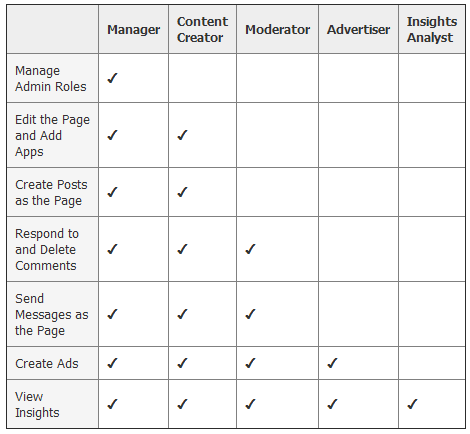
Quick answer: Switch into your Page, then go to Settings & privacy > Settings, open your Page profile details (in the new Pages experience this is under Accounts Center or Page setup > Name), edit the name, review the change and submit. Facebook usually approves it within a few days and notifies Page admins. Only people with full control of the Page can change its name.
Table of Contents
How to change a Facebook Page name on desktop
- Log in to Facebook and click your profile picture at the top right.
- Choose See all profiles and switch into the Page you want to rename.
- Click the Page’s profile picture again, then Settings & privacy > Settings.
- Open the name settings (labelled Page setup, Profile details or Name depending on your account) and click Edit next to Name.
- Type the new name, click Review change and then Request change.
How to change it in the Facebook app
- Tap the menu and switch to your Page.
- Tap the menu again, then Settings & privacy > Settings.
- Find the Page name setting, tap Name, enter the new name and submit it for review.
Facebook Page name rules
- The name must accurately represent your Page, such as your brand, business or blog name.
- No generic words alone (“Pizza”), misleading claims or impersonation of other brands.
- No excessive capital letters, symbols or emoji.
- No “official” unless it is the official Page.
- You cannot change the name again too soon after a recent change.
Why a name change can be rejected
- The new name is very different from the old one and might mislead existing followers.
- The Page has a recent history of name changes.
- The name breaks Facebook’s naming rules.
If it is rejected, you can try a closer variation, or contact Meta support through the Professional dashboard or Meta Business Suite.
Don’t forget the username and links
- Change the Page username (the facebook.com/yourname link) separately in the same settings, if it is available.
- Update the name in your website footer, email signature and other social profiles so your brand stays consistent. See our guide to building a blog brand.
- Post an announcement so followers know the new name.
Starting fresh? Here is how to create a Facebook Page for your blog, and remember to secure your Facebook account with two-factor authentication.
FAQ
How long does a Facebook Page name change take?
Usually up to three days for review.
Can I change a Page name with many followers?
Yes, but Facebook reviews it more carefully to protect followers from bait-and-switch name changes.
Why can’t I see the option to change the name?
You may not have full control of the Page, or you have not switched into the Page profile.
Did your Page name change go through? Tell us in the comments.
Stuck on a gift? Try our free Gift Idea GeneratorIdeas for anyone by age, job, interests and budget, with Amazon.com and Amazon.in linksFind gifts →Get our free weekly email: new tech guides and tools, no spam.
New and updated tech guides, a free tool worth bookmarking and one useful pick, once a week. No spam, unsubscribe anytime.
One email a week. Unsubscribe anytime. See our privacy policy.





How times in a year pr updated ??
I want to change my facebook page name
The link to the Facebook feedback form no longer works. We have over 6,000 fans and have changed our name. Would love to have some assistance in correcting.
thanks for share this post…i am now change my facebook page name using your tutorial…
how much time it takes to change the name? pr it happens on the spot?
Very very helpfull post. This is the all about facebook page name.I am looking for such a knowledge about changing facebook page name. Thanks for this post.