
How to Fix AdSense Login Errors (Can’t Sign In to AdSense, 2026)
Can’t get into your AdSense account even though your email and password are correct? AdSense login errors have frustrated publishers for years. In 2008 the cause was that AdSense used a separate password from your Google Account. That’s long fixed: AdSense now uses your Google Account sign-in. Most AdSense login problems in 2026 come from being signed in to the wrong Google Account, losing user access, or a 2-Step Verification issue. Here’s how to fix each one.
Quick answer: To fix AdSense login errors, open adsense.google.com in a private window and sign in with the exact Google Account you used to apply for AdSense; it’s usually the email that receives AdSense payment emails. If AdSense asks you to sign up, you’re on the wrong account. If you were a user on someone else’s account, ask the owner to re-add you. For password or 2-Step Verification problems, use Google’s account recovery.
Table of Contents
Common AdSense login errors and fixes
1. “You don’t have an AdSense account” or a sign-up page
You’re signed in to a different Google Account. Click your profile picture at the top right, switch accounts, or sign out of all accounts and sign in again with the AdSense one. Search your inbox for emails from AdSense to see which address it uses.
2. Too many Google Accounts in one browser
When you’re signed in to several accounts, Google sometimes opens AdSense with the default (first) account. Use a private or incognito window, or a separate browser profile just for your AdSense account.
3. Your access was removed
If you were added as a user by the account owner, they may have removed you. Ask them to check Account > Access and authorization > User management and send a new invitation.
4. Forgot password or lost 2-Step Verification
Use Google’s account recovery page and follow the prompts. Recovery is easier if your recovery phone and email are up to date, and if you have backup codes saved.
5. Account closed or disabled
If AdSense says your account is closed or disabled, signing in won’t help. Check your email for a notice from AdSense; disabled accounts can appeal through the link in that email.
6. Browser problems
Clear cookies for google.com, disable ad blockers and privacy extensions for AdSense, and make sure your browser is up to date. The AdSense app was retired, so use the website on mobile too.
How AdSense login worked in 2008
When we first wrote about this, many publishers saw the message: “You’re signed in to Google Accounts… but this is not a valid AdSense login.” AdSense explained that our AdSense login used the same email as a Google Account, but the two weren’t linked, so we needed a separate AdSense password. The fix was to sign out, reset the AdSense password and keep two passwords until Google migrated every AdSense login to Google Accounts, which it later did.
Protect your AdSense login
- Turn on 2-Step Verification with an authenticator app or passkey.
- Add other people as users instead of sharing your password.
- Keep payment and recovery details current, so holds and security alerts reach you; see how to remove an AdSense hold.
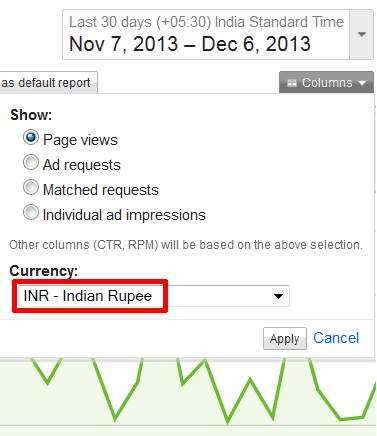
Once you’re in, try viewing AdSense earnings in your own currency.
Frequently asked questions
What is the AdSense login page?
Go to adsense.google.com and sign in with your Google Account.
Can I use a different email for AdSense?
Your AdSense account is tied to one Google Account. You can add other Google Accounts as users with their own access.
Why does AdSense keep logging me out?
Cookies may be blocked or cleared on exit, or a privacy extension is interfering. Allow cookies for google.com.
I forgot which email I used for AdSense. What now?
Search all your inboxes for AdSense emails or payment receipts, then try that address.
Stuck on a gift? Try our free Gift Idea GeneratorIdeas for anyone by age, job, interests and budget, with Amazon.com and Amazon.in linksFind gifts →Get our free weekly email: new tech guides and tools, no spam.
New and updated tech guides, a free tool worth bookmarking and one useful pick, once a week. No spam, unsubscribe anytime.
One email a week. Unsubscribe anytime. See our privacy policy.



Niyaz – Try clearing the browser cache. Then you would not have to refresh. Or close the browser tab / window before starting the new login.
Oh.
I have different passwords for the accounts, but still have problems with the login.
Sometimes I have to refresh 3-5 times to get in. Frustrating.
guess it is safe to have seperate passwords…probably google need not work on a single signon for adsense accountsand leave it as such…