
Copyscape Premium Plagiarism Checker: Find Copied Content
Copyscape Premium is a cheap and fast plagiarism checker that finds copies of your content across the web. Scrapers still copy blog posts in 2026, now often rewritten with AI, and duplicate copies can confuse search engines and readers. We started using Copyscape Premium in 2012 while recovering from a Google Panda penalty, and it remains one of the easiest ways for site owners to find copied content. Here is how it works, what it costs and what to do when you find a copy.
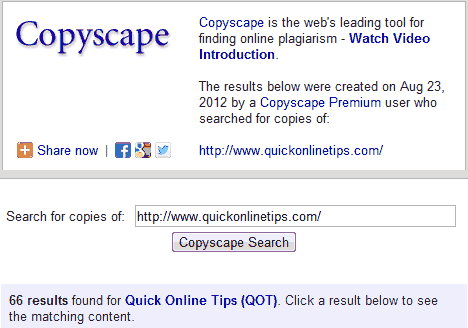
Quick answer: Copyscape Premium is a pay-per-search plagiarism checker from Copyscape. You buy credits, then paste a URL or text to see every web page that copies it, with the matching words highlighted. It costs a few cents per search, has a Batch Search for many pages at once, and Copysentry can watch your pages and alert you to new copies.
Table of Contents
Copyscape free vs Copyscape Premium
- Free Copyscape: paste a URL and see the top matches only. We used it for years, but it showed just the first 10 results, while many more sites could be copying our posts.
- Copyscape Premium: shows all matches, lets you check pasted text (not just live URLs), compares documents and supports batch checks.
- Copysentry: a monthly subscription that monitors your pages and emails you when new copies appear.
How much does Copyscape Premium cost?
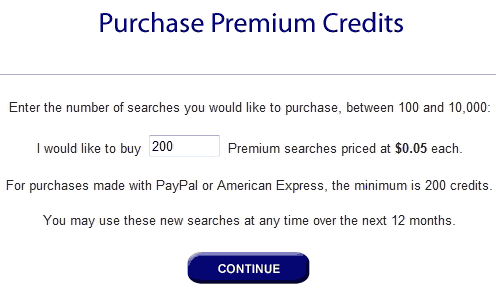
Copyscape Premium works on prepaid credits. When we upgraded in 2012, a premium search cost just 5 US cents. Today it is still a few cents per search, with the price based on the length of the text. Check the current prices on Copyscape’s website before you buy. For occasional checks, it is far cheaper than a monthly plagiarism tool subscription.
How to use Copyscape Premium
- Create an account on Copyscape and buy credits.
- Choose Premium Search, then paste a URL or the text you want to check.
- Review the results list. Each result shows the copied page and the percentage of matching text.
- Click a result to see the copied words highlighted side by side.
- For a whole site, use Batch Search with a list of URLs or your sitemap, but remember each page uses credits.
What to do when you find copied content
- Ask for removal: contact the site owner first and ask them to remove the copy or credit and link to you.
- Contact the host: most hosting companies act on copyright complaints.
- File a DMCA request with Google: use Google’s copyright removal form to remove infringing pages from search results.
- Protect your feed: many scrapers copy RSS feeds, so see how to stop RSS feed scraping and content theft.
- Do not panic about SEO: Google usually identifies the original, so focus on copies that outrank you or harm your brand.
Other ways to find copied content
- Search Google for an exact sentence from your post in quotes.
- Set a Google Alert for a unique phrase or your site name.
- Use other plagiarism checkers such as Quetext or Copyleaks, which can also detect AI-rewritten text.
FAQ
Is Copyscape Premium worth it?
For bloggers and publishers who check content now and then, yes. You only pay for searches you run.
Can Copyscape check text that is not online?
Yes. Copyscape Premium lets you paste text, which is useful for checking articles from writers before publishing.
Does Copyscape find AI-rewritten copies?
It finds matching wording. Heavily rewritten copies may not match, so also search for unique phrases and facts.
Does copied content hurt my Google rankings?
Usually not, because Google tries to show the original. It matters most when a copy outranks you.
Get our free weekly email: new tech guides and tools, no spam.
New and updated tech guides, a free tool worth bookmarking and one useful pick, once a week. No spam, unsubscribe anytime.
One email a week. Unsubscribe anytime. See our privacy policy.



For duplicate content detection there are various tools available. Using plagiarism checker is very beneficial to detect duplicate content as it is easy to use. Plagiarism checker consumes very little time; with one click of mouse you can detect plagiarism in your document without any difficulty.
Ya, that’s a great tool for checking copy content. I have been using this tool from last one year, and it’s awesome. I would say every webmaster should be using this tool for checking copy content before added content in their website.
What happens when you find the content and the webmaster refuses to remove it? While it’s great to find the stolen content, it’s another matter of actually getting the webmaster of the site to actually remove it.
That’s right. Getting spam blogs to remove your content is really impossible. You can always file a DMCA complaint, report to their hosting provider, complain to the advertising provider, and file a spam report with Google. All this will help to minimise the effect of the spam blog on your own search engine rankings.