Text Repeater Repeat Text or Emoji Many Times
Everything runs in your browser. Nothing you enter is sent to or stored on our server.
© 2004–2026 QuickOnlineTips. This tool’s code and design are our own work. You are welcome to use it here for free, but please do not copy, republish or sell it. Terms of use
Help us improve this tool
More text tools
About this tool
This text repeater copies any word, sentence or emoji as many times as you want, up to 10,000, and puts the result on your clipboard. Choose new lines, spaces, commas or your own separator, and add numbers if you need a numbered list.
Quick answer: Type your text, set how many times to repeat it, pick a separator and click Copy result. The output updates as you type.
How to use the text repeater
- Type or paste the word, sentence or emoji you want to repeat. It can be several lines long.
- Enter how many copies you need, or use the 100, 500 and 1,000 buttons.
- Pick a separator: a new line for a list, a space for one long line, nothing to join copies together, or your own text such as ” | “. Type \n in the custom box for a line break.
- Tick Number each copy for a numbered list, then copy the result.
What people use a text repeater for
- Messages and fun: send “I love you” 100 times, a wall of heart emoji, or “happy birthday” on WhatsApp, Instagram or Messenger.
- Testing: developers fill input fields, test character limits and check how layouts handle long text. Pair it with the character counter to hit an exact length.
- Templates and lists: make numbered placeholders such as “Item” 1 to 50 for a spreadsheet or form.
- Practice: teachers create handwriting or spelling sheets with the same word on every line.
Messaging apps have limits, so very long messages may be cut or blocked. WhatsApp accepts around 65,000 characters per message, and SMS messages split into parts after 160 characters, or after 70 if you use emoji.
Repeat text without spam problems
Sending the same message many times to someone who did not ask for it can get your account flagged. Keep repeated messages to friends who will enjoy the joke, and avoid pasting walls of text into public comments.
Want to style the text too? Try the fancy text generator, upside down text or copy and paste symbols.
FAQ
What is the maximum?
10,000 copies, or about 2 million characters in total, whichever comes first, so your browser stays fast.
Does it work with emoji?
Yes. Emoji, symbols and text in any language repeat exactly as typed.
Is the text saved?
No. Everything happens in your browser.
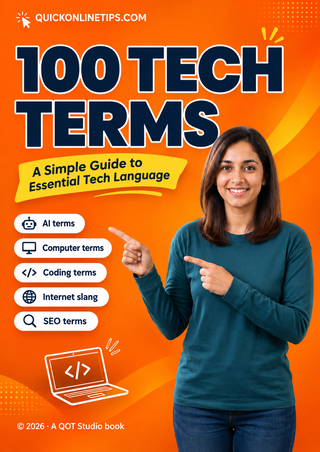
$4.99Free when you subscribe
Get 100 tech terms explained in plain English
8-page PDF on AI, coding, slang and SEO + one tech email a week.
Don’t want emails? Buy the PDF for $4.99 (opens in a new tab)
Sent by email. Unsubscribe anytime. See our privacy policy.